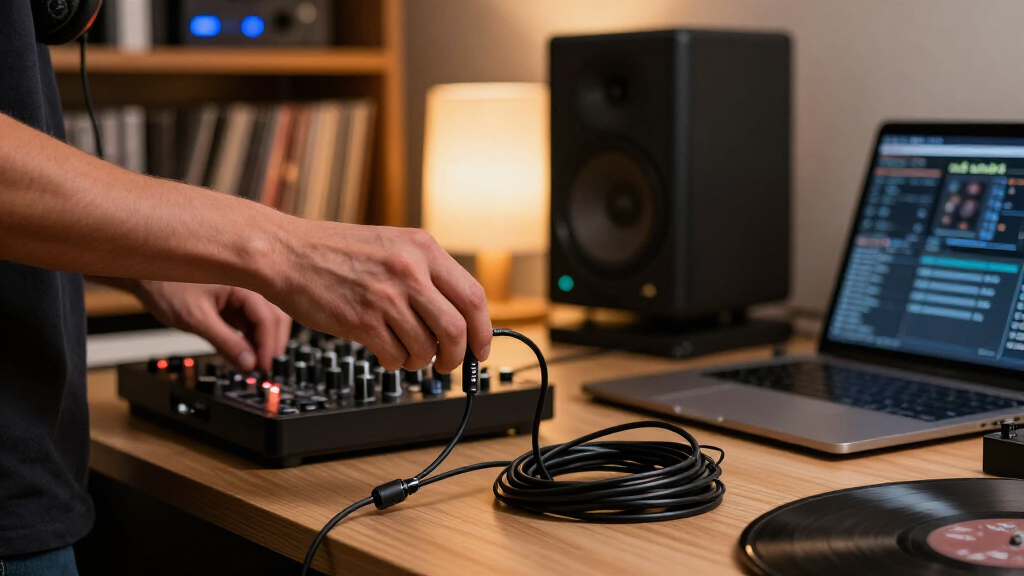

For wireless DJ headphones with replaceable cables, I’d start with the OneOdio Studio Max 2 for its combination of wireless listening and wired backup, while the Audio-Technica ATH-M40x suits DJs who put dependable wired monitoring first. The OneOdio A70 is another flexible option for buyers who want Bluetooth listening alongside a detachable cable. The main tradeoff is that wireless convenience does not replace checking latency, connection stability, and how each model handles wired use during a set. A detachable cable can help with repairs and setup changes, but connector compatibility matters as much as the headphone’s wireless features. Read on for how the six options differ and which one fits your setup.

Get audio and creator gear delivered free — and shop member deals
- Fast, free delivery on millions of items
- Access to Prime Big Deal Days deals on October 6–7
- Prime Video, Amazon Music and more included
Complete the kit


Key Takeaways
- The OneOdio Studio Max 2 is the strongest all-around fit in this group for buyers who want wireless listening and a cable-based fallback.
- The ATH-M40x stands apart as the wired-first choice; its role makes sense for DJs who value direct monitoring over built-in wireless freedom.
- The OneOdio A70 offers a practical Bluetooth-and-cable combination, though buyers should check whether its wireless behavior suits live cueing.
- The PUPGSIS uses a 2.4GHz wireless approach and a 1/4-inch-to-3.5mm jack, making connection details a key part of its appeal and setup check.
- The Studio Max 1 and Syndesmos Captain 370 broaden the wireless options, but buyers should compare their cable compatibility and wired fallback details before choosing.
| OneOdio Studio Max 2 Wireless DJ Headphones |  | Best Overall | Latency: 9 ms | Audio codec: LDAC | Frequency response: 20 Hz–40 kHz | VIEW LATEST PRICE | See Our Full Breakdown |
| OneOdio A70 Bluetooth Over-Ear Headphones, Hi-Res Wired DJ Studio, Black | 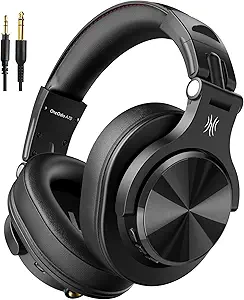 | Best Value for Wired Flexibility | Wireless playback: Up to 72 hours | Drivers: 40 mm neodymium | Connectivity: Bluetooth and wired | VIEW LATEST PRICE | See Our Full Breakdown |
| PUPGSIS 2.4GHz Wireless DJ Headphones with 1/4″ to 3.5mm Jack, Black |  | Best for Single-Ear Monitoring | Connection modes: 2.4 GHz wireless, Bluetooth 5.3, AUX wired | Latency: 20 ms in 2.4 GHz mode | Battery life: Up to 60 hours Bluetooth; up to 30 hours 2.4 GHz | VIEW LATEST PRICE | See Our Full Breakdown |
| Audio-Technica ATH-M40x Professional Studio Monitor Headphones |  | Best Wired Studio Pick | Drivers: 40 mm | Magnets: Rare earth | Voice coils: Copper-clad aluminum wire | VIEW LATEST PRICE | See Our Full Breakdown |
| OneOdio Studio Max 1 Wireless DJ and Wired Studio Headphones |  | Best for Long Sessions | Connectivity: Bluetooth 5.3, low-latency wireless transmitter, wired | Wireless latency: 20 ms | Drivers: 50 mm | VIEW LATEST PRICE | See Our Full Breakdown |
| Syndesmos Captain 370 Wireless Over-Ear DJ Headphones |  | Best for Long Wireless Sessions | Driver size: 50 mm neodymium | Frequency response: 20 Hz–20 kHz | Connectivity: Bluetooth 5.4 and wired | VIEW LATEST PRICE | See Our Full Breakdown |
| wireless DJ headphones with replaceable cable | Drivers | Connectivity | Battery life | Frequency response |
|---|---|---|---|---|
| OneOdio Studio Max 2 Wireless | 45 mm | 2.4 GHz wireless, Bluetooth 6.0, wired | Up to 120 hours | 20 Hz–40 kHz |
| OneOdio A70 Bluetooth Over-Ear | 40 mm neodymium | Bluetooth and wired | — | — |
| PUPGSIS 2.4GHz Wireless DJ Hea | 50 mm dynamic | — | Up to 60 hours Bluetooth; up to 30 hours 2.4 GHz | 20 Hz–40 kHz |
| Audio-Technica ATH-M40x Profes | 40 mm | — | — | — |
| OneOdio Studio Max 1 Wireless | 50 mm | Bluetooth 5.3, low-latency wireless transmitter, wired | Up to 120 hours Bluetooth; up to 50 hours with dongle | — |
| Syndesmos Captain 370 Wireless | — | Bluetooth 5.4 and wired | Up to 100 hours | 20 Hz–20 kHz |
More Details on Our Top Picks
OneOdio Studio Max 2 Wireless DJ Headphones
The Studio Max 2 is the most flexible pick here for DJs who want wireless convenience without giving up a replaceable wired connection. Its 2.4 GHz mode is specified at 9 ms latency, making it a better fit for cueing and monitoring than Bluetooth alone; the PUPGSIS option lists 20 ms in its 2.4 GHz mode. Bluetooth 6.0 and LDAC add options for everyday listening, while the 3.5 mm and 6.35 mm jacks cover common sources and mixer setups. The stated 120-hour battery maximum also reduces charging interruptions, though it is not a guarantee of real-world runtime. Compared with the Studio Max 1, it claims lower wireless latency, but the Max 1 includes a travel case and specifies dongle runtime separately. Choose this model for its range of modes, while recognizing that its wireless claims need real-world validation.
Pros:- 9 ms latency specified for wireless monitoring
- 2.4 GHz, Bluetooth 6.0, and wired listening modes
- 3.5 mm and 6.35 mm connections support common audio equipment
- 180° swivel earcups support single-ear monitoring
Cons:- The 120-hour battery figure is a stated maximum
- No customer review information was supplied to assess real-world performance
- Included cables and accessories are not specified
Best for: DJs and home studio users who want low-latency wireless monitoring plus 3.5 mm and 6.35 mm wired options.
Not ideal for: Buyers who need independently verified runtime or prefer a fully documented package, since the stated battery figures are maximums and included accessories are not specified.
- Latency:9 ms
- Audio codec:LDAC
- Frequency response:20 Hz–40 kHz
- Drivers:45 mm
- Connectivity:2.4 GHz wireless, Bluetooth 6.0, wired
- Connectors:3.5 mm and 6.35 mm jacks
- Battery life:Up to 120 hours
- Design:Over-ear; 180° swivel earcups
Our verdict“Pick the Studio Max 2 if low-latency wireless and replaceable wired connections matter more than confirmed runtime or a specified accessory bundle.”
OneOdio A70 Bluetooth Over-Ear Headphones, Hi-Res Wired DJ Studio, Black
The OneOdio A70 earns its place by making the wired fallback especially straightforward: the supplied cables include both 3.5 mm to 6.35 mm and 3.5 mm to 3.5 mm connections. That gives a beginner or casual DJ a direct path to a mixer or everyday device without buying a separate adapter. Bluetooth playback is rated for up to 72 hours, and the headphones can also work wired without battery power. Compared with the Studio Max 2, the A70 lacks a listed low-latency 2.4 GHz mode, so it is less suited to timing-sensitive wireless cueing. Its foldable frame and audio sharing make it more adaptable for travel and shared listening, though sharing depends on compatible cables and another pair of headphones. This is a practical wired-first choice with Bluetooth for convenience, not a wireless monitoring specialist.
Pros:- Includes 3.5 mm to 6.35 mm and 3.5 mm to 3.5 mm cables
- Can be used wired without battery power
- Foldable, rotatable design is easier to pack
- Audio sharing supports listening with compatible additional headphones
Cons:- No low-latency wireless mode is specified
- Audio sharing requires compatible cables and another pair of headphones
- Bluetooth playback time is a stated maximum
Best for: New DJs and commuters who want supplied cables for both mixer and standard headphone connections, with Bluetooth for casual listening.
Not ideal for: DJs who need low-latency wireless cueing, since no 2.4 GHz transmitter or latency figure is listed.
- Wireless playback:Up to 72 hours
- Drivers:40 mm neodymium
- Connectivity:Bluetooth and wired
- Included cables:3.5 mm to 6.35 mm; 3.5 mm to 3.5 mm
- Microphone:Built-in HD microphone with noise reduction
- Design:Over-ear, rotatable, foldable
Our verdict“Choose the A70 if ready-to-use wired connections and battery-free wired listening matter more than low-latency wireless monitoring.”
PUPGSIS 2.4GHz Wireless DJ Headphones with 1/4″ to 3.5mm Jack, Black
The PUPGSIS stands out for DJs who rely on single-ear monitoring: its earcups rotate 180°, and its wired ports include both 3.5 mm and 6.35 mm connections. It also gives buyers three ways to connect, including a 2.4 GHz dongle mode specified at 20 ms latency, Bluetooth 5.3, and wired AUX. That makes it more versatile for mixed setups than the wired-first Audio-Technica ATH-M40x, which has detachable cables but no wireless modes listed. The tradeoff is that the PUPGSIS latency figure applies only to the dongle mode, while Bluetooth is not specified as low latency. Battery estimates also differ by mode: up to 60 hours on Bluetooth and 30 hours with the dongle. Its foldable design helps with transport, but those mode-specific limits matter if wireless monitoring is central to a long session.
Pros:- 180° rotating earcups support one-ear monitoring
- Three connection modes include 2.4 GHz, Bluetooth, and wired AUX
- 3.5 mm and 6.35 mm ports suit common sources and mixers
- Foldable design is easier to carry
Cons:- 20 ms latency is specified for 2.4 GHz mode, not Bluetooth
- Dongle battery life is listed as up to 30 hours, shorter than Bluetooth runtime
- Battery figures are stated maximums
Best for: Mobile DJs who monitor with one ear and want 2.4 GHz, Bluetooth, and wired options in one foldable pair.
Not ideal for: Buyers who need the longest stated dongle runtime or rely on Bluetooth for timing-sensitive monitoring.
- Connection modes:2.4 GHz wireless, Bluetooth 5.3, AUX wired
- Latency:20 ms in 2.4 GHz mode
- Battery life:Up to 60 hours Bluetooth; up to 30 hours 2.4 GHz
- Drivers:50 mm dynamic
- Frequency response:20 Hz–40 kHz
- THD:<0.5%
- Ports:3.5 mm and 6.35 mm (1/4 inch)
- Earcups:180° rotating
Our verdict“Pick the PUPGSIS if rotating earcups and three connection modes are priorities, and its shorter dongle runtime fits your sessions.”
Audio-Technica ATH-M40x Professional Studio Monitor Headphones
The ATH-M40x is the clear choice for buyers who care most about replaceable cables and a familiar wired studio setup. Detachable cables are included, and its circumaural design helps isolate sound; 90-degree swiveling earcups also support one-ear monitoring. Unlike the OneOdio A70, this model has no Bluetooth playback or stated wireless mode, so it cannot move between untethered listening and wired DJ work. That limitation is also its defining tradeoff: buyers focused on wireless use should look to the Studio Max 2 or PUPGSIS instead. The available data lists 40 mm drivers, rare-earth magnets, and copper-clad aluminum voice coils, but does not state cable connector types or battery details. I would treat it as a studio-oriented wired option whose appeal is the detachable connection and monitoring layout, not wireless versatility.
Pros:- Detachable cables are included
- Circumaural design helps isolate sound
- 90-degree swiveling earcups support one-ear monitoring
- 40 mm drivers with rare-earth magnets and copper-clad aluminum wire voice coils
Cons:- No wireless connectivity is listed
- Cable connector types are not specified in the supplied product data
- No battery or wireless runtime information is provided
Best for: Studio users and DJs who prefer a wired signal path, need detachable cables, and value sound-isolating over-ear construction.
Not ideal for: Buyers who specifically need wireless DJ headphones or want Bluetooth listening without a cable.
- Drivers:40 mm
- Magnets:Rare earth
- Voice coils:Copper-clad aluminum wire
- Design:Circumaural
- Earcups:90-degree swiveling
- Included:Detachable cables
Our verdict“Choose the ATH-M40x if replaceable cables and wired monitoring matter more to you than wireless playback.”
OneOdio Studio Max 1 Wireless DJ and Wired Studio Headphones
For DJs who want long stretches between charges, the Studio Max 1 lists up to 120 hours of Bluetooth playback and up to 50 hours with its low-latency transmitter. Those mode-specific figures make its runtime easier to compare than the single maximum listed for the Studio Max 2, though they remain manufacturer claims. The Max 1 also has 50 mm drivers, LDAC support, 180° rotating cups, and wired 3.5 mm and 6.35 mm connections, covering both everyday listening and mixer use. Its stated 20 ms wireless latency is higher than the Max 2’s 9 ms, so the newer sibling is the stronger pick when the lowest listed delay matters. In return, the Max 1 includes a travel case and adapter, plus dual-microphone noise reduction for calls. Choose it for endurance and a specified accessory bundle, with the latency tradeoff in mind.
Pros:- Lists separate runtimes for Bluetooth and transmitter modes
- Wired 3.5 mm and 6.35 mm connections support common audio gear
- 180° rotating earcups support single-ear monitoring
- Travel case and adapter are included
Cons:- Wireless latency is listed as 20 ms, higher than the Studio Max 2’s 9 ms
- The 120-hour figure applies to Bluetooth; transmitter runtime is listed as up to 50 hours
- Battery runtimes are stated maximums, not independently verified results
Best for: DJs and studio users who want long stated runtimes across Bluetooth and transmitter modes, plus a travel case and adapter.
Not ideal for: Buyers prioritizing the lowest listed wireless latency, since the Studio Max 2 specifies 9 ms compared with this model’s 20 ms.
- Connectivity:Bluetooth 5.3, low-latency wireless transmitter, wired
- Wireless latency:20 ms
- Drivers:50 mm
- Battery life:Up to 120 hours Bluetooth; up to 50 hours with dongle
- Quick charge:5 minutes provides up to 5 hours of use
- Audio support:Hi-Res Audio, LDAC, LC3
- Wired connections:3.5 mm and 6.35 mm
- Included accessories:Travel case and adapter
Our verdict“Choose the Studio Max 1 for long stated runtimes and included travel accessories if 20 ms wireless latency meets your needs.”
Syndesmos Captain 370 Wireless Over-Ear DJ Headphones
The Syndesmos Captain 370 is the clearest fit for DJs who want long stretches of wireless listening without giving up a detachable cable for wired use. Its stated up to 100 hours of playback exceeds what most buyers need between charges, while the included coiled cable has both 3.5 mm and 6.35 mm plugs for common listening setups. The 90° swiveling ear cups also support single-ear monitoring, a useful DJ feature that makes it more booth-oriented than the Audio-Technica ATH-M40x, which is wired only. The tradeoff is that Bluetooth does not support device switching, so moving between a phone and another source takes extra steps. The 33-foot stated wireless range and Bluetooth connection suit casual movement, but buyers focused on a dedicated low-latency wireless system may prefer the PUPGSIS 2.4GHz model.
Pros:- Up to 100 hours of stated playback reduces how often charging interrupts listening
- Bluetooth and wired listening provide flexible use across casual and DJ setups
- Detachable coiled cable includes both 3.5 mm and 6.35 mm plugs
- 90° swiveling ear cups support single-ear monitoring
Cons:- Bluetooth device switching is not supported
- The listed wireless range is up to 33 feet, which may limit movement compared with a dedicated wireless transmitter setup
Best for: DJs and listeners who want long Bluetooth sessions, single-ear monitoring, and a detachable cable that fits both 3.5 mm and 6.35 mm connections
Not ideal for: People who frequently switch Bluetooth sources or need a dedicated 2.4GHz wireless link for DJ monitoring
- Driver size:50 mm neodymium
- Frequency response:20 Hz–20 kHz
- Connectivity:Bluetooth 5.4 and wired
- Battery life:Up to 100 hours
- Battery capacity:800 mAh
- Audio plugs:6.35 mm and 3.5 mm
- Cable length:9.8 ft coiled
- Weight:260 g
- Ear cup swivel:90°
Our verdict“Choose the Captain 370 if long battery life and flexible wired connections matter more than quick Bluetooth source switching.”
How We Picked
I ranked these headphones by how well they fit the specific job of DJ monitoring with wireless convenience and a replaceable-cable option. The main criteria are whether wireless and wired use are both clearly supported, how useful the connection options are for common DJ equipment, and whether the product’s role is easy to distinguish from the others. I also weighed practical ownership factors: replaceable cable compatibility, the value of a wired fallback, and how much a buyer may need to confirm about latency or setup before relying on wireless during a set.
The Studio Max 2 ranks first because it most directly matches the brief’s combination of wireless and wired use. The A70 follows as a flexible Bluetooth-and-cable pick, while the wired ATH-M40x serves buyers who want conventional monitoring and a replaceable cable more than wireless operation. The PUPGSIS, Studio Max 1, and Captain 370 remain relevant alternatives, but their distinct wireless and connection details call for closer compatibility checks. I treat unclear specifications as a reason for buyers to verify them, rather than assume they meet a particular DJ workflow.
| wireless DJ headphones with replaceable cable | Battery life | Design |
|---|---|---|
| OneOdio Studio Max 2 Wireless | Up to 120 hours | Over-ear; 180° swivel earcups |
| OneOdio A70 Bluetooth Over-Ear | — | Over-ear, rotatable, foldable |
| PUPGSIS 2.4GHz Wireless DJ Hea | Up to 60 hours Bluetooth; up to 30 hours 2.4 GHz | — |
| Audio-Technica ATH-M40x Profes | — | Circumaural |
| OneOdio Studio Max 1 Wireless | Up to 120 hours Bluetooth; up to 50 hours with dongle | — |
| Syndesmos Captain 370 Wireless | Up to 100 hours | — |
Factors to Consider When Choosing Wireless DJ Headphones With Replaceable Cables
Choosing between these models takes more than deciding whether Bluetooth is convenient. I’d first map the headphones to the actual signal path, cueing habits, and backup options in your setup.
Separate wireless listening from live cueing
Wireless headphones can be handy for casual listening, preparation, or moving around away from the booth. Live cueing has a different requirement: sound needs to reach you in time with the mix. Bluetooth can add delay, and the amount depends on the headphones, source, and connection. A model with a cable input may let you switch to a direct wired connection when timing matters. Before buying, check whether wired listening works while the headphones are powered off or have a depleted battery. Treat wireless as a booth feature only if the connection method and latency suit your controller or mixer.
Check the cable ends against your equipment
“Replaceable cable” does not mean every cable will fit every headphone. Check the headphone-side connector as well as the plug going into your mixer, controller, or interface. Some DJ equipment uses a 1/4-inch jack, while headphones may ship with a 3.5mm plug and adapter. A straight cable can be easier at a desk, while a coiled cable can offer reach without leaving excess slack around the booth. Confirm whether the cable locks or simply plugs in, since an unsecured connection can come loose during movement. Keep a compatible spare cable in your bag before the original is damaged.
Decide what kind of wireless connection you need
Bluetooth and 2.4GHz wireless solve different problems, so I would not treat them as interchangeable labels. Bluetooth is common for pairing with phones and laptops, while a dedicated 2.4GHz system may depend on a transmitter or receiver supplied with the headphones. That extra component can affect setup time, available ports, and what you need to carry. Check the supported sources and whether the wireless link works without a proprietary dongle. For a performance setup, verify connection stability in the places you actually play. If you mainly want wireless convenience away from DJ duties, broad Bluetooth compatibility may matter more than booth range.
Think through battery and wired fallback behavior
A wired cable is only a reliable fallback if the headphones can still pass audio in the state you expect. Some wireless models need power for active features or may behave differently when switched off. Read the instructions for passive wired playback, charging during use, and whether controls or processing stop working on a cable. Battery life claims also depend on volume and feature use, so leave a margin for long sessions. If you cannot risk losing monitoring mid-set, prioritize a clear wired path and keep a spare cable available. This is a better safeguard than assuming wireless headphones will always be ready.
Prioritize fit and isolation for the booth
Comfort affects how long you can monitor with one ear covered or the headphones resting around your neck. Clamping force, earcup depth, weight, and swivel movement all shape whether a model suits your routine. Isolation matters in a loud booth because it can help you hear the cue without pushing the volume unnecessarily high. Product names and studio labels do not tell you how the fit will feel on your head. Look for return terms that let you check fit at home, and inspect whether replacement pads are available if you expect heavy use. A lighter or foldable design may be easier to carry, but it should still stay secure while cueing.
Pay for the feature that solves your actual problem
Extra wireless modes are useful only when they match a real part of your workflow. If you mainly mix from a controller, a dependable wired connection and comfortable fit may matter more than several pairing options. If you also listen between sessions, Bluetooth can make one pair serve more purposes. A dedicated wireless transmitter may be worthwhile if its connection works with your setup and the added gear does not slow you down. Beginners should favor straightforward controls and an easy-to-replace cable over features they have not learned to use. Before spending more, write down the sources you will connect and the failure you want the headphones to prevent.
Frequently Asked Questions
Can I rely on Bluetooth headphones for cueing a live DJ set?
I would not assume Bluetooth is suitable for timing-critical cueing without checking the particular headphones and source. Wireless delay can make it harder to line up a cue with the playing track. A wired input offers a more direct route when the set depends on accurate timing. Some buyers may still find Bluetooth useful for practice or listening away from the mixer. Confirm how the model behaves in wired mode before making it your only pair for performance.
Does a replaceable cable mean I can use any spare headphone cable?
No: the connector at the headphone cup can vary, even when the equipment end is a familiar 3.5mm or 1/4-inch plug. Check the cable specification for both ends and for any locking or twist-to-fit mechanism. Also verify whether the included adapter is required for your mixer. Buying a spare based only on the plug size can leave you with a cable that will not attach to the headphones. I’d match the replacement to the exact model before relying on it as backup.
Should I choose a 2.4GHz model or Bluetooth for DJ use?
Choose based on the source and how you plan to listen. Bluetooth often pairs directly with personal devices, while 2.4GHz systems may use a dedicated transmitter and require an available connection point. Neither label alone confirms that a headphone will meet your latency or range needs. Check what hardware comes in the box and whether your mixer or controller can feed it. For wired DJ monitoring, the cable input may matter more than either wireless standard.
Is the ATH-M40x a good choice if I specifically want wireless headphones?
The ATH-M40x is the wired-first option in this roundup, so I would choose it for conventional direct monitoring rather than built-in wireless use. Its place here is useful for buyers who value a replaceable cable and can give up wireless playback. If wireless is a firm requirement, compare it with the Studio Max 2 or A70 instead. Decide whether wireless is needed during mixing or mainly for listening away from the booth. That distinction can prevent paying for features that do not support your actual routine.
What should I check before using wireless headphones at a gig?
Test the exact signal path at home or during rehearsal, including the source, transmitter if needed, and the headphones. Check for delay, dropouts, interference, and how quickly the connection reconnects after a brief interruption. Confirm that the cable works as a fallback and that you can reach it quickly. Bring a compatible spare cable and charge the headphones before the event. For a set where monitoring cannot be interrupted, keep a wired option ready instead of relying on an untested wireless link.
Conclusion
I’d choose the OneOdio Studio Max 2 as the best overall match for a buyer seeking both wireless use and a wired fallback. The OneOdio A70 is my best value-style pick for someone who wants Bluetooth listening with a cable option, while the ATH-M40x is the best premium-minded choice for wired-first monitoring. For beginners, I’d favor the model whose connectors and wired behavior are easiest to confirm before a session; the Studio Max 2 is the clearest starting point in this lineup. DJs with a specific 2.4GHz setup should compare the PUPGSIS connection requirements, while the Studio Max 1 and Captain 370 are alternatives worth checking for fit and cable compatibility. If accurate live cueing is your priority, choose the wired path you can verify and treat wireless as a convenience until it has proved reliable in your setup.
Fall Picks
fall essentials
As an affiliate, we earn on qualifying purchases.