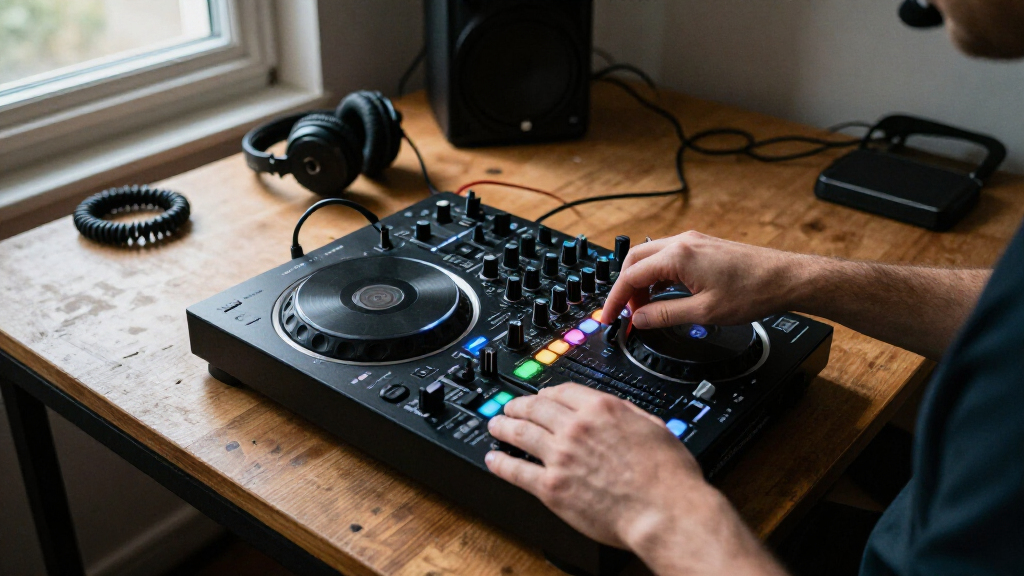
The Pioneer DJ DDJ-FLX4 is my best overall pick among DJ mixer controllers because its approachable two-channel layout suits learning while leaving room to develop. For laptop-free mixing, the Denon DJ SC LIVE 4 offers standalone four-deck flexibility, while the Pioneer DJ DDJ-FLX10 targets performers who want four channels and track separation. The main tradeoffs are simplicity versus creative control, and portable laptop-based setups versus larger standalone systems. Beginner controllers are easier to carry and learn, while premium models add performance tools and independent operation at the cost of greater complexity. Read on for the full breakdown and a guide to choosing the controller that fits your setup.

Get audio and creator gear delivered free with Prime
- Fast, free delivery on millions of items
- Prime Video, Amazon Music and more included
- Member-only deals all year
Complete the kit


Key Takeaways
The DDJ-FLX4 leads as the most balanced choice: it pairs a manageable two-channel layout with room to grow, while the white version is a finish alternative rather than a different workflow.
Standalone is a separate buying decision: the Denon SC LIVE 4 and Numark Mixstream Pro+ reduce dependence on a laptop, unlike the computer-centered entry-level controllers.
Four channels serve different goals: the DDJ-FLX10 emphasizes advanced performance and track separation, while the SC LIVE 4 offers standalone four-deck operation.
Scratch-focused controllers prioritize feel and layout: the motorized DDJ-REV7 and the DDJ-REV5 offer more specialized performance approaches than the more general-purpose FLX4.
Beginner options trade headroom for approachability: the Party Mix II, Party Mix III, DDJ-FLX2, and DDJ-REV1 make learning or casual sessions accessible, but do not match the channel count or deeper control of higher-tier picks.
| Pioneer DJ DDJ-FLX4 2-Channel DJ Controller with 16 Performance Pads, Graphite |  | Best Overall for Learning on a Laptop | Channels: 2 | Deck control: 2 decks | Performance pads: 16 | VIEW LATEST PRICE | See Our Full Breakdown |
| AlphaTheta Pioneer DJ DDJ-FLX2 2-Channel DJ Controller with Smart Fader and USB-C |  | Best for Phone-First Beginners | Channels: 2 | Connectivity: USB-C, Bluetooth | Supported software: rekordbox, djay, Serato DJ Lite | VIEW LATEST PRICE | See Our Full Breakdown |
| Pioneer DJ DDJ-FLX4 2-Channel DJ Controller, White |  | Best for Style-Conscious Home Setups | Controller type: 2-channel, 2-deck DJ controller | Performance pads: 16 | Connectivity: USB, Bluetooth | VIEW LATEST PRICE | See Our Full Breakdown |
| Numark Mixtrack Go Mobile DJ Controller, Black |  | Best Ultra-Portable Hands-On Pick | Decks: 2 | Weight: 1.1 pounds | Dimensions: 3.67 x 12.76 x 1.57 inches | VIEW LATEST PRICE | See Our Full Breakdown |
| Numark Mixstream Pro+ Standalone DJ Controller |  | Best Laptop-Free Controller | Display: 7-inch HD touchscreen | Jog wheels: 6 inches | Wireless connectivity: Wi-Fi and Bluetooth | VIEW LATEST PRICE | See Our Full Breakdown |
| Denon DJ SC LIVE 4 Standalone 4-Deck DJ Controller |  | Best for Laptop-Free Sets | Controller type: Standalone DJ controller | Decks and channels: 4 decks, 4 channels | Operating system: Engine DJ OS | VIEW LATEST PRICE | See Our Full Breakdown |
| AlphaTheta DDJ-GRV6 4-Channel DJ Controller | 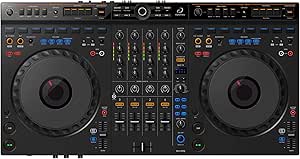 | Best for Club-Style Practice | Channels: 4 | Compatible software: rekordbox, Serato DJ Pro | Jog wheels: CDJ-3000X sized | VIEW LATEST PRICE | See Our Full Breakdown |
| Numark Party Mix II 2-Deck DJ Controller with Built-In Lights |  | Best for First-Time DJs | Decks: 2 | Software: Serato DJ Lite | Connectivity: USB Type B | VIEW LATEST PRICE | See Our Full Breakdown |
| Pioneer DJ DDJ-FLX10 4-Channel DJ Controller with Track Separation |  | Best for Live Track Mashups | Channels: 4 | Compatible software: rekordbox, Serato DJ Pro | Track feature: Track Separation for vocals, drums, and instruments | VIEW LATEST PRICE | See Our Full Breakdown |
| Pioneer DJ DDJ-REV7 2-Channel Motorized DJ Controller |  | Best for Scratch Performance | Channels: 2 | Jog wheels: Motorized | Crossfader: Magvel Fader Pro | VIEW LATEST PRICE | See Our Full Breakdown |
| Numark Party Mix III Beginner DJ Controller with Bluetooth and Lights, Black |  | Best for First-Time DJs | Decks: 2 | Controls: 16 pads, 3-band EQ, and real-time Stems control | Connectivity: Bluetooth MIDI and USB-C | VIEW LATEST PRICE | See Our Full Breakdown |
| Pioneer DJ DDJ-REV5 2-Channel Scratch DJ Controller with On-Jog Displays | 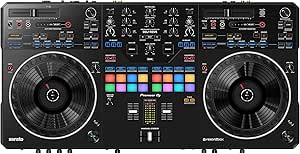 | Best for Scratch and Open-Format DJs | Channels: 2 | Connectivity: USB Type-C | Supported software: Serato DJ Pro and rekordbox | VIEW LATEST PRICE | See Our Full Breakdown |
| Denon DJ SC LIVE 4 Standalone DJ Controller, White |  | Best for Laptop-Free Four-Deck Sets | Channels: 4 | Display: 7-inch HD touchscreen | Connectivity: Wi-Fi, Bluetooth, USB, SD card, wired, wireless, and XLR | VIEW LATEST PRICE | See Our Full Breakdown |
| Pioneer DJ XDJ-RX3 2-Channel All-in-One DJ System | 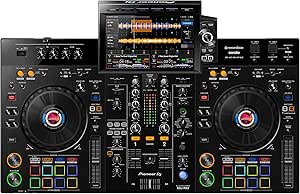 | Best for Rekordbox USB Sets | Channels: 2 | Display: 10.1-inch touchscreen | Performance pads: 16 | VIEW LATEST PRICE | See Our Full Breakdown |
| Pioneer DJ DDJ-REV1 2-Deck Serato DJ Controller, Black |  | Best Budget-Friendly Scratch Starter | Channels: 2 | Software: Serato DJ Lite | Connectivity: USB and auxiliary | VIEW LATEST PRICE | See Our Full Breakdown |
| DJ mixer controller | Weight | Connectivity | Channels | Dimensions |
|---|---|---|---|---|
| Pioneer DJ DDJ-FLX4 2-Channel | 2.8 kg | USB, Bluetooth | 2 | — |
| AlphaTheta Pioneer DJ DDJ-FLX2 | 2.7 lbs | USB-C, Bluetooth | 2 | 18 x 11.7 x 4.4 in |
| Pioneer DJ DDJ-FLX4 2-Channel | 2.8 kg | USB, Bluetooth | — | — |
| Numark Mixtrack Go Mobile DJ C | 1.1 pounds | Bluetooth MIDI, USB-C | — | 3.67 x 12.76 x 1.57 inches |
| Numark Mixstream Pro+ Standalo | 8.16 pounds | — | — | 11.7 x 22.2 x 2.95 inches |
| Denon DJ SC LIVE 4 Standalone | — | — | — | — |
| AlphaTheta DDJ-GRV6 4-Channel | 4.6 kg | USB, auxiliary | 4 | 14.8 × 28 × 3 in |
| Numark Party Mix II 2-Deck DJ | 1.76 lb | USB Type B | — | 7.83 × 12.82 × 2.04 in |
| Pioneer DJ DDJ-FLX10 4-Channel | 14.8 lb | USB | 4 | — |
| Pioneer DJ DDJ-REV7 2-Channel | — | — | 2 | — |
| Numark Party Mix III Beginner | 2.42 pounds | Bluetooth MIDI and USB-C | — | 8.07 × 13.3 × 1.85 inches |
| Pioneer DJ DDJ-REV5 2-Channel | 14 pounds | USB Type-C | 2 | — |
| Denon DJ SC LIVE 4 Standalone | 13.6 pounds | Wi-Fi, Bluetooth, USB, SD card, wired, wireless, and XLR | 4 | 15.9 × 28.3 × 3.9 inches |
| Pioneer DJ XDJ-RX3 2-Channel A | 21 pounds | USB | 2 | 18.48 × 28.67 × 4.66 inches (D × W × H) |
| Pioneer DJ DDJ-REV1 2-Deck Ser | 5 pounds | USB and auxiliary | 2 | 10.6 × 20.7 × 2.33 inches (D × W × H) |
More Details on Our Top Picks
Pioneer DJ DDJ-FLX4 2-Channel DJ Controller with 16 Performance Pads, Graphite
The DDJ-FLX4 is my strongest all-round pick for a new DJ who wants a familiar two-deck layout without giving up hands-on performance controls. Its 16 pads cover Hot Cues, Beat Jump, Pad FX, and sampling, while Smart Fader can help smooth out early blends by adjusting volume, bass, and BPM. Compared with the smaller DDJ-FLX2, it offers more pads and a fuller control surface; compared with the Mixstream Pro+, it needs a connected computer or mobile device rather than mixing on its own. USB and Bluetooth connections add flexibility, and the built-in sound card supports a straightforward speaker and headphone setup. The tradeoff is a firm two-channel, two-deck limit, so DJs planning to mix more decks will outgrow it.
Pros:- 16 performance pads give direct access to cues, effects, Beat Jump, and sampling.
- Smart Fader can help newer DJs make smoother tempo and level blends.
- USB and Bluetooth connectivity support computer and mobile-device setups.
- Built-in sound card supports headphone monitoring and speaker output.
Cons:- Two-channel, two-deck control limits more complex set configurations.
- Some functions depend on compatible DJ software or streaming services.
Best for: Beginning and developing DJs who want a portable two-deck controller for learning cueing, effects, and transitions with a computer or mobile device.
Not ideal for: DJs who need four-deck control or laptop-free sets; the FLX4 is limited to two decks and relies on a connected device for its DJ software.
- Channels:2
- Deck control:2 decks
- Performance pads:16
- Connectivity:USB, Bluetooth
- Compatible platforms:Android, Windows, iOS
- Compatible software:djay, rekordbox, Serato DJ Pro
- Sound card:Built-in
- Weight:2.8 kg
- Color:Graphite
Our verdict“Choose the graphite DDJ-FLX4 if you want a capable, learn-as-you-go two-deck controller with more performance controls than the DDJ-FLX2.”
AlphaTheta Pioneer DJ DDJ-FLX2 2-Channel DJ Controller with Smart Fader and USB-C
The DDJ-FLX2 makes the most sense when portability and a phone- or tablet-based setup matter more than a broad performance surface. Its compact, USB-C bus-powered design keeps practice sessions simple, while Smart Fader can help match volume, BPM, and bass during transitions. Unlike the graphite DDJ-FLX4, this model is presented as a particularly lightweight option for casual mobile mixing, but the supplied details do not list the FLX4’s 16-pad layout. The FLX2’s 3.5 mm audio output is convenient for basic listening yet less adaptable when connecting to a larger or more involved sound system. DJ app and streaming compatibility also depends on the service and device. I’d pick it for mobile practice, not as the most expandable controller in this group.
Pros:- Lightweight design is easier to carry than larger controllers such as the Mixstream Pro+.
- USB-C bus power supports a simple portable setup with a compatible device.
- Smart Fader assists with matching volume, BPM, and bass during blends.
- Works with compatible DJ apps across mobile devices and computers.
Cons:- A single 3.5 mm audio output can constrain connections to external audio equipment.
- Streaming access depends on the capabilities of the app and service being used.
- The supplied product details do not specify performance-pad controls.
Best for: Phone- and tablet-first beginners who want a lightweight controller for casual practice with compatible DJ apps.
Not ideal for: DJs building a more involved speaker setup or seeking extensive hands-on performance controls; the listed output is 3.5 mm and the product data does not specify a pad count.
- Channels:2
- Connectivity:USB-C, Bluetooth
- Supported software:rekordbox, djay, Serato DJ Lite
- Compatible platforms:Android, Windows, iOS, PC/Mac
- Audio output:3.5 mm
- Power:USB-C bus-powered
- Dimensions:18 x 11.7 x 4.4 in
- Weight:2.7 lbs
Our verdict“Choose the DDJ-FLX2 for lightweight app-based practice, but favor the DDJ-FLX4 if you want a more clearly specified performance-pad setup.”
Pioneer DJ DDJ-FLX4 2-Channel DJ Controller, White
This white DDJ-FLX4 brings the same practical two-deck approach as the graphite version, making its main distinction a finish choice rather than a different class of controller. Smart Fader supports easier blends, while Smart CFX and 16 performance pads give learners physical ways to explore effects, cues, Beat Jump, and sampling. The built-in sound card supports headphone monitoring and speaker output, and the product data also lists microphone mixing. Compared with the DDJ-FLX2, the FLX4 has a more fully specified performance setup; compared with the standalone Mixstream Pro+, it still depends on a computer or mobile device and compatible software. Its white finish may suit a coordinated home rig, but the same two-channel ceiling makes it a less flexible choice for DJs who expect to add decks.
Pros:- Smart Fader and Smart CFX provide accessible tools for blends and effects.
- 16 pads support Hot Cues, Pad FX, Beat Jump, and sampler modes.
- Built-in sound card supports headphone monitoring and speaker output.
- USB and Bluetooth connectivity support computer and mobile-device workflows.
Cons:- Two-channel, two-deck control restricts more advanced multi-deck mixing.
- Some features rely on compatible software or streaming services.
- Requires a connected computer or mobile device rather than operating as a standalone system.
Best for: New DJs who want the FLX4’s two-deck learning features and prefer a white controller for a home or streaming setup.
Not ideal for: DJs who need standalone operation, more than two decks, or a controller they can expand into a larger multi-deck rig.
- Controller type:2-channel, 2-deck DJ controller
- Performance pads:16
- Connectivity:USB, Bluetooth
- Compatible platforms:Android, Windows, iOS, PC, Mac
- Supported software:Serato DJ Pro, rekordbox
- Additional features:Smart Fader, Smart CFX, built-in sound card, microphone mixing
- Weight:2.8 kg
- Color:White
- Warranty:1-year limited manufacturer warranty
Our verdict“Pick the white DDJ-FLX4 if you want the FLX4’s learning and performance features in a white finish, and skip it if standalone mixing is a priority.”
Numark Mixtrack Go Mobile DJ Controller, Black
At just 1.1 pounds, the Mixtrack Go is the portability specialist here: it offers jog wheels, pads, and separate speaker and headphone outputs in a very slim two-deck format. Its touch-sensitive jog wheels and Stems controls make it more hands-on than the phone-first DDJ-FLX2, while its built-in audio interface offers a more useful monitoring arrangement than the FLX2’s listed 3.5 mm output. Bluetooth MIDI and USB-C give it flexible connection options, though Bluetooth MIDI does not remove the need for USB-C power. The tradeoff is that wireless mixing requires a compatible phone or tablet, and this compact design is not a substitute for a larger controller’s workspace. I’d choose it for portable practice and compact gigs, not for a laptop-free rig.
Pros:- Very light 1.1-pound body is easy to transport.
- Touch-sensitive jog wheels and pads support hands-on track control.
- Stems controls add direct access to track-part mixing.
- Built-in audio interface provides separate speaker and headphone cue outputs.
Cons:- Wireless DJing requires a compatible phone or tablet.
- USB-C power is required for operation.
- Its compact format offers less physical workspace than the DDJ-FLX4.
Best for: Mobile DJs and learners who prioritize a very light two-deck controller with jog wheels, Stems controls, and separate cue and speaker outputs.
Not ideal for: DJs seeking standalone operation or a full-size mixing surface; the Mixtrack Go requires USB power and a compatible device for wireless use.
- Decks:2
- Weight:1.1 pounds
- Dimensions:3.67 x 12.76 x 1.57 inches
- Connectivity:Bluetooth MIDI, USB-C
- Performance pads:8 per deck
- Audio outputs:1/8-inch main speaker and headphone cue outputs
- Compatible software:Serato DJ Lite/Pro, Algoriddim djay, VirtualDJ
- Power source:USB
Our verdict“Choose the Mixtrack Go when low carry weight and hands-on mobile mixing matter more than standalone use or a roomy control surface.”
Numark Mixstream Pro+ Standalone DJ Controller
The Mixstream Pro+ is the outlier in this group because it can run a DJ set without a laptop, using Engine DJ OS, a 7-inch touchscreen, Wi-Fi, and USB or SD media. Built-in speakers make it useful for practice in places where a separate monitor setup is inconvenient, while balanced XLR outputs suit a more formal sound system. Compared with the computer-dependent DDJ-FLX4 models and the compact Mixtrack Go, it favors independence over easy carry: at 8.16 pounds and more than 22 inches wide, it is a larger piece of gear. Streaming and library options are broad, but access depends on providers. Prepared stems require pre-rendering in Engine DJ Desktop and a one-time software license purchase, so this is not the simplest path for spontaneous track separation.
Pros:- Standalone Engine DJ operation supports mixing without a connected laptop.
- Built-in speakers allow practice without separate monitors.
- Wi-Fi, USB ports, an SD slot, and Dropbox access provide several music-loading routes.
- Balanced XLR and RCA outputs support different sound-system connections.
Cons:- Larger and heavier than portable options such as the Mixtrack Go.
- Prepared stems require Engine DJ Desktop pre-rendering and a one-time software license purchase.
- Streaming service access depends on the provider.
Best for: DJs who want a laptop-free setup for home practice or live sets, with built-in speakers, touchscreen control, and multiple media-loading options.
Not ideal for: Travelers who need the lightest controller or DJs who want plug-and-play, unprepared stems; it is larger than the mobile controllers and stems require advance preparation.
- Display:7-inch HD touchscreen
- Jog wheels:6 inches
- Wireless connectivity:Wi-Fi and Bluetooth
- Media connections:2 USB ports; SD card slot
- Audio outputs:Balanced XLR main, RCA main, 1/4-inch and 1/8-inch headphone outputs
- Audio input:Bluetooth audio; 1/4-inch microphone input
- Weight:8.16 pounds
- Dimensions:11.7 x 22.2 x 2.95 inches
- Lighting control:Philips Hue, Nanoleaf, and DMX lights
Our verdict“Choose the Mixstream Pro+ if laptop-free mixing and built-in speakers outweigh its larger footprint and stems preparation requirements.”
Denon DJ SC LIVE 4 Standalone 4-Deck DJ Controller
The SC LIVE 4 is the clearest pick here for DJs who want a four-deck setup without making a laptop the center of the performance. Its Engine DJ OS, touchscreen, and USB and SD media options support standalone play, while built-in speakers make practice possible without a separate monitor setup. Wi-Fi streaming, Bluetooth audio input, and 17 effects add flexibility that the laptop-dependent AlphaTheta DDJ-GRV6 does not offer on its own. The tradeoff is its broad, 13.6-pound chassis: it is less convenient to carry than the compact Numark Party Mix II. Four-part Stems can support creative track edits, but the required one-time software license is an extra condition, and built-in speakers are best treated as a convenience rather than a replacement for a full sound system.
Pros:- Standalone Engine DJ operation supports laptop-free sets.
- 7-inch touchscreen and built-in speakers simplify browsing and practice.
- USB, SD, Wi-Fi streaming, and Bluetooth audio input provide varied playback options.
- Four channels, 17 effects, and professional XLR and booth outputs support larger setups.
Cons:- Four-part Stems functionality requires a one-time software license purchase.
- Its 28.3-inch width and 13.6-pound weight make it less portable than smaller controllers.
- Built-in speakers are convenient for practice but do not replace a dedicated PA or monitor system.
Best for: Mobile and home DJs who want four-deck mixing, standalone playback, and flexible media sources without relying on a laptop.
Not ideal for: DJs who prioritize a lightweight travel controller or want the four-part Stems feature without an additional license purchase.
- Controller type:Standalone DJ controller
- Decks and channels:4 decks, 4 channels
- Operating system:Engine DJ OS
- Display:7-inch touchscreen
- Internal effects:17
- Software compatibility:Serato DJ, VirtualDJ
- Media connections:2 USB inputs, SD card slot, Wi-Fi, Bluetooth audio input
- Audio outputs:XLR and RCA main outputs; 1/4-inch booth output
- Dimensions and weight:15.9 × 28.3 × 3.9 in; 13.6 lb
Our verdict“Choose the SC LIVE 4 if standalone four-deck mixing matters more to you than a compact, laptop-centered setup.”
AlphaTheta DDJ-GRV6 4-Channel DJ Controller
The DDJ-GRV6 suits DJs who want a controller layout that points toward club-standard equipment rather than standalone convenience. Its CDJ-inspired jog wheels, four-channel mixer, and Smart Rotary Selector make browsing and hands-on control feel geared to longer practice sessions. The standout Groove Circuit lets DJs swap drum parts for loops while mixing, giving it a remixing angle that the more traditional four-channel Pioneer DJ DDJ-FLX10 does not foreground in the same way. It also supports both rekordbox and Serato DJ Pro. Unlike the standalone Denon DJ SC LIVE 4, though, the GRV6 depends on compatible software and a connected device. Its 4.6 kg weight and nearly 28-inch width also make it a substantial piece of kit to transport.
Pros:- Club-inspired layout helps build familiarity with CDJ- and DJM-style controls.
- Groove Circuit supports live drum-part swaps and loop-based remixing.
- Full-size jog wheels and performance pads offer direct, hands-on control.
- Works with both rekordbox and Serato DJ Pro.
Cons:- Requires compatible DJ software and a connected computer or mobile device.
- At 4.6 kg and 28 inches wide, it takes up space and is not especially compact.
- Does not provide the standalone operation or built-in speakers found on the Denon DJ SC LIVE 4.
Best for: DJs practicing a CDJ-style workflow at home who want four channels, software choice, and hands-on drum-part remixing.
Not ideal for: Performers who need standalone playback, a built-in speaker, or a particularly easy-to-carry controller.
- Channels:4
- Compatible software:rekordbox, Serato DJ Pro
- Jog wheels:CDJ-3000X sized
- Performance feature:Groove Circuit
- Controls:Performance pads, Smart Rotary Selector
- Connectivity:USB, auxiliary
- Compatible devices:Laptop, PC, smartphone, tablet
- Dimensions:14.8 × 28 × 3 in
- Weight:4.6 kg
Our verdict“Pick the DDJ-GRV6 if your priority is building a club-oriented, software-based mixing workflow with room for live drum edits.”
Numark Party Mix II 2-Deck DJ Controller with Built-In Lights
The Party Mix II is the most approachable entry point in this group: its two-deck layout puts jog wheels, pads, filter knobs, and basic mixer controls in a small USB controller that works with Serato DJ Lite. Beat-synced lights add a party effect without requiring separate lighting equipment, and the built-in audio interface provides headphone and speaker connections. Compared with the feature-rich AlphaTheta DDJ-GRV6 or four-channel Pioneer DJ DDJ-FLX10, it keeps the control set simple and the footprint modest. That simplicity also sets its ceiling: the plastic body and 1/8-inch main output are less suited to demanding venue setups, and it has no standalone play. I’d choose it for learning and casual home mixes, not as a long-term substitute for a more capable performance controller.
Pros:- Simple two-deck controls cover core mixing skills, including jog work, EQ, and crossfading.
- Serato DJ Lite compatibility and USB connection support a straightforward computer setup.
- Beat-synced RGB lights add a visual effect without extra lighting gear.
- Separate headphone and main outputs allow cue monitoring while connected to speakers.
Cons:- The 1/8-inch main output is less suitable for professional sound-system connections.
- Plastic construction offers less of a substantial, gig-ready feel than larger controllers.
- Two decks and entry-level software support give it less room to grow than the four-channel models.
Best for: New DJs learning two-deck mixing on a computer who want straightforward controls and built-in party lighting.
Not ideal for: Gigging DJs who need professional main outputs, more channels, standalone operation, or a sturdier controller.
- Decks:2
- Software:Serato DJ Lite
- Connectivity:USB Type B
- Controls:Touch-sensitive jog wheels, performance pads, filter knobs, pitch sliders, EQ, channel faders, crossfader
- Outputs:Headphone output; 1/8-inch main output
- Lighting:Built-in beat-synced RGB LED lights
- Material:Plastic
- Dimensions:7.83 × 12.82 × 2.04 in
- Weight:1.76 lb
Our verdict“Choose the Party Mix II to learn basic computer-based mixing affordably in size and complexity, but move up for regular gigs or advanced performance needs.”
Pioneer DJ DDJ-FLX10 4-Channel DJ Controller with Track Separation
The DDJ-FLX10 is built for DJs who want four-channel control and hands-on song deconstruction inside rekordbox or Serato DJ Pro. Its Track Separation feature can isolate vocals, drums, and instruments, opening up live mashups without limiting the controller to a basic two-track blend. Multicolor jog-wheel displays keep useful performance information in view, while the built-in DMX output gives lighting control a place in the same setup. Compared with the AlphaTheta DDJ-GRV6, the FLX10 puts more emphasis on stem-style track manipulation and integrated lighting; the GRV6 offers its own drum-part swap workflow. The cost of this performance focus is dependence on a compatible computer and software. At 14.8 pounds, it is also less appealing for DJs who carry their rig frequently.
Pros:- Track Separation supports live rearrangement of vocals, drums, and instruments.
- Four channels provide room for layered sources and performance-oriented mixing.
- Multicolor jog-wheel displays surface track and playback information during a set.
- Built-in DMX output supports lighting control from the controller.
Cons:- Requires a compatible computer and rekordbox or Serato DJ Pro.
- Its 14.8-pound weight is a drawback for frequent mobile transport.
- The four-channel feature set may be more complex than needed for simple two-deck mixing.
Best for: Open-format and performance DJs who use rekordbox or Serato DJ Pro and want to build mashups from isolated song parts.
Not ideal for: DJs seeking standalone playback, an entry-level two-deck setup, or a lightweight controller for frequent travel.
- Channels:4
- Compatible software:rekordbox, Serato DJ Pro
- Track feature:Track Separation for vocals, drums, and instruments
- Jog-wheel displays:Multicolor displays
- Lighting connection:Built-in DMX output
- Connectivity:USB
- Hardware platform:PC/Mac
- Material:Stainless steel
- Weight:14.8 lb
Our verdict“Choose the DDJ-FLX10 if track-part manipulation and integrated lighting control matter more than standalone use or easy portability.”
Pioneer DJ DDJ-REV7 2-Channel Motorized DJ Controller
The DDJ-REV7 takes a very different route from the four-channel Pioneer DJ DDJ-FLX10: it gives scratch and open-format DJs two focused decks, motorized jog wheels, and a Magvel Fader Pro crossfader designed for precise cuts. Color displays on the jogs show performance information where it is easy to reference during turntable-style routines, and the included Serato DJ Pro software, pad controls, and 22 Beat FX round out a performance-centered setup. That focus makes it a poor fit for someone who wants extra channels for layered mixing or standalone playback. It is also the heaviest controller in this group at 24 pounds and needs corded power, so spontaneous setup and frequent transport are less convenient than with a compact controller such as the Numark Party Mix II.
Pros:- Motorized jog wheels provide a vinyl-style surface for scratching and cue work.
- Magvel Fader Pro is designed for precise cuts and durable crossfader use.
- On-jog color displays show waveforms, BPM, and cue points.
- Serato DJ Pro, performance pads, and 22 Beat FX support performance-focused sets.
Cons:- Two channels offer less layering flexibility than the DDJ-FLX10 and other four-channel choices.
- At 24 pounds, it is a demanding option to carry between venues.
- Corded electric power and software dependence limit setup flexibility.
Best for: Scratch and open-format DJs who want motorized jogs, a performance crossfader, and Serato DJ Pro in a dedicated two-channel setup.
Not ideal for: DJs who need four channels, laptop-free playback, or a light controller for frequent travel.
- Channels:2
- Jog wheels:Motorized
- Crossfader:Magvel Fader Pro
- Effects:22 Beat FX
- Software:Serato DJ Pro
- Jog displays:On-jog color displays
- Power:Corded electric
- Output connector:XLR
- Dimensions and weight:15 × 28.8 × 3.2 in; 24 lb
Our verdict“Pick the DDJ-REV7 for scratch-first performance and skip it if your priority is lighter transport, standalone play, or four-channel mixing.”
Numark Party Mix III Beginner DJ Controller with Bluetooth and Lights, Black
The Party Mix III keeps the first step into DJing simple: its two-deck layout, 16 pads, and 3-band EQ cover core mixing tasks without the footprint or control density of the Pioneer DJ DDJ-REV1. Beat-synced lights add a bit of atmosphere for bedroom practice or casual gatherings, while USB-C and Bluetooth MIDI give it flexible connections to compatible phones, tablets, and computers. Included Serato DJ Lite and djay integration also give new DJs software options as they learn. Its compact, USB-powered design is easier to carry than the standalone systems in this roundup, but it is not built for larger production setups. The built-in lights are a fun extra, not a substitute for a dedicated lighting rig, and power depends on a connected device or suitable power source.
Pros:- Straightforward two-deck controls, 16 pads, and 3-band EQ help beginners learn core mixing skills.
- Beat-synced LED lights add visual effects without separate lighting equipment.
- USB-C and Bluetooth MIDI support compatible phones, tablets, and computers.
- Compact, lightweight design is easy to pack and transport.
Cons:- USB-powered operation depends on a connected device or another compatible power source.
- Built-in lights and compact controls are better suited to casual use than larger event setups.
Best for: New DJs who want a lightweight two-deck controller for learning at home, practicing with compatible mobile devices, and playing informal gatherings.
Not ideal for: Mobile and event DJs who need standalone playback, more channels, or lighting control suited to larger productions.
- Decks:2
- Controls:16 pads, 3-band EQ, and real-time Stems control
- Connectivity:Bluetooth MIDI and USB-C
- Audio outputs:Main RCA output and 1/8-inch headphone jack
- Power:USB
- Included software:Serato DJ Lite and Algoriddim djay integration
- Weight:2.42 pounds
- Dimensions:8.07 × 13.3 × 1.85 inches
Our verdict“Choose the Party Mix III if you want an approachable, portable first controller with built-in lights; choose the DDJ-REV1 if scratch-focused controls matter more.”
Pioneer DJ DDJ-REV5 2-Channel Scratch DJ Controller with On-Jog Displays
The DDJ-REV5 is the strongest fit here for DJs who want a laptop-based controller shaped around scratching and open-format performance. Its battle-style layout and full-size jog wheels place the controls in a turntable-inspired arrangement, while on-jog displays make playback position easier to track during busy mixes. Performance pads handle Hot Cues, loops, and samples, and the supplied Serato DJ Pro and rekordbox support gives it more software flexibility than the entry-level DDJ-REV1. That extra control and larger format come with tradeoffs: it remains a two-channel unit, so DJs needing four decks should look at the Denon DJ SC LIVE 4 instead. It also depends on a computer rather than offering standalone USB playback, making it less suited to laptop-free sets.
Pros:- Battle-style layout and full-size jog wheels suit scratch and open-format techniques.
- On-jog displays show playback position during mixing.
- Performance pads trigger Hot Cues, loops, and samples.
- Includes Serato DJ Pro and rekordbox support.
Cons:- Two-channel design limits DJs who want to mix across more channels.
- Requires a computer for operation rather than providing standalone playback.
Best for: Scratch and open-format DJs who want full-size jog wheels, battle-style controls, and a choice of Serato DJ Pro or rekordbox on a computer.
Not ideal for: DJs who need four channels or standalone performance without a laptop; the SC LIVE 4 is a better match for those needs.
- Channels:2
- Connectivity:USB Type-C
- Supported software:Serato DJ Pro and rekordbox
- Jog wheels:Full-size, with on-jog displays
- Performance pads:Hot Cues, loops, and samples
- Compatible hardware:Laptop or PC/Mac
- Weight:14 pounds
- Included components:USB cable and user manual
Our verdict“Pick the DDJ-REV5 for laptop-based scratch and open-format sets, but choose a standalone or four-channel model if flexibility beyond two channels matters.”
Denon DJ SC LIVE 4 Standalone DJ Controller, White
Unlike computer-dependent options such as the Pioneer DJ DDJ-REV5, the SC LIVE 4 can run as a standalone system, giving DJs four channels without requiring a laptop at the performance. Its 7-inch touchscreen, USB and SD playback, and Wi-Fi music access support a flexible library workflow, while built-in speakers are handy for practice or personal monitoring. Bluetooth adds another connection option, and Serato DJ Pro and VirtualDJ support make it useful with a computer too. This breadth makes it a more adaptable performance hub than the two-channel XDJ-RX3, though the RX3 offers a larger screen and a CDJ-style workflow. The SC LIVE 4 is not a small travel controller, and full DMX lighting control requires a separately sold accessory.
Pros:- Standalone Engine DJ OS operation supports performances without a laptop.
- Four channels provide more room for layered mixes than the two-channel XDJ-RX3.
- USB, SD card, and Wi-Fi music access offer several library sources.
- Built-in speakers support practice and personal monitoring.
Cons:- Full DMX lighting control requires an additional accessory.
- At 13.6 pounds, it is less convenient to carry than compact beginner controllers.
Best for: Mobile and event DJs who want four channels, standalone playback, touchscreen library control, and built-in speakers for practice.
Not ideal for: DJs seeking a lightweight scratch controller or full DMX lighting control without adding a separate accessory.
- Channels:4
- Display:7-inch HD touchscreen
- Connectivity:Wi-Fi, Bluetooth, USB, SD card, wired, wireless, and XLR
- Built-in speakers:Yes, with independent volume control
- Supported software:Serato DJ Pro and VirtualDJ
- Connectors:USB Type B and USB-A
- Dimensions:15.9 × 28.3 × 3.9 inches
- Weight:13.6 pounds
Our verdict“Choose the SC LIVE 4 for standalone four-channel flexibility; opt for the XDJ-RX3 if you prefer its larger touchscreen and CDJ-style two-channel workflow.”
Pioneer DJ XDJ-RX3 2-Channel All-in-One DJ System
The XDJ-RX3 suits DJs who want a standalone, two-channel system with a workflow close to Pioneer DJ’s CDJ-style setup. Prepared rekordbox sets can play from USB drives, so a laptop does not need to be part of the performance. Its 10.1-inch touchscreen gives browsing and effect control more room than the SC LIVE 4’s 7-inch display, while Beat FX, Sound Color FX, and 16 pads supply hands-on performance options. Compared with the four-channel Denon DJ SC LIVE 4, the RX3 gives up channel capacity and built-in speakers, but its larger screen and familiar layout may be a better fit for DJs preparing around rekordbox. At 21 pounds, it is also a substantial piece of gear to move regularly.
Pros:- Standalone USB playback allows prepared sets without a laptop.
- 10.1-inch touchscreen supports library browsing and effect control.
- CDJ-style layout offers a familiar workflow for Pioneer DJ users.
- Beat FX, Sound Color FX, and 16 performance pads support hands-on performance.
Cons:- Two channels offer less room for layered mixes than the four-channel SC LIVE 4.
- At 21 pounds, it is a heavy choice for frequent transport.
Best for: Rekordbox DJs who prepare sets on USB drives and want a standalone, CDJ-style two-channel system with a large touchscreen.
Not ideal for: DJs who need four channels, built-in speakers, or a lighter controller for frequent transport.
- Channels:2
- Display:10.1-inch touchscreen
- Performance pads:16
- Connectivity:USB
- Supported software:rekordbox and Serato DJ Pro
- Standalone playback:Prepared rekordbox sets from USB drives
- Dimensions:18.48 × 28.67 × 4.66 inches (D × W × H)
- Weight:21 pounds
Our verdict“Choose the XDJ-RX3 for a large-screen, rekordbox USB workflow; pick the SC LIVE 4 if you need four channels or built-in speakers.”
Pioneer DJ DDJ-REV1 2-Deck Serato DJ Controller, Black
The DDJ-REV1 gives beginner scratch and open-format DJs a more focused layout than the light-show-centered Numark Party Mix III. Its battle-style arrangement, tall pitch faders, and quick-effect controls put technique ahead of visual extras, while one-motion scratch routine triggers offer an accessible way to try scratch transitions in Serato DJ Lite. That makes it a practical stepping stone for learning the style without stepping up to the larger, more feature-rich DDJ-REV5. The tradeoff is a beginner-oriented two-channel design: it lacks the REV5’s full-size jog wheels and on-jog displays, and it cannot cover more complex multi-channel setups. It also depends on a computer, so DJs looking for standalone USB playback should choose an all-in-one system instead.
Pros:- Battle-style layout reflects a mixer-and-turntable workflow.
- Tall pitch faders and quick-effect controls support scratch and battle techniques.
- One-motion scratch routine triggers give beginners a simple way to practice transitions.
- Serato DJ Lite support provides a direct starting point for computer-based mixing.
Cons:- Beginner-focused controls offer less depth than the DDJ-REV5.
- Two-channel design is limiting for DJs who need more channels.
- Computer-based operation does not provide standalone USB playback.
Best for: Beginning Serato DJs focused on scratch routines and open-format mixing who want a portable, computer-based two-deck controller.
Not ideal for: Experienced scratch DJs seeking full-size jog wheels and advanced displays, or performers who need standalone playback or more than two channels.
- Channels:2
- Software:Serato DJ Lite
- Connectivity:USB and auxiliary
- Compatible platforms:Mac OS X and Windows
- Controls:Buttons and dial
- Dimensions:10.6 × 20.7 × 2.33 inches (D × W × H)
- Weight:5 pounds
- Warranty:1-year manufacturer warranty
Our verdict“Pick the DDJ-REV1 to learn Serato-based scratch techniques on a compact controller, but choose the REV5 for a more advanced battle-style setup.”
How We Picked
I compared these DJ mixer controllers by how well their layouts, connection needs, and performance features match real buyer goals: learning to mix, playing mobile sets, scratching, expanding beyond two decks, or working without a computer. I gave weight to control clarity, portability, workflow flexibility, and whether a model’s extra features solve a clear need rather than simply add complexity. Standalone operation, motorized jog wheels, track separation, and built-in lights were treated as distinct advantages for particular users, not as universal signs of quality.
The ranking favors options with a useful balance of usability and room to grow, which puts the DDJ-FLX4 first. More specialized or capable models rank highly for their intended jobs but lower as general recommendations when their larger footprint, learning curve, or narrower workflow may not suit most buyers. Closely related versions, such as the graphite and white FLX4, are judged as the same core choice; color alone does not change the ranking.
Factors to Consider When Choosing DJ Mixer Controllers
Before choosing a controller, I would settle the setup and performance questions that often matter more than a long feature list. These broader tradeoffs can keep you from buying a capable unit that does not fit how, where, or with what software you plan to play.
Choose Laptop-Based or Standalone Operation
Start by deciding whether you want a computer in your setup. A laptop-based controller can be a sensible way to learn because it keeps the hardware focused on hands-on controls while the software handles your library and display. A standalone unit removes the laptop from the performance setup, but it makes the controller itself a more central part of preparing and browsing music. Check supported music sources and library workflows before buying; standalone does not mean every service or file-preparation method works the same way. A common mistake is paying for standalone capability when you are happy to bring a laptop, or assuming a computer-free setup will require no advance preparation. Choose around your actual gig routine, not a hypothetical future one.
Buy the Channel Count You Can Use
Two channels are enough for straightforward two-deck mixing, and their simpler layout can make core skills easier to learn. Four channels make room for extra decks, layered transitions, or additional sources, but they also demand more attention and may increase setup size. Extra channels are useful only if your music, set style, or gear makes use of them. Think about whether you will mix more than two tracks at once, connect external equipment, or use the additional controls regularly. Buying four channels “just in case” can leave you with a more complicated controller that spends much of its time in a two-deck workflow. If your needs are uncertain, prioritize clear controls and a familiar layout over the largest channel count.
Match the Controls to Your Performance Style
Different performance goals call for different hardware priorities. A general-purpose controller should make browsing, cueing, and mixing feel direct, while scratch-focused models put more emphasis on jog-wheel response and performance-oriented layouts. Motorized platters can better suit DJs who want a turntable-like feel, but they bring a more specialized format than standard jog wheels. Track separation and performance pads matter most when you expect to use those tools during sets, not simply because they appear on a feature list. Before choosing, identify the techniques you want to practice and make sure the layout supports them without getting in your way. A controller designed for scratching may be a less natural first choice for someone focused on simple transitions.
Treat Portability as a Whole-Setup Question
A compact controller is only convenient if the rest of your setup stays manageable. Include the computer, power supply, headphones, cables, and any needed stands when thinking about carrying and setting up for a session. Mobile DJs should also consider how quickly the controls are accessible once the unit is placed, rather than focusing on size alone. Standalone systems can remove a laptop but are often larger than entry-level controllers, so the trade is not simply “fewer devices equals more portable.” For home use, a larger layout may be comfortable if you have a dedicated surface and space to store it. Choose the smallest setup that comfortably supports your actual performance routine, not the smallest product on its own.
Check Software, Connections, and Library Workflow
A controller’s usefulness depends on how it works with your chosen software and music library. Confirm compatibility with the computer or mobile device you plan to use, and check the included software details before treating a controller as a complete setup. USB-C can simplify connections with newer devices, but the port alone does not tell you whether the whole workflow fits your needs. Also check the inputs and outputs you require for headphones, speakers, microphones, or external equipment. A frequent buying mistake is focusing on performance features while overlooking how music gets from your library to the decks. If you plan to move between home, practice, and gigs, test the full setup path on paper before choosing.
Pay More for a Specific Gain, Not a Longer Feature List
Higher-end controllers make the most sense when their added features change what you can do: independent standalone operation, more channels, motorized platters, or dedicated performance controls. If you mainly want to learn beatmatching and basic transitions, those additions may bring complexity without improving your day-to-day sessions. At the same time, buying too little can become frustrating if you already know you want to scratch, perform with several decks, or leave a laptop out of the setup. Set priorities by separating immediate needs from likely near-term development. Favor a clear upgrade path when your goals are still forming, but do not pay for functions you cannot name a use for. The best fit is the controller whose extra capabilities solve a real problem in your setup.
Frequently Asked Questions
Is the white DDJ-FLX4 different from the graphite version?
The listed white and graphite DDJ-FLX4 models share the same core two-channel controller concept, so the choice is mainly about finish and setup appearance. I would not pay more or choose one for a different performance workflow based on color alone. Compare the exact listing for included accessories or package differences, since those can vary independently of the controller’s color. If both versions fit your software and setup, pick the finish you prefer. For a different workflow, compare the FLX4 with a standalone or four-channel option instead.
Should I start with a beginner controller or buy a more advanced model to grow into?
Choose a beginner-oriented controller if you want a simple way to learn basic mixing and are unsure which performance style will hold your interest. A more advanced model is a better fit when you already know you need four channels, standalone use, or scratch-specific controls. Extra features do not automatically make learning easier; they can add controls and setup choices before you have a reason to use them. Consider the skills you expect to practice over the next year, not every feature you might someday want. If your goals remain broad, a balanced option like the FLX4 offers a less specialized starting point.
Do I need a standalone DJ controller to perform without a laptop?
A standalone controller is the clearest fit when you want the performance setup to operate without a computer. The SC LIVE 4 and Mixstream Pro+ represent that direction in this roundup, while the laptop-centered choices rely on a connected computer for their intended workflows. Before choosing standalone, check how you will prepare and access your music, since removing a laptop does not remove library-management needs. Also compare the unit’s size and connections with the space and sound system you use. If carrying a laptop is not a problem, a conventional controller may provide a simpler path.
When are four channels worth choosing over two?
Four channels are useful when you plan to layer multiple decks, mix several sources, or build sets that depend on more than two active channels. They can also provide flexibility for a setup that includes external audio sources, depending on the model’s connections. If your usual routine is two-track mixing, a two-channel controller is often easier to learn and operate. Do not choose four channels only because the number sounds more future-proof; consider whether you can name a set technique that needs them. If standalone operation matters more than channel count, compare the specific standalone models rather than treating all four-channel units as interchangeable.
Which controller should I choose if scratching is my main goal?
Focus on the controller’s jog-wheel design and layout rather than judging it by channel count alone. The DDJ-REV7’s motorized platters make it the more specialized option for DJs who want a turntable-like feel, while the DDJ-REV5 offers a scratch-oriented approach with on-jog displays. The DDJ-REV1 is a more approachable two-deck route for learning in a scratch-focused layout. These choices differ from a general-purpose pick such as the FLX4, which better suits broad mixing goals. Check that the chosen controller’s software and control arrangement match the techniques you plan to practice.
Conclusion
For most buyers, I recommend the Pioneer DJ DDJ-FLX4 as the best overall: it balances an approachable two-channel workflow with enough flexibility for developing skills. The best value for a straightforward starter setup is the Numark Party Mix II, while the DDJ-FLX2 and DDJ-REV1 offer other entry-level paths for buyers drawn to their respective control approaches. For a best premium choice, pick the DDJ-FLX10 for four-channel performance features, or the Denon SC LIVE 4 if standalone operation and four decks matter more. Scratch-focused buyers should compare the motorized DDJ-REV7 with the DDJ-REV5; mobile DJs can look at the Mixtrack Go, and buyers who want a more complete all-in-one system should assess the XDJ-RX3. Choose the controller that fits your actual software, performance style, and setup needs rather than paying for capabilities you will not use.