TL;DR

Get audio and creator gear delivered free with Prime
- Fast, free delivery on millions of items
- Prime Video, Amazon Music and more included
- Member-only deals all year
Choosing a DMX controller for beginners hinges on simplicity, channel count, and compatibility. Recent tech makes control via smartphones and apps easier than ever. Focus on your setup size and future needs to pick the right gear.
Start with 8-24 channels—enough for small setups without complexity.
Choose controllers with intuitive controls—physical faders, clear labels, or simple apps.
Recent tech like Bluetooth and touchscreens make programming faster and more accessible.
Decide between standalone hardware or software-based controllers based on your setup and future plans.
Understand DMX addressing and fixture compatibility to avoid control issues.
What makes a DMX controller beginner-friendly? It’s all about easy controls and straightforward setup.
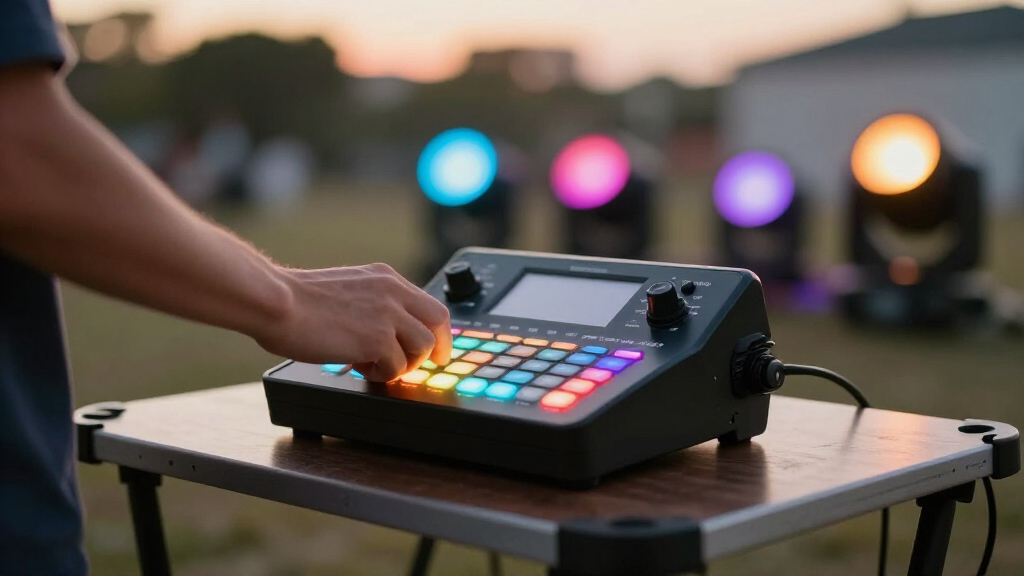
For newcomers, a DMX controller should feel like an extension of your hand—intuitive, simple, and quick to learn. Think physical faders, clearly labeled buttons, or a clean app interface. Imagine adjusting the lights with familiar sliders, not a maze of menus.
For example, the Chauvet Obey 40 offers 40 channels with dedicated scene buttons and a user-friendly layout. It’s perfect for small setups and has a clear, tactile control surface that avoids confusing menus.
Choosing a controller with a simple interface reduces setup time and frustration, letting you focus on creating impressive lighting effects rather than wrestling with the gear.
Popular right now

Dyson V8 Cyclone Cordless Vacuum

LG 85-Inch QNED84B Mini LED 4K Smart TV (2026)

Hisense 85 U7 Mini-LED ULED 4K UHD Smart Google TV (85U7SG, 2026)
As an affiliate, we earn on qualifying purchases.
How many channels do you really need for small setups? Stay within 8-24 channels to keep it simple.
Starting small means 8 to 24 channels are enough for most beginner lighting rigs. The reason this range works well is that it strikes a balance between capability and simplicity. If you choose too few channels, you might find yourself unable to control all your fixtures effectively, limiting your creative options. Conversely, selecting a controller with too many channels can introduce unnecessary complexity, making programming more daunting and the setup more cumbersome.
For example, controlling four LED PAR cans, two moving heads, and a couple of effect lights typically requires around 16 channels. This allows you to independently adjust brightness, color, and movement for each fixture without overwhelming your workflow. Additionally, selecting a controller within this range ensures future expandability—adding more fixtures later can often be accommodated by increasing the channel count.
In essence, choosing the right channel count is about understanding your current setup and avoiding the pitfalls of over- or under-specifying. It’s a practical way to keep your initial investment manageable while leaving room for growth.
Comparison table: Standalone vs. Software-Based DMX Controllers
| Feature | Standalone Controllers | Software-Based Controllers |
|---|---|---|
| Ease of Use | Physical controls, ready to go; no extra device needed | Requires a computer or tablet; learning curve for software |
| Flexibility | Limited; best for small setups | Highly customizable; scalable for larger projects |
| Cost | $50-$300, depending on features | $0-$200+; software may be free or paid |
| Portability | Compact, portable, ideal for mobile DJs | Depends on hardware; generally requires a laptop or tablet |
What recent innovations make DMX control easier for beginners? Think apps, touchscreens, and hybrid options.
Modern DMX controllers now embrace tech like Bluetooth and Wi-Fi, allowing control via smartphones and tablets. This connectivity means you can operate your lighting system from a device you already own, reducing the need for dedicated hardware. Apps like Lightkey or QLC+ transform your phone or tablet into a full-featured lighting console, which is especially helpful for beginners who want quick setup and easy adjustments.
Touchscreens and customizable interfaces are revolutionizing how users interact with lighting controls. Instead of navigating complex menus, you swipe, tap, and slide to select scenes, change colors, or adjust effects—making programming more intuitive and less intimidating. This tactile approach aligns with how most people are comfortable using smartphones and tablets daily.
Hybrid controllers combine traditional hardware controls with app-based programming, providing a flexible workflow. Some models support MIDI or OSC protocols, enabling integration with music software or visual effects tools. These innovations mean you can start simple but expand your control system as your skills and needs grow, making lighting setup faster, more fun, and accessible for beginners.
What are the key facts every beginner should know about DMX controllers? Keep it simple and practical.
First, **DMX512 is the standard protocol** controlling multiple fixtures simultaneously. Think of it like a conductor guiding an orchestra—each fixture gets commands through unique addresses. Understanding this ensures you can troubleshoot and expand your setup effectively because every fixture must be correctly addressed to respond properly.
Most beginner controllers support **8-24 channels**, which is enough for small to medium setups. This range allows you to control multiple parameters such as brightness, color, movement, and effects without overwhelming your workflow. Recognizing the importance of channel limits helps prevent overspending on unnecessary features or buying a controller that’s too limited for your ambitions.
Programming involves setting addresses and creating cues, which can be done via physical controls or software. Grasping **DMX addressing**—assigning unique addresses to each fixture—is essential because it ensures your commands reach the right device. Without proper addressing, fixtures may not respond as intended, leading to control issues or unexpected results. Knowing these fundamentals helps you build a reliable, expandable lighting system and avoid common pitfalls.
What questions do beginners ask most about choosing a DMX controller? And what are the clear answers?
- What is the best DMX controller for a beginner? It’s often the Chauvet Obey 40 or ADJ MyDMX, which combine ease of use with enough features to grow. These models strike a balance between straightforward operation and expandability, making them ideal for those just starting out and planning future upgrades.
- Do I need a computer or software? Not always. Some controllers are standalone, with physical controls that don’t require additional devices. Others rely on software, which offers more advanced programming but may require a learning curve and a compatible device. Your choice depends on your comfort level and how much control you want to have.
- How many channels should I get? Start with 8-12 channels for small setups; more if you plan to expand. This range provides enough flexibility for typical fixtures without unnecessary complexity, and allows room to grow as your skills improve.
- Can I add fixtures later? Yes, most controllers support scaling by adding fixtures and increasing channel count. Make sure your controller’s maximum channels meet your future needs to avoid needing an upgrade too soon.
- Any common mistakes? Overbuying channels, ignoring fixture compatibility, or choosing a device too complex for your skill level can lead to frustration. It’s better to start with a simple, suitable controller and upgrade as needed.
- Wireless DMX? Wireless options are convenient but may face interference issues, especially in crowded environments. Wired DMX is generally more reliable for critical gigs, but wireless offers portability and ease of setup for smaller or temporary events.