TL;DR

Get audio and creator gear delivered free with Prime
- Fast, free delivery on millions of items
- Prime Video, Amazon Music and more included
- Member-only deals all year
Transport solutions for Numark Mixstream include custom cases, portable power, and wireless setups. Well-chosen gear reduces setup time and prevents damage, making mobile gigs smoother.
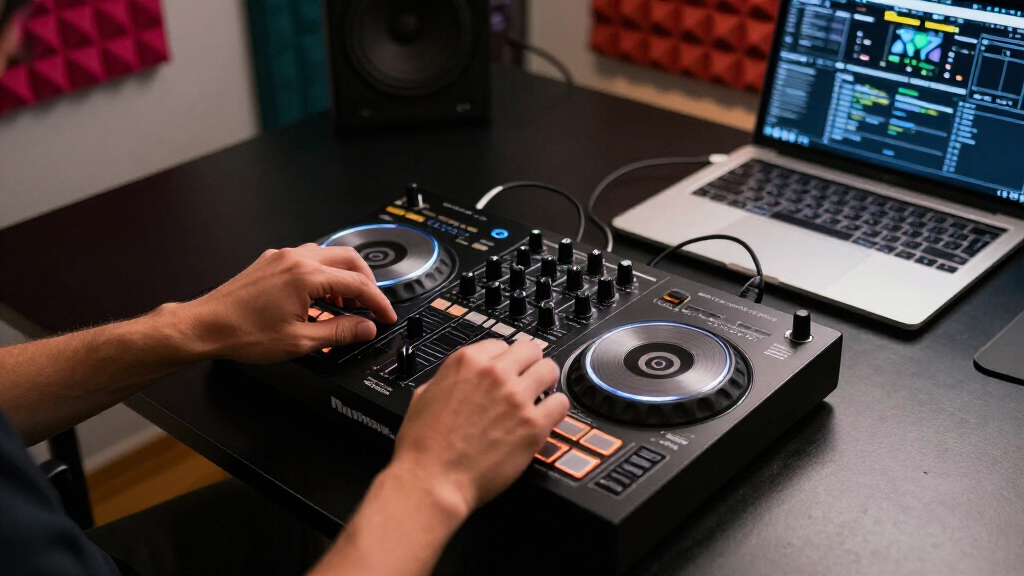
Transporting a DJ controller like the Numark Mixstream isn’t just about moving gear from point A to B. It’s about making sure your equipment stays safe, ready to perform, and easy to set up. Whether you’re a mobile DJ or a club resident, the right transport solutions can save you time and headaches.
From factory-designed flight cases to modular backpack systems, the options are plentiful. But which ones truly fit your specific Mixstream model—like the Mixstream Pro or Express—and your style of gigs? That’s what we’ll explore here, with real-world tips for protecting your investment and speeding up your setup.
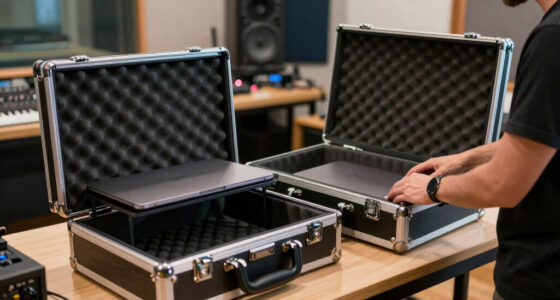
Custom-fit, padded hard cases protect your Mixstream from impacts and environmental damage during transit.
Measuring your device and comparing case features ensures a perfect fit, saving setup time.
Portable power banks and organized cabling keep your gear running smoothly in mobile or outdoor environments.
Wireless firmware updates improve remote control, reducing cabling and setup complexity.
Investing in modular accessories—like compartments and protective racks—can make your entire transport process faster and safer.
DJ gear guide · transport systems
Model-specific transport solutions for Numark Mixstream
Moving a Mixstream is not simply a point-A-to-B exercise. The right combination of fitted protection, portable power and organized connectivity keeps its touchscreen, controls and performance workflow safe—while making every load-in faster.
01 · Choose the shell
Match protection to the way you gig
Touring, club work and urban carry impose different risks. Start with your normal route from storage to booth—not the case that looks most rugged in isolation.
Hard-shell flight case
Best for touring, vehicle loading, outdoor events and shared freight. Rigid walls and fitted foam protect controls from impacts, stacking and rough handling.
Padded gig bag
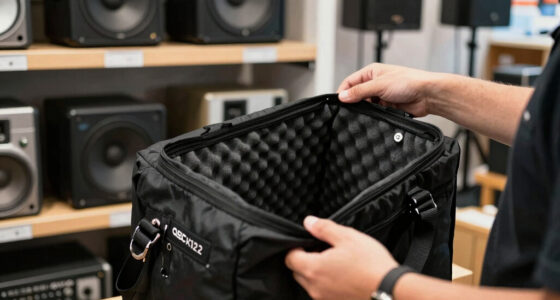
A lighter option for frequent club gigs and controlled transport. Prioritize dense padding, reinforced corners, strong closures and a protected screen zone.
Modular backpack
Useful for stairs, public transport and compact urban setups. Separate compartments keep the controller, adapter and cables organized without a second bag.
| Transport option | Impact defense | Quick access | Carry comfort | Best environment |
|---|---|---|---|---|
| Hard-shell flight case | ✓ Maximum | ~ Moderate | ✗ Bulky | Touring, festivals, rough vehicle transport |
| Padded gig bag | ~ Moderate | ✓ Excellent | ✓ Excellent | Local clubs, controlled car journeys |
| Modular backpack | ✓ Good | ✓ Good | ✓ Good | Urban gigs, stairs, public transport |
Prices are indicative. Confirm current inner dimensions, foam clearance and model compatibility before ordering.
02 · Verify the fit
A five-point case selection workflow
“Designed for DJ controllers” is not the same as designed for your Mixstream. Measure the exact unit and account for every surface that needs clearance.
03 · Build the mobile system
Protection is only one-third of readiness
A reliable mobile rig combines physical protection with a tested power plan and disciplined cable organization.
Physical protection
Use fitted foam, reinforced corners and secure closures. Add a rack, stand or vehicle restraint where equipment could slide or tip.
Portable power
Choose a battery or UPS with the correct output, adequate capacity and headroom. Test the complete setup before relying on it at a venue.
Cable control
Separate audio, network and power leads. Use reusable straps and labeled compartments to prevent tangles and forgotten adapters.
04 · Connect with less clutter
Use wireless convenience without losing resilience
Built-in networking and streaming can reduce physical clutter, but mobile reliability still depends on current firmware, a stable network and a tested fallback.
A cleaner setup starts before arrival
Update firmware under controlled conditions, prepare playlists and services, then use a dedicated network where possible. This limits interference and reduces last-minute cabling around the booth.
Mobility versus dependency
The transport-to-performance chain
- 1 Protect the vulnerable surfaces. Custom-fit padding helps isolate the screen, knobs and controls from impact.
- 2 Measure before buying. Compare exact internal case dimensions and allow suitable space for foam.
- 3 Plan power and cables together. A tested battery and labeled cable kit reduce setup friction.
- 4 Use wireless as an efficiency layer. Maintain current firmware and retain a wired contingency.
- 5 Match the rig to the route. Touring rewards rugged protection; local and urban gigs reward lighter modular carry.
Why your Mixstream needs a custom case—and which type works best
The Numark Mixstream models, such as the Mixstream Pro and Express, are compact but packed with features. But all those screens, knobs, and touch surfaces make them vulnerable during transport.
Custom cases—like hard-shell flight cases or padded gig bags—offer the best protection. Look for cases with foam inserts that match your model’s dimensions. For example, a Gator G-TOUR series case fits the Mixstream Pro perfectly, with enough padding to absorb shocks during a bumpy ride.
Choosing the right case isn’t just about fit; it’s about understanding the tradeoff between portability and protection. Hard-shell cases provide maximum impact resistance but can be bulky and heavy, potentially slowing down quick setups. Padded gig bags are lighter and easier to carry but may offer less protection against impacts. The decision depends on your typical gig environment—if you’re traveling long distances or rough terrain, a rugged hard case might be worth the extra weight. Conversely, for frequent club gigs where quick access matters, a well-padded gig bag might suffice, provided it has reinforced corners and secure closures. Recognizing these tradeoffs helps you balance convenience and safety, ensuring your controller survives the rigors of mobile performance.
Popular right now

Ninja Flip Toaster Oven and Air Fryer, 8-in-1, Stainless Steel, SP151

Breville Bambino Espresso Machine, Brushed Stainless Steel

KitchenAid 5.5-Qt Bowl-Lift Stand Mixer, Porcelain White (KSM55SXXX)
As an affiliate, we earn on qualifying purchases.
How to pick the perfect transport case for your Numark Mixstream
- Measure your device: note length, width, height, and weight.
- Check case dimensions: compare with your measurements—leave room for padding.
- Choose the right material: hard plastic or aluminum for maximum protection, soft padded for lighter, frequent gigs.
- Look for extra features: lockable latches, cable compartments, and removable foam inserts.
- Read reviews: see how other mobile DJs rate their protection and durability.
Beyond just fitting your device, the choice of case influences how quickly you can set up and tear down. For instance, a rugged, wheeled case may offer superior protection and mobility for outdoor festivals but might be overkill for a quick nightclub setup. Conversely, a lightweight gig bag might facilitate rapid access but could compromise impact resistance if not properly padded. Considering your typical gig environment—urban, outdoor, or touring—helps determine the optimal balance between protection and convenience. Also, assess whether the case’s features, like lockable latches or additional compartments, align with your security needs and organizational preferences. Making informed choices here reduces the risk of damage and streamlines your entire setup process, ultimately saving time and safeguarding your investment.
Comparison table: Top transport options for Numark Mixstream
| Case Type | Best For | Protection Level | Weight | Price Range |
|---|---|---|---|---|
| Hard-shell flight case | Heavy-duty gigs, touring | Maximum | Heavy | $150–$300 |
| Padded gig bag | Frequent local gigs, quick setup | Moderate | Light | $50–$120 |
| Modular backpack system | Urban gigs, quick transport | Good | Moderate | $100–$200 |
Understanding the protection level and tradeoffs of each case type helps you choose the best option based on your gig environment. For example, a hard-shell case offers maximum impact resistance, essential for touring or rough transport conditions, but adds weight and bulk. A padded gig bag provides easier carry and quick access, ideal for frequent club gigs but may require extra caution during transit. Modular backpack systems strike a balance, offering protection with mobility suitable for urban environments. Recognizing these implications allows you to prioritize what matters most—whether it’s durability, portability, or cost—and ensures your Mixstream arrives ready to perform, regardless of the venue.
How to keep your Mixstream powered and connected during transport
The Mixstream’s built-in Wi-Fi and streaming features make power management critical. Use portable batteries—like the Anker PowerHouse or Goal Zero Yeti—to keep your device running in locations without reliable outlets.
Wire management is key. Invest in cable organizers or Velcro straps to keep USB, Ethernet, and audio cables tidy. This prevents tangling and accidental disconnections during setup or transit.
For example, a mobile DJ heading to an outdoor event can connect to a portable power source before leaving the van. This setup ensures uninterrupted streaming and control, even far from mains power. Proper power management prevents unexpected shutdowns, which can disrupt performances and cause frustration. The implication is that investing in reliable power sources and organized cabling not only safeguards your equipment but also enhances your professionalism, ensuring smooth operation in unpredictable environments.
Wireless tech: How to improve remote control and streaming on the go
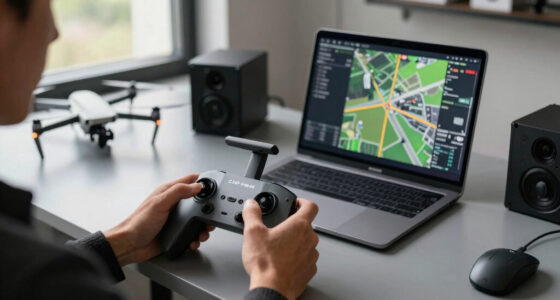
Recent firmware updates have boosted Wi-Fi stability on Mixstream models. This allows DJs to control decks remotely via tablets or smartphones, reducing clutter and setup time.
For instance, you can set up your Mixstream in a rack, then adjust playlists and effects from your phone during setup—no need to crouch behind the unit. Using a dedicated Wi-Fi network prevents interference, making your wireless control reliable even in busy venues. The ability to control your setup remotely means you can spend less time connecting physical cables and more time focusing on your performance. It also reduces the risk of unplugging or damaging cables during setup or transit. The tradeoff is that relying solely on wireless control requires stable network conditions; understanding these limitations helps you prepare backup plans, such as wired control options, to ensure continuous operation. This tech advancement streamlines transport and setup, making your workflow more efficient and less cumbersome.
Smart accessories: Modular cases, power banks, and cable organizers
Investing in modular transport accessories makes setup faster and safer. For example, a hard-shell case with built-in compartments for cables, a detachable power supply, and a space for your controller minimizes setup time.
High-capacity power banks can run your Mixstream for hours—perfect for outdoor gigs or emergency backup. Look for models with multiple outputs, like the Anker PowerCore+ or Jackery Explorer series. The key is understanding that these accessories aren’t just convenience items—they directly impact your efficiency and equipment safety. Modular cases prevent you from fumbling through tangled cables or searching for chargers in a rush. Power banks with multiple outputs ensure you can power multiple devices simultaneously, reducing the need for multiple chargers and outlets. Cable organizers keep everything tidy, which is crucial when you’re setting up in unfamiliar or tight spaces. Using these accessories effectively reduces setup time, minimizes potential damage, and allows you to focus more on your performance rather than gear management. Recognizing the importance of these tools helps you build a reliable, streamlined workflow that enhances your professionalism on every gig.
Frequently Asked Questions
What’s the best case for transporting my Numark Mixstream Pro?
A custom foam-padded hard case from brands like Gator or SKB offers maximum protection. Make sure it fits your model’s dimensions snugly and includes secure latches and wheels for easy transport.
Can I power my Mixstream without a wall outlet during gigs?
Yes, high-capacity portable batteries like the Goal Zero Yeti or Anker PowerHouse can run the Mixstream for several hours, perfect for outdoor or mobile setups.
How do I prevent damage when transporting my Mixstream over long distances?
Use a shock-absorbing case, secure all cables, and disassemble detachable parts if possible. Also, avoid stacking heavy items on top of your case during transit.
Are wireless updates reliable for live control during gigs?
Recent firmware improvements have made Wi-Fi more stable. Still, it’s wise to keep a backup plan—like a wired connection or a secondary device—just in case.
What’s the easiest way to speed up setup at a new venue?
Prepare a dedicated transport kit with all cables, power banks, and accessories organized. Practice your setup routine so you can get playing quickly, even in unfamiliar spaces.
Conclusion
Transport isn’t just about moving your Mixstream from gig to gig—it’s about protecting your investment and making your setup seamless. With the right case, power, and accessories, you’ll spend less time fussing with gear and more time performing.
Remember, a little planning goes a long way. Choose gear that matches your needs, and your mobile DJ setup will always be ready to go—wherever your next gig takes you.