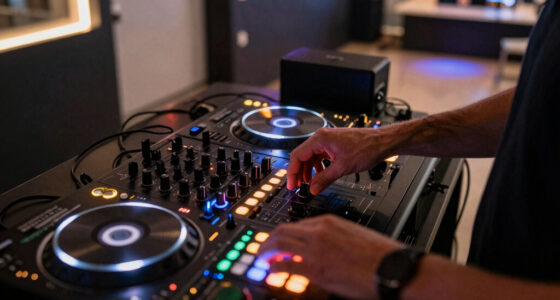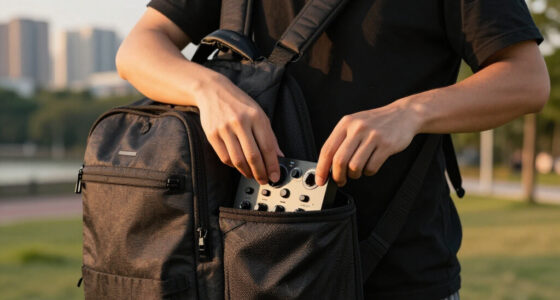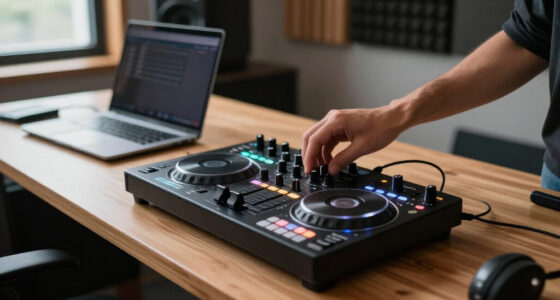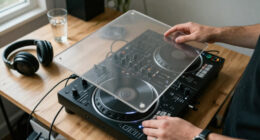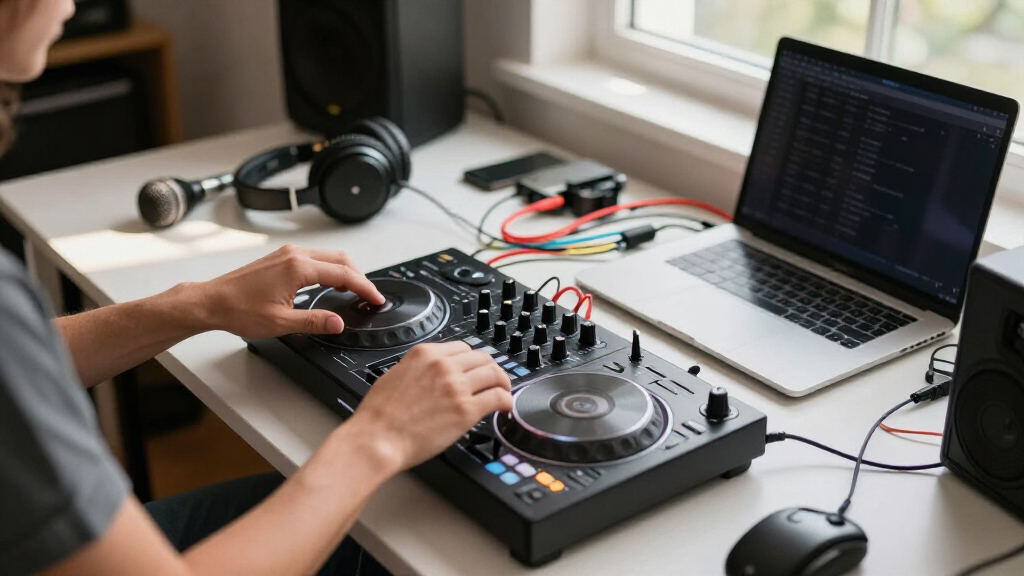

The best DJ controller for laptops overall is the Pioneer DJ DDJ-FLX4, because it pairs genuinely useful jog wheels and pads with full-size platters, rekordbox and Serato compatibility, and a price that leaves room in the budget for headphones. If portability matters more than everything else, the Numark DJ2GO2 Touch shrinks a two-deck setup into a bag-friendly frame, while the AlphaTheta DDJ-GRV6 bundle sits at the opposite end as the premium four-channel choice for DJs who have outgrown starter gear. The main tradeoff in this category is between pad and jog size versus portability, and between bundled accessories versus spending that money on better standalone components. Software compatibility is the other dividing line: some controllers here lock you into one platform, while others work across Serato, rekordbox, and DJUCED. Read on for the full breakdown of all 13 controllers and which buyer each one actually suits.

Get audio and creator gear delivered free with Prime
- Fast, free delivery on millions of items
- Prime Video, Amazon Music and more included
- Member-only deals all year
Complete the kit


Key Takeaways
- The DDJ-FLX4 won best overall because it is the only laptop controller in this price band that offers full rekordbox and Serato support, meaning you are not locked into one software ecosystem as your skills grow.
- Several bundles (the DDJ-FLX4 black bundle, Inpulse 500 studio bundle, DDJ-REV1 bundle) inflate perceived value with cheap headphones and stands; buying the standalone controller and choosing your own accessories usually gets better sound for similar money.
- Two products in this lineup barely qualify as laptop controllers at all: the Hercules DJControl Mix is phone-first over Bluetooth, and the Mixstream Pro Go is standalone-first — laptop DJs should only pick them for secondary, on-the-go roles.
- Scratch-style layout is a real differentiator, not marketing: the DDJ-REV1 places the crossfader and pitch faders in a battle configuration that the DDJ-FLX4 and FLX2 cannot replicate, making it the only true scratch-practice option here.
- Built-in guidance features (the Inpulse 500’s Intelligent Music Assistant, the FLX2’s Smart Fader) genuinely shorten the beginner learning curve, but they become dead weight — and a mild annoyance — once you beatmatch by ear.
| Pioneer DJ AlphaTheta DDJ-GRV6 4-Channel Performance DJ Controller Bundle |  | Best Overall | Channels: 4 | Software Compatibility: Serato DJ Pro | Key Features: Groove Circuit, Performance Pads, Rotary Selector, Stems FX | VIEW LATEST PRICE | See Our Full Breakdown |
| Pioneer DJ DDJ-FLX4 2-Channel DJ Controller – Black Bundle |  | Best Value | Channels: 2 | Soundcard: 16-bit/24-bit, 44.1 kHz/48 kHz | Frequency Response: 20 Hz–20,000 Hz | VIEW LATEST PRICE | See Our Full Breakdown |
| Pioneer DJ DDJ-REV1 Scratch-Style 2-Channel DJ Controller Bundle |  | Best for Scratch and Turntablist Techniques | Channels: 2 | Jog Wheel Size: Same as DDJ-SR2 | Software: Serato DJ Lite | VIEW LATEST PRICE | See Our Full Breakdown |
| AlphaTheta DDJ-FLX2 Compact 2-Channel DJ Controller with Smart Fader and USB-C |  | Best for Streaming-First Beginners | Channels: 2 | Connectivity: USB-C | Power: Bus-powered via USB-C | VIEW LATEST PRICE | See Our Full Breakdown |
| Numark DJ2GO2 Touch Compact DJ Controller |  | Best Ultra-Portable Pick | Channels: 2 | Software: Serato DJ Lite included; MIDI mappable | Jog Wheels: Touch capacitive | VIEW LATEST PRICE | See Our Full Breakdown |
| Hercules DJControl Mix – Bluetooth Wireless DJ Controller for Smartphones |  | Best for Phone-Only Mixing | Connectivity: Bluetooth wireless | Compatibility: iOS and Android smartphones | Number of decks: 2 | VIEW LATEST PRICE | See Our Full Breakdown |
| Hercules DJControl Inpulse 500 Professional DJ Controller Studio Bundle |  | Best Complete Starter Kit | Jog wheels: 5.5 inches, capacitive-touch | Performance pads: 16 RGB pads | Inputs: AUX, microphone, RCA, USB | VIEW LATEST PRICE | See Our Full Breakdown |
| Numark Party Mix III Bluetooth DJ Controller with Built-in Lights |  | Best for Party Hosts | Connectivity: USB-C, Bluetooth, 1/8-inch headphone, RCA main output | Software: Serato DJ Lite, Algoriddim djay | Lights: Built-in, beat-synchronized LED light show | VIEW LATEST PRICE | See Our Full Breakdown |
| Hercules DJControl Inpulse 500 2-Deck USB DJ Controller |  | Best for Learning on a Laptop | Number of decks: 2 | Connectivity: USB | Built-in audio interface: Yes | VIEW LATEST PRICE | See Our Full Breakdown |
| Numark Mixstream Pro Go Portable DJ Controller |  | Best Standalone Portable | Display: 7-inch touchscreen, adjustable brightness | Jog wheels: 6 inches | Connectivity: Wi-Fi, Bluetooth, 2x USB, SD card slot, XLR and RCA outputs | VIEW LATEST PRICE | See Our Full Breakdown |
| Numark Mixtrack Pro FX DJ Controller |  | Best Jog Wheel Feel | Control Decks: 2 | Audio Interface: 24-bit built-in | Jog Wheels: 6-inch capacitive-touch | VIEW LATEST PRICE | See Our Full Breakdown |
| Pioneer DJ DDJ-FLX4 2-Channel DJ Controller, 16 Pads, Graphite |  | Best Software Ecosystem | Channels: 2 | Performance Pads: 16 | Connectivity: USB, Bluetooth | VIEW LATEST PRICE | See Our Full Breakdown |
| Hercules DJControl Inpulse 200 MK3 – DJ Controller with Serato Lite |  | Best Budget Learning Tool | Channels: 2 | Included Software: Serato DJ Lite | Connectivity: USB | VIEW LATEST PRICE | See Our Full Breakdown |
| DJ controller for laptop | Connectivity | Channels | Jog Wheels |
|---|---|---|---|
| Pioneer DJ AlphaTheta DDJ-GRV6 | — | 4 | Large, scratch-oriented |
| Pioneer DJ DDJ-FLX4 2-Channel | — | 2 | — |
| Pioneer DJ DDJ-REV1 Scratch-St | — | 2 | — |
| AlphaTheta DDJ-FLX2 Compact 2- | USB-C | 2 | — |
| Numark DJ2GO2 Touch Compact DJ | — | 2 | Touch capacitive |
| Hercules DJControl Mix | Bluetooth wireless | — | — |
| Hercules DJControl Inpulse 500 | — | — | 5.5 inches, capacitive-touch |
| Numark Party Mix III Bluetooth | USB-C, Bluetooth, 1/8-inch headphone, RCA main output | — | Two large touch-capacitive |
| Hercules DJControl Inpulse 500 | USB | — | Large, touch-sensitive |
| Numark Mixstream Pro Go Portab | Wi-Fi, Bluetooth, 2x USB, SD card slot, XLR and RCA outputs | — | 6 inches |
| Numark Mixtrack Pro FX DJ Cont | USB, microphone input, headphone output, RCA output | — | 6-inch capacitive-touch |
| Pioneer DJ DDJ-FLX4 2-Channel | USB, Bluetooth | 2 | — |
| Hercules DJControl Inpulse 200 | USB | 2 | — |
More Details on Our Top Picks
Pioneer DJ AlphaTheta DDJ-GRV6 4-Channel Performance DJ Controller Bundle
For a laptop DJ who wants a controller that won’t be outgrown in a year, this option stands out as the most complete package in the lineup. The four channels open up multi-deck mixing that two-channel models like the DDJ-FLX4 simply can’t touch, and the large jog wheels give scratch-oriented DJs the real estate that the tiny Numark DJ2GO2 Touch lacks. The Groove Circuit and Stems FX translate into live remixing capabilities that feel closer to club gear than bedroom kit, and the bundled laptop stand, headphones, and cables mean one purchase covers the whole setup. The tradeoff is size, cost, and complexity — this is a big controller with a learning curve, and complete novices may find the layout intimidating before it pays off.
Pros:- Four channels support advanced multi-deck mixing
- Large jog wheels and performance pads give precise, club-style control
- Groove Circuit and Stems FX enable creative live remixing
- Bundle includes laptop stand, headphones, and cables for a complete setup
Cons:- Steep learning curve for newcomers
- Larger and heavier than portable options, awkward for gigs on foot
Best for: Intermediate and advanced laptop DJs who want pro-level control and room to grow into four-deck mixing
Not ideal for: Absolute beginners and DJs who mostly play small house parties — the price and complexity will outpace their needs
- Channels:4
- Software Compatibility:Serato DJ Pro
- Key Features:Groove Circuit, Performance Pads, Rotary Selector, Stems FX
- Jog Wheels:Large, scratch-oriented
- Included Accessories:Laptop stand, headphones, TRS-to-Dual-TS cable, polishing cloth
- Target User Level:Intermediate to professional
Our verdict“The pick if you want one controller that handles everything from bedroom practice to paid gigs without needing an upgrade.”
Pioneer DJ DDJ-FLX4 2-Channel DJ Controller – Black Bundle
This model makes the most sense for the largest group of buyers: laptop DJs who want professional software support without paying professional prices. Unlike the DDJ-REV1, which locks you into Serato DJ Lite, the FLX4 works with both rekordbox and Serato, so you can choose your software path and keep your options open. The built-in sound card with a 103 dB signal-to-noise ratio means clean audio straight to speakers with no extra interface, which the DJ2GO2 Touch can’t match in quality. Compared with the pricier DDJ-GRV6, you give up two channels and the premium jog wheels, but the layout is friendlier and the bundled laptop stand and headphones add genuine value. The compromises: it’s a USB-powered unit that struggles to drive large PA systems without external help, and some advanced software features sit behind paid licenses.
Pros:- Dual compatibility with rekordbox and Serato avoids software lock-in
- Built-in 24-bit sound card delivers clean audio without extra hardware
- Familiar Pioneer layout that translates to club gear later
- Bundle includes laptop stand and headphones
Cons:- Onboard audio can fall short driving large PA systems
- Some advanced features require additional paid software licenses
Best for: Beginner-to-intermediate laptop DJs who want dual-software flexibility and a bundled starter kit at a mid-range price
Not ideal for: DJs playing large venues on big PA systems — the onboard audio may need an external interface to keep up
- Channels:2
- Soundcard:16-bit/24-bit, 44.1 kHz/48 kHz
- Frequency Response:20 Hz–20,000 Hz
- Signal-to-Noise Ratio:103 dB
- Distortion:<0.005%
- Inputs/Outputs:1 × MIC in; MASTER (RCA), PHONES (3.5 mm) out
- USB Ports:2 × USB Type-C
- Power:DC 9V/3A adapter or DC 5V/500 mA USB bus
- Software:rekordbox and Serato compatible
Our verdict“The smartest middle-ground purchase here — capable enough to grow with, cheap enough to justify.”
Pioneer DJ DDJ-REV1 Scratch-Style 2-Channel DJ Controller Bundle
Where most beginner controllers treat scratching as an afterthought, this one builds the whole layout around it. The battle-style design with jog wheels the same size as the DDJ-SR2 gives turntablists room to practice real technique — a sharp contrast to the DDJ-FLX4’s smaller, mix-focused wheels or the cramped touch pads on the Numark DJ2GO2 Touch. Lever FX places effects under your fingers for dramatic drops, and the mic input mixed directly into the master output makes it a genuine option for mobile DJs doing announcements. The main drawback is software: it ships with Serato DJ Lite rather than the full version, and unlike the DDJ-FLX4 you don’t get a rekordbox alternative. Plan on an upgrade license if you stay serious.
Pros:- Full-size jog wheels matching the DDJ-SR2 for authentic scratching feel
- Battle-style layout mirrors professional scratch setups
- Mic input blends directly with master audio for MC work
- Lever FX enables expressive, hands-on effect control
Cons:- Locked into Serato DJ Lite without a bundled upgrade path
- No standalone operation — requires a connected laptop
Best for: Aspiring turntablists and scratch-focused beginners who want full-size jog wheels on a budget
Not ideal for: DJs who want software flexibility — Serato DJ Lite-only compatibility narrows your options compared with dual-software rivals
- Channels:2
- Jog Wheel Size:Same as DDJ-SR2
- Software:Serato DJ Lite
- Microphone Input:Yes, mixed with master audio
- Layout:Battle-style, scratch-oriented
- Included Accessories:Laptop stand, headphones, polishing cloth
Our verdict“Buy this if scratching is the point of your DJing; skip it if you care more about software choice than jog wheel size.”
AlphaTheta DDJ-FLX2 Compact 2-Channel DJ Controller with Smart Fader and USB-C
This model is better suited to a specific kind of newcomer: the DJ whose entire music library lives in the cloud. Native support for Apple Music, Spotify, and Tidal means you can mix without ever buying or downloading tracks, something none of the Serato-locked options like the DDJ-REV1 can do. The Smart Fader with automatic beatmatching does the hard part of mixing for you, flattening the learning curve even further than the DDJ-FLX4’s assist features. Its USB-C bus power also lets it run from a phone or tablet, not just a laptop. The flip side: it’s a lightweight, two-channel unit with a 3.5 mm output and modest build, so DJs who develop real skills will eventually want the FLX4’s fuller feature set and proper RCA master output.
Pros:- Streams directly from Apple Music, Spotify, and Tidal
- Smart Fader handles beatmatching automatically
- Bus-powered USB-C works with phones, tablets, and laptops
- Very light and compact for travel
Cons:- Automatic beatmatching can slow development of real mixing skills
- 3.5 mm-only output limits sound quality on proper speakers
Best for: Casual beginners who stream their music and want the easiest possible path from unboxing to mixing
Not ideal for: Serious hobbyists building a career — the assisted workflow and lightweight build become limitations fast
- Channels:2
- Connectivity:USB-C
- Power:Bus-powered via USB-C
- Streaming Compatibility:Apple Music, Spotify, Tidal
- Software:rekordbox, djay
- Outputs:3.5 mm headphone and speaker output
- Key Feature:Smart Fader automatic beatmatching
Our verdict“The lowest-friction entry point in the roundup, provided you accept that you’ll outgrow it if DJing becomes serious.”
Numark DJ2GO2 Touch Compact DJ Controller
This option stands out for one reason no other controller here can claim: it fits in a laptop bag’s side pocket. Compared with the DDJ-FLX2, which is compact but still a proper controller footprint, the DJ2GO2 Touch is a true pocket deck for DJs who mix on the move — hotel rooms, friend’s houses, backstage warm-ups. The touch capacitive jog wheels, pitch faders, and four pad modes cover the fundamentals, and the onboard audio interface with headphone cueing means you can practice silently anywhere. The tradeoffs are real, though: two channels only, jog wheels small enough to frustrate anyone who has touched a DDJ-REV1, and pads that feel more like a sketchbook than an instrument. This is a practice tool and backup deck, not a primary controller.
Pros:- Genuinely pocketable size for mixing anywhere
- Onboard audio interface with headphone cueing built in
- Includes Serato DJ Lite and supports MIDI mapping to other software
- Backlit controls stay usable in dark booths
Cons:- Touch jog wheels lack the precision of full-size controllers
- Two channels and minimal controls cap how far your mixing can develop
Best for: Traveling DJs and laptop owners who want a grab-and-go practice deck that takes up almost no space
Not ideal for: Anyone buying their first and only controller — the tiny jogs and two-channel limit become obstacles within months
- Channels:2
- Software:Serato DJ Lite included; MIDI mappable
- Jog Wheels:Touch capacitive
- Controls:Pitch faders, four pad modes, backlit buttons
- Audio Interface:On-board, 1/8-inch headphone and main outputs
- Compatibility:Mac and Windows
Our verdict“A brilliant second controller for practice on the road, but a dead end as your only piece of DJ gear.”
Hercules DJControl Mix – Bluetooth Wireless DJ Controller for Smartphones
Here’s the honest caveat up front: this is a roundup about laptop DJ controllers, and the DJControl Mix doesn’t connect to one. It pairs over Bluetooth with iOS and Android phones, running Algoriddim’s djay app, which is why it earns a niche slot rather than a top ranking. For anyone who wants to practice beatmatching on a commute or at a friend’s house without hauling a laptop, it does something none of the USB-only options like the DDJ-FLX4 can match. The jog wheels, faders, and pads are genuinely usable, and the foldable phone stand is a thoughtful touch. Compared with the Numark Party Mix III, the tradeoff is stark: you give up laptop compatibility and Serato support entirely in exchange for cable-free convenience.
Pros:- Cable-free Bluetooth pairing with phones
- Full control layout with jog wheels, faders, knobs, and pads
- Foldable smartphone stand included
- djay by Algoriddim included for immediate mixing
Cons:- No laptop or USB connectivity at all
- Bluetooth latency and smaller feature set limit serious performance use
Best for: Casual and mobile DJs who mix entirely from their smartphone and want physical controls without a laptop
Not ideal for: Anyone planning to use Serato or DJUCED on a laptop — it simply won’t connect
- Connectivity:Bluetooth wireless
- Compatibility:iOS and Android smartphones
- Number of decks:2
- Included app:djay by Algoriddim
- Controls:Jog wheels, faders, knobs, pads
- Extras:Foldable smartphone stand
Our verdict“Buy it only if your phone is your entire DJ rig; everyone else should look at a USB controller.”
Hercules DJControl Inpulse 500 Professional DJ Controller Studio Bundle
This bundle solves the problem that trips up most first-time buyers: buying a controller and then realizing you need monitors, headphones, and cables to actually hear anything. Pairing the Inpulse 500 with powered studio monitors and closed-back DJ headphones makes it a true plug-in-and-play desk setup, which is why it ranks above the standalone Inpulse 500 for beginners building a first rig. The controller itself is the same capable hardware — 5.5-inch capacitive jog wheels, 16 RGB pads, and a built-in audio interface with zero-latency cueing — that makes it a real step up from the Numark Party Mix III. The compromises: the 3.5-inch monitors are small and will eventually be outgrown, and the sheer control count can overwhelm someone who has never touched a mixer.
Pros:- Everything needed to start mixing arrives in one box
- Built-in audio interface with zero-latency cueing
- Hardware input mixer with mic and AUX inputs for live use
- Serato DJ Lite and DJUCED software both included
Cons:- 3.5-inch monitors are entry-level and lack low-end punch
- Feature density may overwhelm complete beginners
Best for: New DJs who want a complete home studio rig in one purchase with nothing left to buy
Not ideal for: Experienced DJs who already own monitoring gear — the bundle duplicates what you have
- Jog wheels:5.5 inches, capacitive-touch
- Performance pads:16 RGB pads
- Inputs:AUX, microphone, RCA, USB
- Outputs:Balanced/unbalanced master, headphone
- Included software:Serato DJ Lite, DJUCED
- Monitors:3.5-inch powered nearfield studio monitors
- Headphones:Closed-back DJ headphones
Our verdict“The fastest route from unopened box to mixing at a real desk, as long as you accept the small monitors.”
Numark Party Mix III Bluetooth DJ Controller with Built-in Lights
The Party Mix III knows exactly what it is: a fun-first controller for people whose goal is a good time, not a club residency. Its beat-synchronized LED light show is the standout — no other controller in this lineup has one — and it turns a dorm room or backyard into something that feels like an event. It works with both Serato DJ Lite and djay, so laptop mixing is fully supported, plus Bluetooth and USB-C give it flexibility the DJControl Mix can’t offer. The 8 backlit pads per deck and touch-capacitive jogs are respectable for the price class. Where it falls short of the Inpulse 500 is depth: no hardware input mixer, no balanced outputs, and the effects section leans on automatic helpers rather than manual control.
Pros:- Built-in beat-synced LED lights create instant party atmosphere
- Dual software support for Serato DJ Lite and djay
- USB-powered and highly portable
- Touch-capacitive jog wheels and 8 pads per deck
Cons:- No advanced effects or hardware mixer controls for serious mixing
- The light show is a distraction in quiet or formal settings
Best for: Casual party hosts and hobbyists who want instant atmosphere and simple laptop mixing
Not ideal for: DJs working toward club or paid gig work — the feature set caps out quickly
- Connectivity:USB-C, Bluetooth, 1/8-inch headphone, RCA main output
- Software:Serato DJ Lite, Algoriddim djay
- Lights:Built-in, beat-synchronized LED light show
- Performance pads:8 backlit pads per deck
- Jog wheels:Two large touch-capacitive
- Power:USB-powered
Our verdict“If your gigs are living rooms and the vibe matters more than technique, this is the one.”
Hercules DJControl Inpulse 500 2-Deck USB DJ Controller
Without the bundle extras, the Inpulse 500 becomes a focused proposition: a proper laptop controller with a built-in audio interface, hardware input mixer, and the kind of large touch-sensitive jog wheels that make learning to scratch actually enjoyable. Its adjustable feet are an underrated detail — raising the deck angle improves ergonomics and offers some spill protection during house parties. Against the Numark Mixtrack Pro FX, it holds its own with 16 RGB pads and a more robust I/O section including mic and AUX inputs. The friction point is software lock-in to Serato DJ and DJUCED: if you’re committed to rekordbox or Virtual DJ, this isn’t your board. It’s also a desk-bound design with no battery or carry focus, unlike the Mixstream Pro Go.
Pros:- Built-in audio interface means no separate sound card
- Large touch-sensitive jog wheels suited to scratch practice
- 16 backlit RGB pads give clear visual feedback
- Mic and AUX hardware inputs plus adjustable feet for stability
Cons:- Locked to Serato DJ and DJUCED ecosystems
- Bulky compared with compact options like the DDJ-FLX4
Best for: Developing DJs who want room-to-grow hardware for laptop practice with Serato or DJUCED
Not ideal for: DJs standardized on rekordbox or Virtual DJ, or anyone needing battery-powered portability
- Number of decks:2
- Connectivity:USB
- Built-in audio interface:Yes
- Performance pads:16 backlit RGB
- Jog wheels:Large, touch-sensitive
- Additional features:Vinyl mode, loop In/Out, filter/FX area, adjustable feet
- Software:Serato DJ and DJUCED
Our verdict“A strong middleweight for laptop-based learners who already know which software camp they’re in.”
Numark Mixstream Pro Go Portable DJ Controller
The Mixstream Pro Go plays a different game from everything else here — it’s the one pick that works without a laptop at all, thanks to a 7-inch touchscreen running Engine DJ OS, onboard battery, and built-in speakers. For a roundup about laptop controllers, that’s a strategic advantage rather than a contradiction: it streams directly from TIDAL, Beatport, SoundCloud Go+, and Amazon Music over Wi-Fi, and it still hooks into Serato and Virtual DJ when you want a computer. The wireless lighting control for Philips Hue, Nanoleaf, and DMX is unique in this lineup — even the Party Mix III’s built-in LEDs can’t touch a room-filling synced setup. The costs are real, though: stems require a paid license, the two-deck limit constrains complex sets, and the premium price overshoots what a laptop-first beginner needs from a DDJ-FLX4.
Pros:- Battery-powered operation with built-in speakers for true standalone play
- Streams from TIDAL, Beatport, SoundCloud Go+, Apple Music, and more without a computer
- 7-inch touchscreen with RGB waveforms and stems support
- Wireless lighting control for Philips Hue, Nanoleaf, and DMX fixtures
Cons:- Stems feature requires an additional paid license
- Premium price and 2-deck ceiling limit value for traditional laptop DJs
Best for: Mobile and outdoor DJs who want a self-contained rig with streaming, battery power, and no computer required
Not ideal for: Budget-conscious laptop beginners who don’t need standalone features they’ll pay for and rarely use
- Display:7-inch touchscreen, adjustable brightness
- Jog wheels:6 inches
- Connectivity:Wi-Fi, Bluetooth, 2x USB, SD card slot, XLR and RCA outputs
- Built-in speakers:Yes
- Streaming services:Amazon Music Unlimited, Apple Music, TIDAL, Beatport, Beatsource, SoundCloud Go+
- Software compatibility:Serato DJ, Virtual DJ
- Power:Battery-powered
- Platform:Engine DJ OS with stems support
Our verdict“The pick for DJs whose venue is anywhere with Wi-Fi — but laptop-first buyers get more for less elsewhere.”
Numark Mixtrack Pro FX DJ Controller
Numark’s Mixtrack Pro FX stands out for its 6-inch capacitive-touch jog wheels, which deliver a scratch and beatmatch response closer to a full-size controller than anything else at this price. Compared with the Hercules DJControl Inpulse 200 MK3, the jogs alone make it the stronger pick for anyone who wants to practice scratching, not just blending. The built-in 24-bit audio interface means no separate sound card — plug into your laptop, hook up speakers and headphones, and you’re mixing with proper cueing. The dual paddle triggers for FX are a genuinely useful touch borrowed from higher-end gear. The tradeoff is real, though: you’re capped at Serato DJ Lite unless you pay for an upgrade, and there’s zero standalone capability — no laptop, no party.
Pros:- Large 6-inch capacitive-touch jog wheels feel closer to vinyl than anything in its class
- Built-in 24-bit audio interface with mic, headphone, and RCA outputs
- Six quick-launch FX with dual paddle triggers borrowed from pro gear
- True plug-and-play USB setup on Mac and Windows
Cons:- Locked to Serato DJ Lite unless you pay for the full version
- No standalone mixing capability — requires a laptop at all times
Best for: Laptop DJs who want big, responsive jog wheels for scratching and beatmatching practice without paying premium prices
Not ideal for: DJs who want to mix without a laptop — this controller is completely dependent on a connected computer
- Control Decks:2
- Audio Interface:24-bit built-in
- Jog Wheels:6-inch capacitive-touch
- FX:Six quick-launch FX with dual paddle triggers
- Performance Pads:Eight per deck
- Connectivity:USB, microphone input, headphone output, RCA output
- Included Software:Serato DJ Lite
Our verdict“Buy this if scratch technique and jog wheel feel matter most to you and you don’t mind being tethered to Serato’s entry-tier software.”
Pioneer DJ DDJ-FLX4 2-Channel DJ Controller, 16 Pads, Graphite
The DDJ-FLX4 earns its place through Pioneer DJ’s software ecosystem — the same layout language you’ll find on club-standard CDJs, which matters if you ever play on pro gear later. Where the Numark Mixtrack Pro FX bets everything on jog wheel feel, the FLX4 bets on versatility: USB and Bluetooth connectivity plus compatibility with PC, Mac, iPhone, iPad, and Android means you’re never locked into one device. Smart auto-adjustments smooth over beginner mistakes, and streaming support lets you pull tracks directly from services instead of managing a library. The compromises are predictable: only two channels, no displays, and a feature set that advanced DJs will outgrow. Think of it as the best long-term on-ramp rather than the best destination.
Pros:- Layout mirrors Pioneer DJ’s professional club gear, making future upgrades familiar
- Works across PC, Mac, iPhone, iPad, and Android with USB or Bluetooth
- Smart mixing assistance helps beginners sound competent early
- 16 performance pads give room to grow beyond basic blending
Cons:- Only 2 channels — no path for advanced multi-deck mixing
- Feature set is basic compared with higher-end Pioneer controllers
Best for: Beginners who want a controller that teaches the Pioneer DJ layout they’d encounter in real clubs, across laptops and mobile devices
Not ideal for: Advanced or 4-channel DJs — the basic feature set and 2-channel limit will feel restrictive quickly
- Channels:2
- Performance Pads:16
- Connectivity:USB, Bluetooth
- Compatibility:PC, Mac, iPhone, iPad, Android
- Color:Graphite
- Skill Level:Beginner to intermediate
Our verdict“The smartest starting point for anyone planning to stay in the Pioneer ecosystem long-term, but serious DJs will eventually need to upgrade.”
Hercules DJControl Inpulse 200 MK3 – DJ Controller with Serato Lite
The Inpulse 200 MK3 is the cheapest credible way to learn DJing on a laptop, and Hercules leans into that with features the others don’t attempt: Beatmatch Guide LEDs that literally show you where to push the tempo, an Intelligent Music Assistant that suggests playable tracks, and built-in tutorials. Compared with the Pioneer DJ DDJ-FLX4, it’s lighter on build quality and long-term ambition, but it’s the better teacher. Stem separation at this price is a surprise — isolating vocals or drums from streaming tracks opens up creative mixing that beginners usually can’t touch. Its portability beats everything here except the pocket-sized Numark DJ2GO2 Touch, while offering far more control. The catch: it’s genuinely a learning tool, and its reliance on streaming means a weak Wi-Fi connection can derail a set.
Pros:- Beatmatch Guide LEDs and tutorials actively teach beatmatching fundamentals
- Stem separation lets you isolate vocals and drums even from streamed tracks
- Lightweight, travel-ready build suits mobile and casual setups
- Streams from multiple platforms so no large music library is required
Cons:- Beginner-focused controls that advancing DJs will quickly outgrow
- Streaming features depend on a stable internet connection
Best for: Total beginners and mobile DJs who want guided tutorials, light portability, and streaming-based mixing on a tight budget
Not ideal for: DJs who’ve outgrown training wheels — the controls are too basic for advanced techniques, and streaming depends on reliable internet
- Channels:2
- Included Software:Serato DJ Lite
- Connectivity:USB
- Portability:Lightweight, travel-ready
- Standout Features:Stem separation, Beatmatch Guide LEDs, Intelligent Music Assistant
- Streaming:Multiple platforms supported
Our verdict“The best low-risk purchase for learning to DJ from scratch on a laptop, as long as you accept you’ll graduate past it.”
How We Picked
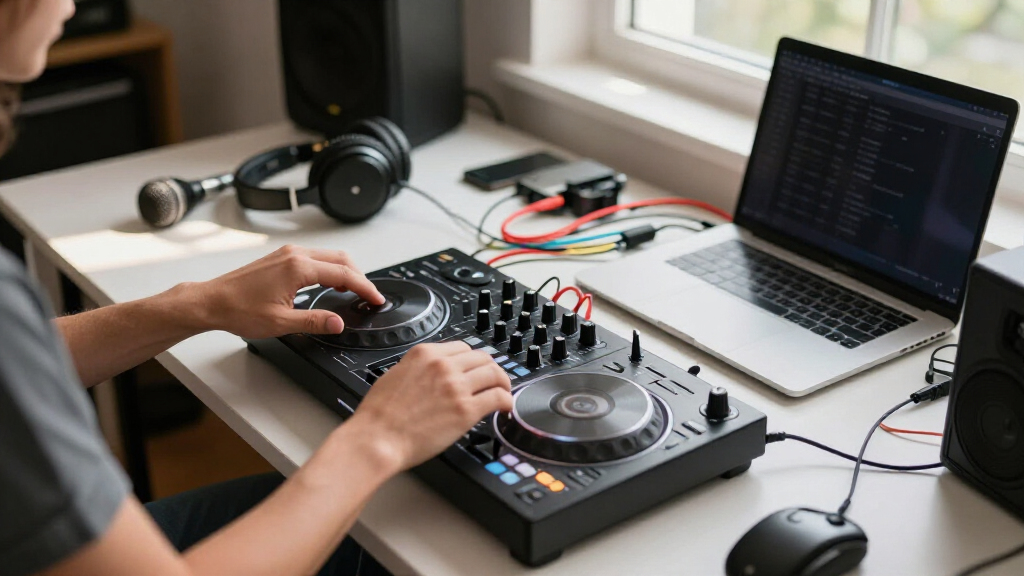
I evaluated each controller against the same four criteria, weighted for how laptop DJs actually play. Software integration and stability came first: a controller is only as good as its mapping, so full-version software access and low-latency USB performance ranked above raw feature counts. Control layout and build came second — jog wheel size, fader feel, pad responsiveness, and whether the chassis survives transport in a backpack. Value as a complete setup came third, which meant scrutinizing bundles honestly: bundled headphones and stands were only credited when they were worth using, not just worth listing. Finally, I weighed growth headroom, meaning whether a beginner would outgrow the hardware within a year.
The ranking logic follows from that weighting. Controllers that support multiple software platforms and offer a realistic upgrade path (the DDJ-FLX4, DDJ-GRV6, Inpulse 500) sit at the top. Niche winners — the DDJ-REV1 for scratch layout, the DJ2GO2 Touch for portability — rank high within their lane but are flagged for who should skip them. Controllers that blur the category or lean on weak bundles rank lower despite respectable hardware, because for a laptop DJ specifically, the software relationship matters more than lights or bundled extras.
Factors to Consider When Choosing DJ Controller For Laptops
Before settling on a specific controller, it helps to understand the forces that shape every purchase in this category. The six factors below explain why two similarly priced controllers can feel worlds apart six months into owning them.Software Lock-In Is the Biggest Hidden Decision
Every controller in this roundup ships with a software ecosystem, and that choice shapes your entire DJ journey more than the hardware does. Pioneer’s controllers are built around rekordbox and often Serato as well, Hercules leans on DJUCED alongside Serato support, and Numark splits between Serato and its standalone Engine ecosystem. A common mistake is buying a controller because it is cheap, then discovering the included software is a Lite version with limited library management, no recording, or locked effects. Check whether the bundled license is a full version or a trial in disguise before you buy, and confirm the controller is class-compliant so it works if you ever switch laptops or operating systems. If you plan to play in public someday, knowing whether venues and other DJs in your circle use Serato or rekordbox can save you from relearning an entire workflow later.
Channel Count: Buy for the Gigs You Will Actually Play
Two-channel controllers dominate this list because most bedroom and small-gig DJs only ever mix two decks at once. Four-channel options like the DDJ-GRV6 make sense when you layer acapellas over tracks, mix in samples, or plan to add CDJs into the setup later — but they cost more, weigh more, and add complexity a first-year DJ will not use. The honest tradeoff is that buying two channels now and upgrading later usually costs more in total than buying four channels once, but buying four channels you never use is pure waste. My suggestion is to base the decision on a realistic six-month horizon, not a fantasy festival mainstage. If you cannot name a specific technique that requires a third or fourth deck, you do not need one yet.
Jog Wheel Size and Layout Style Change How You Learn
Jog wheels are where cheap controllers cut corners, and it shows in your technique. Small touch strips, like those on ultra-compact models, are fine for nudging tracks into sync but nearly useless for learning scratch timing or precise cue point control. Full-size jogs with adjustable tension teach muscle memory that transfers directly to club CDJs, which matters if playing out is the goal. Layout matters just as much: scratch-style controllers place the crossfader far from the jogs for transformer-style techniques, while mix-style layouts keep everything closer together for smooth blends. Decide whether you want to be a scratch DJ or a blend DJ before comparing spec sheets, because no amount of features compensates for a layout that fights your style.
Bundles: When Included Extras Help and When They Hurt
Several controllers here appear both standalone and in bundle form, and the pricing is designed to make bundles look like obvious wins. Sometimes they are — a bundle that includes a laptop stand and a usable pair of monitors can genuinely save money. The problem is the headphones: bundled headphones in this category are almost always the weakest link, and a new DJ who learns on bad headphones develops a skewed sense of EQ and bass levels that takes months to unlearn. A smarter approach is to price the standalone controller plus headphones you have actually researched, then compare that total against the bundle. If the bundle’s extras cost you less than fifty dollars effectively, take them; otherwise, build your own kit.
Portability Versus Stability
Compact controllers tempt every laptop DJ with the promise of mixing from a café table or a friend’s kitchen counter. What the product photos do not show is that lightweight controllers slide around on smooth surfaces, that their shorter pitch faders make fine tempo adjustments harder, and that their mini jogs punish heavy-handed technique. A heavier controller with rubber feet stays planted when you scratch or ride the pitch fader, which is why many experienced DJs own two units — a full-size one for practice and gigs, and a pocket-sized one for travel. If you can only buy one, buy the one that matches where you will play eighty percent of the time, not the fantasy of DJing from an airplane tray table. Also check the USB port type and cable routing, since a flimsy micro-USB connection on a portable unit is a failure point that surfaces at the worst moment.
Budget Realistically: The Controller Is Half the Cost
New DJs consistently underestimate the total cost of a laptop DJ setup. Beyond the controller, you need closed-back headphones for cueing, possibly speakers, a laptop stand to keep the screen at eye level, and — the part everyone forgets — music. A streaming subscription gets you started, but building a library of purchased tracks is a real, ongoing expense. A controller that consumes your entire budget on day one leaves you practicing on earbuds, which undermines everything else you spent. Planning roughly half your budget for the controller and half for everything around it produces a better learning experience than maxing out on hardware. The one exception is if you already own decent headphones and monitors, in which case shifting that money into the controller itself is a reasonable move.
Frequently Asked Questions
Can I use one of these controllers with both Serato and rekordbox?
Some can, and it is one of the main reasons the DDJ-FLX4 ranks so highly here. Pioneer’s two-channel controllers in this lineup are designed to work with rekordbox out of the box and often include Serato compatibility or a path to it, which means you can try both platforms before committing. Hercules controllers like the Inpulse 500 support both DJUCED and Serato, though the experience is usually more polished in DJUCED since that is the software they were designed around. Numark’s options are more divided — some are Serato-focused while the standalone models run Engine OS. What you cannot do is run two programs at once, so the real benefit is flexibility at upgrade time rather than daily use. If you already know which software your friends or local scene uses, let that guide the purchase more than the hardware itself.
Do I need a powerful laptop, or will any computer work with these controllers?
DJ software is more tolerant than most people assume, but the consequences of an underpowered laptop are worse in DJing than in almost any other hobby — a stutter mid-set is not something you can hide. A laptop from the last five or six years with an SSD and at least 8GB of RAM will run any controller here comfortably, provided you close browsers and background apps while playing. The spec that matters more than raw power is storage speed, because loading a track from a slow hard drive while another is playing is a common cause of glitches. Avoid buying a cheap controller and a cheap laptop in the same month if you can; prioritize the laptop first if yours is truly aging. Also disable USB power saving settings, since aggressive power management dropping the controller connection is a classic beginner frustration that gets blamed on the hardware.
Are the beginner assistance features like Smart Fader and the Inpulse guides worth paying extra for?
They genuinely shorten the first few months, but their value depends on how quickly you plan to move past them. Features like the FLX2’s Smart Fader and the Inpulse line’s Intelligent Music Assistant can hold a smooth mix for you while you learn phrasing and song selection, which keeps practice fun instead of discouraging. The catch is that they can become a crutch — DJs who rely on assisted mixing often struggle the first time they play on gear without those aids. My honest take is that they are worth it for complete beginners and casual home DJs, and unnecessary for anyone who already understands beatmatching. If your goal is club gigs within a year, treat these features as training wheels and practice manual mixing in parallel from week one. That way you get the early wins without building dependence.
Is it better to buy a controller bundle or piece together my own accessories?
Bundles make sense for exactly one buyer: someone who owns nothing and wants a working setup in a single box on day one. For everyone else, bundles are usually a way for retailers to move low-margin accessories alongside popular controllers. The headphones included in most of the bundles in this roundup are the weakest component by a wide margin, and the stands and polishing cloths are filler that adds perceived value without adding much real value. A better strategy is to buy the standalone controller, then put the difference toward closed-back headphones from a dedicated audio brand — that single upgrade improves your practice sessions more than any bundled extra. The exceptions worth noting are bundles that include actual studio monitors, like the Inpulse 500 studio bundle, since even entry-level monitors are genuinely useful. Do the math on what the extras would cost separately before assuming the bundle saves money.
Should I get a controller that also works standalone without a laptop?
Standalone capability, like on the Numark Mixstream Pro Go, sounds like pure upside, but it shapes the product in ways that matter for laptop DJs. Standalone controllers carry their own processor, screen, and storage, which pushes the price up and sometimes means the manufacturer invested less in the laptop software integration. If your primary workflow is laptop-based, you would be paying a premium for a feature you use occasionally. Where standalone shines is as a second unit for parties, travel, or backup — the ability to keep playing if your laptop crashes mid-gig is real insurance for working DJs. My recommendation for a first controller is to stay laptop-focused and get more hardware for your money, then add a standalone unit later if you start playing places where hauling a laptop is a hassle. Choose standalone-first only if you already know you dislike laptop setups.
Conclusion
The right choice here depends less on which controller is objectively best and more on where you are in your DJ journey. For best overall, the Pioneer DJ DDJ-FLX4 is the pick I would point most laptop DJs toward — it balances price, dual software support, and full-size controls better than anything else in this lineup. For best value, the Numark Mixtrack Pro FX delivers performance-focused pads and a solid Serato experience at a price that leaves budget for headphones and music. The Hercules DJControl Inpulse 200 MK3 takes best for beginners thanks to its guided learning tools, while the AlphaTheta DDJ-GRV6 bundle stands as the best premium option for DJs ready to commit to four channels and a long-term setup.
For specific needs: the DDJ-REV1 is the only real choice for scratch-focused learners, the Numark DJ2GO2 Touch and AlphaTheta DDJ-FLX2 cover ultra-portable mixing, and the Mixstream Pro Go suits DJs who want a laptop-free backup rig. Whatever you choose, pair it with headphones worth using and software you have verified — those two decisions will shape your progress far more than the difference between any two controllers on this list.
Halloween Picks
halloween
As an affiliate, we earn on qualifying purchases.