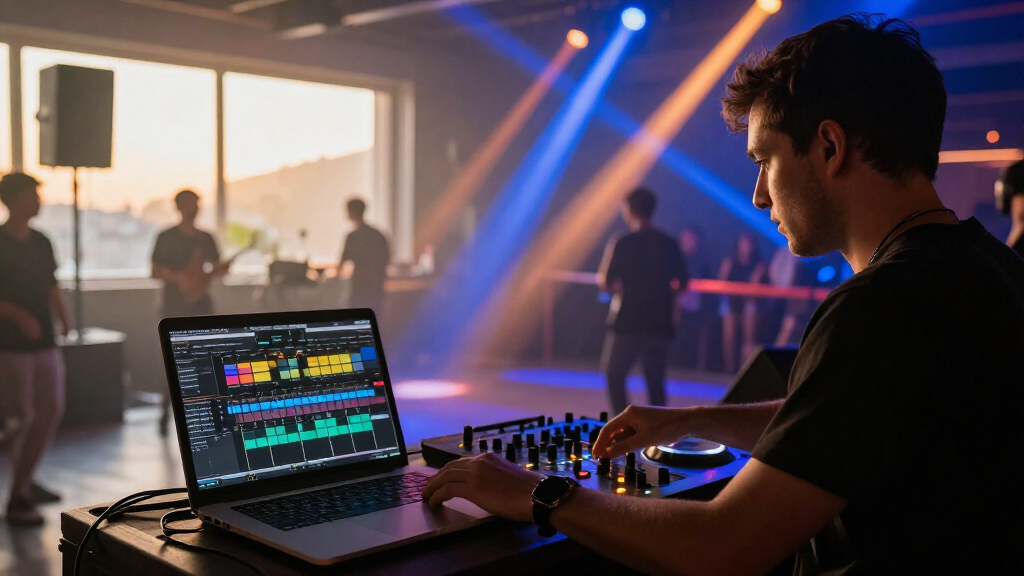
DJ lighting control software can automate fixtures to match a set, run stored scenes, or give a DJ hands-on DMX control. I rank the SoundSwitch Control One as the best overall pick for DJs who want dedicated control hardware alongside a lighting workflow. The ADJ myDMX 5 Express stands out as a software-and-interface package, while the ADJ myDMX Go suits buyers who want wireless control from a mobile device. The key tradeoff is between automation and flexibility: an integrated controller can simplify performance, while a basic interface may leave more programming and hardware decisions to you. Read on for how these seven options differ and which type of setup each one fits.

Get audio and creator gear delivered free with Prime
- Fast, free delivery on millions of items
- Prime Video, Amazon Music and more included
- Member-only deals all year
Complete the kit


Key Takeaways
- Control One ranks first because its dedicated control surface gives DJ-focused operation a clearer performance role than a standalone interface or storage device.
- myDMX 5 Express is the clearest software-and-hardware bundle in this group, making it a sensible starting point for buyers who want a direct path into computer-based DMX control.
- myDMX Go prioritizes wireless operation; that convenience suits mobile control, but buyers should confirm that its workflow fits their device and show setup.
- The RM is for playback, not a full programming workflow: show storage can help when a computer-free playback option matters, but it is not interchangeable with software control.
- Interface-only choices require more planning. The Micro DMX Interface, MYDMX Buddy, and Xpress-512S depend on compatible software and a suitable computer-based workflow.
| SoundSwitch Control One DMX Lighting Controller |  | Best for Hands-On DJ Control | DMX universes: 2 | Lighting support: DMX and Philips Hue | Compatibility: Engine DJ devices, supported AlphaTheta hardware, and external audio sources | VIEW LATEST PRICE | See Our Full Breakdown |
| ADJ myDMX RM DMX Lighting Show Storage Device | 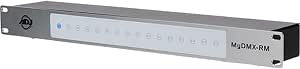 | Best for Standalone Show Playback | Preset shows: Up to 16 | Assignable port triggers: 16 | Outputs: 3-pin and 5-pin DMX | VIEW LATEST PRICE | See Our Full Breakdown |
| ADJ Products MyDMX Go Wireless DMX Lighting Controller |  | Best for Beginners | Channels supported: 256, upgradable to 512 | Fixture library: More than 15,000 fixtures | Control method: App-based control from iPad, Android, or Fire tablet | VIEW LATEST PRICE | See Our Full Breakdown |
| ADJ MYDMX Buddy DMX Hardware Dongle |  | Best for Legacy Computer Setups | Connectivity: USB | Output connector: USB Type B | DMX input: 3-pin | VIEW LATEST PRICE | See Our Full Breakdown |
| SoundSwitch Micro DMX Interface |  | Best Compact SoundSwitch Interface | Interface: USB to DMX XLR | DMX universes: 1 | Compatible devices: Personal computer | VIEW LATEST PRICE | See Our Full Breakdown |
| ADJ myDMX 5 Express Lighting Control Software and USB-C Interface |  | Best for Expandable Computer-Based Control | Channels: 256, upgradable to 512 | Scenes: 99 | DMX output: 1 x 3-pin | VIEW LATEST PRICE | See Our Full Breakdown |
| CHAUVET DJ Xpress-512S DMX Interface for ShowXpress |  | Best for Standalone Show Playback | DMX and Art-Net control: One full DMX universe and one additional Art-Net universe | Standalone playback: Stores and plays back one show without a computer | Software: ShowXpress | VIEW LATEST PRICE | See Our Full Breakdown |
| DJ lighting control software | Weight | Dimensions |
|---|---|---|
| SoundSwitch Control One DMX Li | 1.76 pounds | 10.68 x 6.6 x 2.16 inches |
| ADJ myDMX RM DMX Lighting Show | 3 pounds | 24 x 6 x 3 inches |
| ADJ Products MyDMX Go Wireless | 16 ounces | 11 x 8 x 5 inches |
| ADJ MYDMX Buddy DMX Hardware D | 2.72 ounces | — |
| SoundSwitch Micro DMX Interfac | — | — |
| ADJ myDMX 5 Express Lighting C | 5.9 ounces | 4.33 x 3.07 x 1.93 inches |
| CHAUVET DJ Xpress-512S DMX Int | — | — |
More Details on Our Top Picks
SoundSwitch Control One DMX Lighting Controller
Control One is the most DJ-oriented pick here for buyers who want to adjust a SoundSwitch show from physical controls rather than rely entirely on a screen. Its tactile controls let DJs change lighting intensity, parameters, and effects during a set, while support for two DMX universes gives it more capacity than the one-universe SoundSwitch Micro DMX Interface. It also supports Philips Hue and can work with Engine DJ devices without a computer, a useful distinction from the computer-dependent MYDMX Buddy. The tradeoff is that compatibility varies with DJ hardware, and using PRO DJ LINK Bridge requires a laptop running SoundSwitch. Choose it for a hands-on workflow tied to compatible DJ gear; skip it if you want a simple, low-setup computer interface or do not need physical controls.
Pros:- Physical controls allow live adjustments to lighting intensity, parameters, and effects.
- Supports two DMX universes, compared with the Micro DMX Interface’s single universe.
- Can work with Engine DJ devices without a computer.
- Supports both DMX fixtures and Philips Hue, with multiple audio-source options.
Cons:- Some features depend on using supported DJ hardware.
- PRO DJ LINK Bridge requires a laptop running SoundSwitch.
- Its hands-on control focus may be unnecessary for buyers who only need a basic DMX interface.
Best for: DJs using compatible Engine DJ or AlphaTheta hardware who want tactile control and two DMX universes during performances.
Not ideal for: Buyers seeking a basic computer-to-DMX connection, or those whose DJ hardware is not supported and who do not need hands-on controls.
- DMX universes:2
- Lighting support:DMX and Philips Hue
- Compatibility:Engine DJ devices, supported AlphaTheta hardware, and external audio sources
- Model:CONTROLONE
- Dimensions:10.68 x 6.6 x 2.16 inches
- Weight:1.76 pounds
- Material:Stainless steel
- Color:Black
Our verdict“Choose Control One if you want physical, DJ-focused SoundSwitch control and compatible hardware; choose a simpler interface if tactile adjustments and its extra universe are not needed.”
ADJ myDMX RM DMX Lighting Show Storage Device
The ADJ myDMX RM suits venues and mobile operators who want programmed lighting shows available without leaving a computer connected. It stores up to 16 shows for button-triggered playback, and its internal memory can also back up scenes programmed through the included access to myDMX 3.0. That makes it a different kind of choice from the app-driven ADJ MyDMX Go: the Go emphasizes tablet-based control and automatic effects, while the RM prioritizes reliable recall of prepared shows. Its 16 assignable triggers and rack-mountable format fit installations where staff need direct playback access. The limitation is equally clear: it does not replace the programming step, and the fixed 16-show capacity may not suit productions that need a larger rotating library. I would skip it for spontaneous, hands-on DJ control.
Pros:- Stores and plays up to 16 programmed shows without a computer.
- Internal memory can back up programmed scenes.
- Sixteen assignable triggers support direct show selection.
- Rack-mountable design includes both 3-pin and 5-pin DMX outputs.
Cons:- Requires shows to be programmed before standalone playback.
- Storage is limited to 16 preset shows.
- Rack-oriented hardware is less suited to DJs seeking a portable, app-based control workflow.
Best for: Venue operators and DJs who program a limited set of repeatable shows and need button-triggered playback without a computer.
Not ideal for: DJs who want to create or alter effects on the fly, need more than 16 stored shows, or prefer a compact tablet-based control setup.
- Preset shows:Up to 16
- Assignable port triggers:16
- Outputs:3-pin and 5-pin DMX
- Input:USB
- Software access:myDMX 3.0
- Dimensions:24 x 6 x 3 inches
- Weight:3 pounds
- Included accessories:UL-approved power supply and USB cable
Our verdict“Pick the myDMX RM for repeatable, computer-free playback of preprogrammed shows, not for building lighting changes live during a DJ set.”
ADJ Products MyDMX Go Wireless DMX Lighting Controller
MyDMX Go is the most approachable option in this group for DJs who want lighting effects without first building a detailed show in desktop software. Its app-based controls offer manual displays, presets, and automatic effects, while a fixture library of more than 15,000 entries can reduce the effort of matching common fixtures to the controller. Compared with the ADJ myDMX RM, which stores programmed shows for button playback, MyDMX Go favors flexible tablet operation and quicker setup. It supports 256 DMX channels, with an upgrade path to 512, and can connect two lighting universes. That capacity may still be limiting for larger rigs, and the app requires a compatible iPad, Android, or Fire tablet. I would choose it for accessible control, not for a tablet-free setup or complex production-scale programming.
Pros:- App-based control supports operation from iPad, Android, or Fire tablets.
- Preset and automatic-effect modes reduce setup and programming work.
- Fixture library includes more than 15,000 fixtures.
- Supports 256 channels with an upgrade path to 512 and connection for two universes.
Cons:- A compatible tablet is required to run the control app.
- The supplied channel capacity is 256 unless upgraded, which can constrain larger rigs.
- Tablet-based operation does not provide the tactile controls found on SoundSwitch Control One.
Best for: DJs and small-event operators who have a compatible tablet and want presets or automatic effects without extensive programming.
Not ideal for: Operators with larger channel needs, buyers without a compatible tablet, or users who prefer dedicated physical controls or computer-based programming.
- Channels supported:256, upgradable to 512
- Fixture library:More than 15,000 fixtures
- Control method:App-based control from iPad, Android, or Fire tablet
- Connection:Wi-Fi or USB
- Lighting functions:Manual displays, user presets, and automatic effects
- Material:Plastic
- Dimensions:11 x 8 x 5 inches
- Weight:16 ounces
Our verdict“Choose MyDMX Go if tablet control and ready-made effects matter more than dedicated hardware controls or high channel capacity.”
ADJ MYDMX Buddy DMX Hardware Dongle
The MYDMX Buddy is a compact USB DMX interface for buyers who already plan to control fixtures from a computer using ADJ’s MyDMX 2.0 software. Its 256 live channels and 12 standalone channels provide a straightforward route from software to a 3-pin DMX connection, and the listed fixture library spans more than 10,000 fixtures from over 500 manufacturers. Unlike MyDMX Go, it does not rely on a tablet or app-based wireless workflow; unlike the SoundSwitch Micro DMX Interface, it is tied to ADJ software rather than SoundSwitch. The main concern is software compatibility: the listed operating systems are older Windows and macOS versions. That limits its appeal for buyers setting up a current computer, so I would treat it as a fit for compatible existing systems rather than a flexible new purchase.
Pros:- Compact USB interface connects a computer to 3-pin DMX fixtures.
- Supports 256 live channels and 12 standalone channels.
- Fixture library covers more than 10,000 fixtures from over 500 manufacturers.
- Lightweight design is easy to transport.
Cons:- Listed operating system support is limited to Windows 7 or 8 and Mac OS 10.7–10.10.
- Requires compatible MyDMX 2.0 software.
- Its 3-pin DMX connection may not fit setups built around other connector types without suitable cabling.
Best for: Owners of a compatible older Windows or Mac computer who want a small USB interface for MyDMX 2.0 and 3-pin DMX fixtures.
Not ideal for: Buyers with newer operating systems, those who want SoundSwitch or tablet control, or operators who need broader standalone functionality.
- Connectivity:USB
- Output connector:USB Type B
- DMX input:3-pin
- Live channels:256
- Standalone channels:12
- Compatible software:MyDMX 2.0
- Supported operating systems:Windows 7 or 8; Mac OS 10.7–10.10
- Weight:2.72 ounces
Our verdict“Choose the MYDMX Buddy only if your computer supports its listed software and you want a compact MyDMX 2.0 interface.”
SoundSwitch Micro DMX Interface
For a minimal SoundSwitch setup, the Micro DMX Interface keeps the hardware footprint small while linking a computer to one DMX universe. Its live-audio BPM detection helps lighting follow the music, making it more directly suited to DJ sets than the ADJ MYDMX Buddy, which is built around MyDMX 2.0 on a computer. It also works with supported AlphaTheta equipment and other audio sources, and includes three months of SoundSwitch software access. That subscription is a useful starting allowance, but ongoing access requires fees after the included period. The interface supports only one universe, half the capacity of SoundSwitch Control One, and PRO DJ LINK Bridge still needs a laptop running SoundSwitch. I would pick it for a compact, software-led rig, not for DJs who want tactile controls or standalone operation.
Pros:- Compact USB-to-DMX interface suits portable computer-based rigs.
- Live-audio BPM detection can synchronize lighting with music.
- Works with SoundSwitch, supported AlphaTheta equipment, and other audio sources.
- Includes three months of SoundSwitch software access.
Cons:- Supports only one DMX universe, compared with two on SoundSwitch Control One.
- SoundSwitch subscription fees apply after the included three-month period.
- PRO DJ LINK Bridge requires a laptop running SoundSwitch.
Best for: DJs building a compact SoundSwitch setup around a personal computer who want BPM-responsive lighting over one DMX universe.
Not ideal for: DJs seeking physical show controls, two-universe capacity, computer-free operation, or a setup without ongoing software subscription costs.
- Interface:USB to DMX XLR
- DMX universes:1
- Compatible devices:Personal computer
- Software access:Three-month SoundSwitch subscription
- Audio feature:Live-audio BPM detection
- Compatible equipment:Supported AlphaTheta DJ equipment and other audio sources
- Model number:DMXMICROINTERFACE
- Warranty:1 year
Our verdict“Choose the Micro DMX Interface for compact, BPM-responsive SoundSwitch control on one universe, and choose Control One if you need physical controls or more capacity.”
ADJ myDMX 5 Express Lighting Control Software and USB-C Interface
I’d choose the myDMX 5 Express for a DJ who wants computer-based lighting control with room to add fixtures later. Its 256 channels, expandable to 512, offer a defined starting point without requiring a new interface when a modest rig grows. Support for 99 scenes gives DJs options for preparing distinct looks, while macOS and Windows compatibility leaves more flexibility in the laptop choice. Compared with the CHAUVET DJ Xpress-512S, this ADJ package highlights a straightforward USB-C connection and expandable channel capacity; the CHAUVET instead stands out for Art-Net support and playback without a computer. The tradeoff here is the single 3-pin DMX output, which may limit cabling options for more complex setups. I’d skip it if standalone playback or multiple outputs are priorities.
Pros:- Works with both macOS and Windows
- Channel capacity can expand from 256 to 512
- Supports up to 99 scenes
- USB-C connection pairs the included interface with a compatible computer
Cons:- Has only one 3-pin DMX output
- Computer-based operation does not offer the listed standalone playback feature of the CHAUVET DJ Xpress-512S
Best for: Mobile DJs using a macOS or Windows laptop who want scene programming and a channel capacity they can expand as their lighting rig grows.
Not ideal for: DJs who need standalone show playback, Art-Net support, or more than one physical DMX output.
- Channels:256, upgradable to 512
- Scenes:99
- DMX output:1 x 3-pin
- Connection:USB-C
- Compatibility:macOS and Windows
- Dimensions:4.33 x 3.07 x 1.93 inches
- Weight:5.9 ounces
- Material and color:Plastic; black
Our verdict“Choose the myDMX 5 Express if you want computer-based scene control with expandable channels, and skip it if you need standalone operation or additional DMX outputs.”
CHAUVET DJ Xpress-512S DMX Interface for ShowXpress
The Xpress-512S is the stronger fit for a DJ who wants a prepared show to keep running if a computer is unavailable or disconnected. Its interface stores and plays back one show without a computer, a practical distinction from the computer-centered ADJ myDMX 5 Express. It also combines one DMX universe with an additional Art-Net universe, giving a setup more control options than a single-output interface alone. Hot-swapping, automatic reconnection, and protection against electrostatic discharge and ground loops address reliability concerns during setup and live use. The tradeoff is that standalone storage is limited to one show, and operation is tied to ShowXpress software. I’d favor the myDMX 5 Express for expandable channel capacity and scene count; this CHAUVET makes more sense when playback independence and Art-Net matter more.
Pros:- Stores and plays back one show without a computer
- Supports one full DMX universe and an additional Art-Net universe
- Hot-swapping and automatic reconnection support smoother connection recovery
- Includes electrostatic discharge and ground loop protection
Cons:- Standalone storage is limited to one show
- Designed for ShowXpress rather than a range of lighting software
- Uses USB rather than the myDMX 5 Express’s listed USB-C connection
Best for: DJs who program in ShowXpress and want one prepared show available for playback without keeping a computer connected, plus Art-Net support.
Not ideal for: DJs who need multiple shows stored for computer-free playback, want software flexibility beyond ShowXpress, or prioritize expandable channel capacity.
- DMX and Art-Net control:One full DMX universe and one additional Art-Net universe
- Standalone playback:Stores and plays back one show without a computer
- Software:ShowXpress
- Compatibility:Windows and Mac OS X
- Hardware interface:USB
- Power:USB powered
- Material:Aluminum
- Weight and size:3.2 ounces; 2.9 inches
Our verdict“Pick the Xpress-512S if standalone playback and Art-Net support matter most, but choose the myDMX 5 Express for expandable channels and a broader scene count.”
How We Picked
I ranked these options by how well they address the practical job implied by DJ lighting control software: creating or controlling a show, connecting to DMX fixtures, and managing lighting during a performance. I gave more weight to a clear DJ-facing workflow and a useful combination of software and control hardware than to a device that serves only one part of the process. I also considered whether each pick is aimed at live operation, wireless control, show playback, or connecting a computer to a DMX system.
The order reflects how much work the buyer must supply around the product. Control One leads for its dedicated performance controls; myDMX 5 Express follows as a more direct software-and-interface package. The other options rank by their narrower strengths, including wireless operation, stored-show playback, or a DMX connection for software. Before buying, verify supported operating systems, fixture compatibility, software requirements, and included cables or licenses: those details can affect fit and are not interchangeable across this lineup.
Factors to Consider When Choosing DJ Lighting Control Software
Before choosing, separate the job you need the product to do from the phrase “lighting software.” A controller, a DMX interface, and a show-storage device can all be part of a lighting setup, but they do not provide the same workflow. These broader checks can help prevent buying hardware that connects but does not support the way you want to program or run a show.
Decide Whether You Need Programming, Playback, or Live Control
Start by writing down what you expect to do during a gig: build looks, trigger scenes, let lights follow music, or play back a prebuilt sequence. Programming tools and performance controls solve different problems, even when both are sold for DMX lighting. A storage device may replay a show without replacing software used to create it, while an interface may connect software to fixtures without providing tactile controls. A common mistake is buying a device for its DMX connection and assuming it also handles scene design. Match the product to the part of the workflow you actually lack, then check what additional software or hardware that workflow requires.
Check Fixture Compatibility Before Counting Channels
DMX fixtures need the correct personality or profile in the control software, not just a cable connection. Profile support can matter more than a headline channel figure if your lights use modes that the software does not represent correctly. Make a list of fixture models and operating modes, then look for the exact profiles or a way to create custom ones. Also map how many DMX channels your planned rig uses, including room to add fixtures later. Buying for today’s small setup alone can lead to a second interface or a reworked patch as the rig grows.
Treat Computer and Mobile Requirements as Part of the Purchase
Software control depends on a compatible host, so check operating-system support, connection type, and any licensing or activation rules before choosing hardware. USB, USB-C, and wireless are not interchangeable workflow details: ports, adapters, network conditions, and device compatibility can all affect setup at a venue. For mobile control, plan how the device will connect and what happens if its battery or wireless link becomes unreliable. For laptop-based operation, confirm the computer can stay connected alongside DJ audio and other performance gear. This compatibility check is especially useful when comparing a bundled package with a standalone interface.
Choose Automation Carefully, Not by Promise Alone
Music-reactive operation can reduce manual cueing, but its usefulness depends on the kind of set and the lighting changes you want. Automation is most valuable when it saves repeat work without removing needed control. A tightly planned show may benefit more from reliable scenes and cue changes than from lights reacting continuously to audio. Before committing, find out how much programming is required, whether you can adjust looks during playback, and how the software handles changes in tempo or song structure. Avoid assuming that “automatic” means no setup: fixture mapping and scene choices still shape the result.
Pay More for the Control Surface You Will Use
A dedicated controller can make frequent live adjustments easier, while an interface-only product may be enough when you program at a computer and rarely touch controls during a set. Spend on the part of the workflow you use most often, not on hardware features that will sit unused. For recurring gigs, tactile access to key functions may justify a more integrated setup; for occasional events, a simpler software-and-interface package may be easier to maintain. Consider transport, mounting, cable strain, and setup time as well as the feature list. If you are unsure, choose a workflow that leaves room to add control hardware later rather than buying multiple overlapping devices at once.
Frequently Asked Questions
Can I run DMX lights with one of these devices without a computer?
Not all of them support the same kind of computer-free operation. The ADJ myDMX RM is the lineup’s show-storage option, while most interfaces and software-focused setups depend on a compatible computer or another supported control device. Check whether the show must be programmed on a computer first and how it is transferred to the playback unit. Also confirm that your fixture patch and playback needs fit the stored-show workflow. A DMX connector by itself does not mean a device can create or run a show on its own.
Should I choose a DMX interface or a controller with physical controls?
Choose an interface when your main goal is linking compatible software to your DMX fixtures and you are comfortable operating from a computer. A physical controller makes more sense when you want hands-on access during a performance, especially for frequent scene or effect changes. The tradeoff is that an interface can be a simpler part of a computer-centered setup, while a control surface adds another device to configure and transport. Check which controls are actually available and whether they work with the software you plan to use. Do not assume every interface can be upgraded into a tactile controller.
What should I verify before buying a wireless lighting controller?
Confirm the controller works with your phone or tablet, the required app, and the lighting system you plan to run. Then check how the wireless connection is established and whether the venue environment could interfere with it. Plan a fallback for connection or battery problems, such as a charged device and a tested alternative control method. Make sure the wireless approach still supports the number and type of fixtures in your rig. Convenience is useful, but it should not come at the cost of a show workflow you cannot reliably operate.
Do I need to buy software separately from the DMX hardware?
That depends on the product: some options are presented as software-and-interface packages, while others are primarily controllers, storage devices, or interfaces intended to work with a particular software workflow. Check what is included in the exact package, including software access, license terms, cables, and any required adapters. A hardware device may not provide the programming tools you expect just because its name includes a software brand. Verify operating-system support and whether the software recognizes your device before ordering. This avoids paying for a connection method that does not cover the rest of your setup.
Which option makes the most sense if I may expand my lighting rig?
Choose based on the software’s fixture support, the interface’s capacity for your planned DMX load, and whether the control workflow can handle more complex shows. Expansion depends on the whole system, not just the device you buy today. List your current fixtures and likely additions, then check their channel requirements and supported profiles. Also think about whether adding fixtures will require more programming time, another DMX output, or a different control method. A small, compatible setup that can be extended is more useful than buying hardware with capacity your software cannot manage.
Conclusion
For most DJs seeking a performance-oriented setup, I recommend the SoundSwitch Control One as the best overall, thanks to its dedicated control role. The ADJ myDMX 5 Express is my best value-style pick for buyers who want software and an interface together, while the best premium-style choice in this lineup is Control One for those who place a high priority on hands-on operation. Beginners should start by checking whether myDMX 5 Express supports their computer and fixtures, then choose it if they want a bundled computer-based route. For specific needs, pick the myDMX Go for wireless control or the myDMX RM for stored-show playback; choose the Micro DMX Interface, MYDMX Buddy, or Xpress-512S only after confirming the software and host requirements. The right choice is the one that matches your control workflow, not simply the device with a DMX connection.