TL;DR

Get audio and creator gear delivered free with Prime
- Fast, free delivery on millions of items
- Prime Video, Amazon Music and more included
- Member-only deals all year
In tight spaces, careful planning and compact gear are key. Use small steps, clear communication, and safety gear to set up and tear down efficiently without damage or injury.
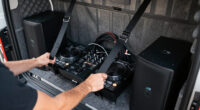
Ever tried fitting a full DJ rig into a cramped corner? It’s a challenge that tests your patience and planning. But with the right approach, you can turn tight spots into manageable workspaces. This guide reveals the best practices for setting up and tearing down in confined areas, saving you time and avoiding accidents.
Whether you’re handling a small wedding reception or a street festival with limited access, mastering these techniques is a game-changer. You’ll learn how to prep, execute, and pack up smoothly — even when space feels more like a closet than a stage.
Always measure and plan your setup layout before bringing gear in.
Use lightweight, foldable, or modular equipment to save space and reduce handling time.
Break down setup and teardown into small, systematic steps for efficiency.
Protect surfaces and gear with padding and soft covers during handling.
Leverage new tech like AR for visualization and VR for training to improve confidence and speed.
Best practices for setting up and tearing down in tight spaces
Turn cramped corners into controlled workspaces with measured layouts, compact equipment, deliberate sequencing, protected surfaces and communication that keeps every movement predictable.
Potential reduction in handling time when lightweight, modular equipment replaces bulky alternatives.
Bring stable, heavy equipment in first. Add controllers, lighting and other fragile items last.
Disconnect and disassemble in the reverse order of setup to prevent confusion and damage.
Doorways, stairs, corners and obstacles
Foldable, slim and easy to reposition
Clear, carry, assemble, power, finish
Protect people, paths, gear and surfaces
Make every move fit on paper first
Measure the usable footprint and every access point, then map where equipment will land and how people will move around it. A few minutes of preparation can expose bottlenecks before heavy gear reaches the doorway.
Measure the full route
Record room dimensions, doorway widths, stairs, low ceilings, outlets, sharp corners and fixed furniture—not just the final booth area.
Define first-in and last-out
Assign an arrival order based on weight, stability and fragility. Keep the return path open throughout the build.
Sketch the working footprint
Mark equipment, cable runs and movement lanes on a simple map, or use an AR planning tool to test placement at scale.
Reduce bulk without losing the essentials
Slim controllers, lightweight speakers, foldable tables and clip-on LED panels preserve valuable maneuvering space. The practical tradeoff is that smaller gear may offer fewer inputs, less output or a higher purchase price.
| Category | Compact model | Dimensions | Weight | Advantage | Tradeoff |
|---|---|---|---|---|---|
| DJ controller | Pioneer DDJ-400 | 22.2 × 8.7 in | 8.2 lb ✓ | Portable, full core feature set | Limited inputs ~ |
| Speaker | QSC K8.2 | 13.4 × 9.5 × 11.5 in | 20 lb ✓ | Compact and powerful | Higher price ~ |
| Lighting | Aputure MC RGB | Clip-on format | Ultra-light ✓ | Minimal footprint | Area coverage ~ |
| Support | Foldable DJ table | Collapsible frame | Portable ✓ | Fast storage and transport | Check load rating ~ |
Build in small, controlled sections
In confined areas, every extra movement creates another opportunity for collision, strain or cable damage. A stable sequence keeps the workspace usable from the first case to the final light.
Clear the area
Remove unnecessary furniture, décor and clutter. Secure unstable objects and protect vulnerable walls or floors.
Bring heavy gear first
Position speakers, stands and structural items before controllers, lighting or other fragile components.
Assemble in sections
Build the table or stand first, then add the controller, speakers and accessories one manageable layer at a time.
Establish safe power
Use correctly rated extension cords and power strips without stretching cables across movement paths.
Finish with cable and light
Connect, label and secure cables last. Adjust lighting only after all essential equipment remains accessible.
For a small wedding setup, clear roughly a six-foot working radius, place the foldable table, add the mixer and controller, then route cables along protected edges.
Keep one exit path openReverse the build, protect the route
Deliberate teardown may take a few extra minutes, but it reduces missed connections, surface damage and equipment wear. Speed comes from a repeatable system—not rushing.
Pack without backtracking
Keep cases near the point of disassembly and collapse each component as soon as it is safely disconnected.
Protect people first
Confined movement magnifies small hazards. Complete a quick check before setup and repeat it before teardown.
Use technology where it removes uncertainty
Modern planning and training tools can improve confidence before the crew enters the space. Balance the upfront cost against recurring savings in setup time, fatigue and preventable damage.
Foldable systems
Cases, tables, scaffolding and slim carts collapse for transport while adapting to unusual footprints.
See the layout early
Augmented reality can preview equipment scale and placement before cases enter the room.
Practice tight moves
Virtual simulations let teams rehearse roles, sequencing and hazards without risking equipment.
Reduce carrying fatigue
Lightweight materials and multi-use components reduce load while shrinking the total kit.
Plan small. Move smart.
Measure before unloading, choose lightweight modular gear, work in a fixed sequence, communicate every movement and reverse the process during teardown. Padding, cable discipline and appropriate safety equipment protect both the crew and the venue.
How to Plan Your Setup and Takedown in Small Spaces
Planning is everything when space is tight. Start by measuring the area — note doorways, stairs, and obstacles. Visualize your workflow: which equipment goes first, what moves last? Sketch a simple map or use augmented reality apps to see how everything fits. This prep prevents surprises and keeps the process flowing smoothly.
Understanding why this matters is crucial: in confined spaces, a misstep can cause delays, damage to equipment, or safety hazards. Proper planning minimizes these risks by allowing you to anticipate bottlenecks and adjust your approach beforehand. The tradeoff is time spent in prep versus potential chaos during setup. Investing in detailed planning reduces overall stress and ensures a smoother operation.
For example, if your DJ booth will sit against a wall, plan to bring smaller gear or foldable accessories. Map out paths to avoid bumping into furniture or electrical outlets. A detailed plan reduces chaos and makes your setup faster and safer.
Popular right now

Dyson Car+Boat Cordless Handheld Vacuum

Roborock Robot Vacuum and Mop Combo with Self-Empty Dock

Bose QuietComfort True Wireless Earbuds with Active Noise Cancellation, Black
As an affiliate, we earn on qualifying purchases.
Choose Compact, Flexible Equipment That Fits in Small Spaces
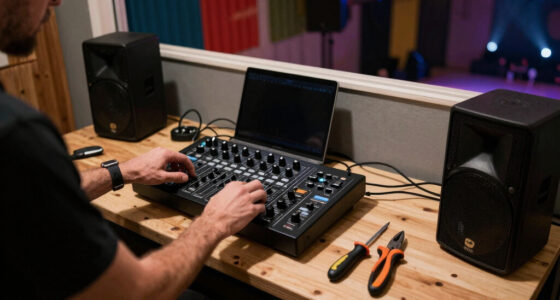
Big gear is a nightmare in tight spots. Opt for slimline controllers like the Pioneer DDJ-400 (measures just 22.2″ wide) or foldable DJ tables that collapse to half their size. Use speakers like the QSC K8.2, which are lightweight (around 20 lbs) and compact, yet deliver punchy sound.
Lighting? Go for portable LED panels, such as the Aputure MC RGB, small enough to clip onto your DJ booth without taking up extra space. The goal: gear that’s versatile, lightweight, and easy to carry.
| Feature | Compact Model | Size | Weight | Pros | Cons |
|---|---|---|---|---|---|
| DJ Controller | Pioneer DDJ-400 | 22.2″ x 8.7″ | 8.2 lbs | Portable, full features | Limited inputs |
| Speaker | QSC K8.2 | 13.4″ x 9.5″ x 11.5″ | 20 lbs | Lightweight, powerful | Higher price |
Choosing gear like this minimizes bulk without sacrificing sound or control. It’s perfect for squeezing into corners or tight back rooms. The tradeoff, however, is that smaller gear may sometimes have fewer features or less power than larger counterparts, so understanding your specific needs and environment is key. This balance between portability and capability ensures you don’t compromise performance for convenience.
Step-by-Step: Setting Up in Confined Spaces Without Frustration
- Clear the area: Remove unnecessary furniture, decorations, or clutter. This creates space for safe movement and prevents accidental damage.
- Bring in your gear in the right order: heavier items first, fragile gear last. This minimizes handling and reduces the risk of dropping or damaging equipment.
- Assemble in sections: set up the DJ table or stand, then position your controller and speakers. Doing so in manageable parts prevents overcrowding and allows for better maneuverability.
- Use extension cords and power strips that reach without stretching or creating trip hazards. Proper power management avoids accidents and ensures stable connections.
- Adjust lighting and cabling last, so everything is accessible. Proper cable organization not only looks professional but also reduces tripping risks.
For example, at a small outdoor wedding, you might start by clearing a 6-foot radius, then bring in a foldable table. From there, connect your mixer and controllers, all while keeping cables tidy and out of the way. Breaking the process into manageable, logical steps allows you to focus on each task without feeling overwhelmed, which is especially important in tight spaces where every move counts. This method reduces frustration and speeds up the setup process, ensuring you’re ready to perform without last-minute panic or damage.
Tearing Down Without Breaking a Sweat or Your Gear
Disassemble in reverse order. Carefully disconnect cables, pack fragile gear last, and fold or collapse everything immediately. Keep equipment close to avoid unnecessary handling, which reduces risk of damage.
For instance, in a small venue, unhook speakers first, then pack the controller, and finally collapse your stand. Using padding or soft covers helps protect surfaces and prevent scratches during transport. This systematic approach ensures each piece is handled with care, reducing wear and tear, and preventing accidental damage during hurried packing. Recognizing that rushing can lead to overlooked connections or damage, a deliberate, step-by-step disassembly minimizes these risks. The tradeoff is slightly longer teardown time, but the benefits of preserved equipment and a professional appearance outweigh the extra minutes.
Remember: a systematic approach prevents damage and keeps your setup looking professional.
Safety First: Protect Yourself and Your Gear in Tight Spots
Working in small spaces increases risks. Always wear gloves, safety glasses, and non-slip shoes. Watch out for exposed wires, sharp edges, or unstable furniture. Communicating clearly with your team — everyone should know their role and movement plan — is essential to avoid accidents that could cause injuries or damage.
For example, when lifting heavy speakers into a cramped corner, get help. Use hand trucks or sliders to avoid straining muscles or dropping gear. Staying alert and aware of your surroundings is critical; a moment’s distraction can lead to injury or damage. Incorporate safety checks into your routine, such as inspecting cords for frays or securing unstable furniture before working around it. The implications of neglecting safety are severe: injuries, equipment damage, or even legal liabilities. Prioritizing safety not only protects your team but also ensures a smooth operation where everyone feels confident and secure.
Latest Tools and Tech That Make Tight Spaces Easier
Recent innovations have transformed how we work in confined areas. Modular, foldable gear like the Road Ready RR1S DJ case folds flat, saving space during transport. Augmented reality apps help you visualize setup in small rooms, reducing guesswork and making pre-setup planning more accurate.
VR training modules simulate cramped environments, allowing your team to practice setup and teardown virtually, which builds confidence and improves technique before actual work. Lightweight materials and smart design cuts fatigue and streamlines movement, especially important in tight quarters. The tradeoff here is that some of these advanced tools and gear might come at a higher upfront cost, but the long-term savings in time and reduced risk of damage make them worthwhile investments. Industry insiders report that these tools can cut setup times by 20-30% — a significant advantage in busy or high-stakes environments.
Embracing these technological advances means working smarter, not harder, in even the tightest of spaces, leading to safer, faster, and more professional setups and teardowns.
FAQs: Your Biggest Questions About Tight-Space Setup
Q: What’s the most important tool for working in tight spaces? Compact, multi-use tools like foldable dollies, extendable poles, and portable lighting are essential. They keep things simple and accessible, but understanding when and how to use them effectively can make or break your setup. The right tool at the right time reduces handling, speeds up assembly, and minimizes the risk of damage or injury.
Q: How do I avoid damaging walls or furniture? Use padding, soft covers, and careful handling. Employing protective materials and being mindful of your movements prevents scratches and dents. Sometimes, it’s worth investing in protective shields or bumpers that can be temporarily attached to equipment or furniture, especially in venues with delicate finishes. The tradeoff involves additional setup time and expense, but the payoff is maintaining a professional appearance and avoiding costly repairs.
Q: What’s the main challenge in tight spaces? Limited access and visibility. Break tasks into small steps and use lighting and mirrors to see what you’re doing. This layered approach helps you avoid blind spots and accidental bumps, which are common in cramped conditions. The implications are clear: better planning and tools improve safety and efficiency, reducing stress and errors during setup and teardown.
Q: How does technology help? AR and VR help plan and visualize setups, saving time and reducing errors. They allow you to simulate the environment beforehand, identify potential issues, and train your team virtually, which is especially useful when actual space is limited or complex.
Q: What training improves my skills in tight spots? Hands-on practice, safety courses, and virtual simulations build confidence and technique. Regular drills in confined spaces help your team develop muscle memory for quick, safe operations. Investing in ongoing education ensures everyone remains prepared for the unique challenges of small environments, ultimately leading to safer and more efficient performances.
Conclusion
In tight spaces, your best weapon is a clear plan paired with gear that’s built for small environments. Focus on safety, efficiency, and teamwork — and you’ll turn cramped chaos into a smooth operation. With the right mindset and tools, no space is too small to get the job done right.
Next time you face a tiny venue, remember: smart prep beats brute force. Keep your gear compact, your plans clear, and your team coordinated. That’s how you turn tight spots into triumphs.