
TL;DR

Get audio and creator gear delivered free with Prime
- Fast, free delivery on millions of items
- Prime Video, Amazon Music and more included
- Member-only deals all year
Consistent maintenance is key to prolonging your portable DJ gear’s life. Protect, clean, and service equipment regularly—small habits prevent costly repairs. Proper care ensures your gear performs flawlessly every time.
Ever carried your DJ gear into a gig, only to find it acting up or showing signs of wear? That frustration can be avoided. Proper maintenance isn’t just about keeping things clean—it’s a strategic approach to extending your equipment’s life and ensuring smooth performances. When you treat your gear right, it responds better, lasts longer, and saves you money in repairs and replacements.
In this guide, you’ll learn simple, effective habits tailored for mobile DJs. From protecting your gear during transport to handling batteries and software updates, these tips are grounded in real-world experience. Think of your gear as an investment—treat it like one, and it will serve you reliably gig after gig.
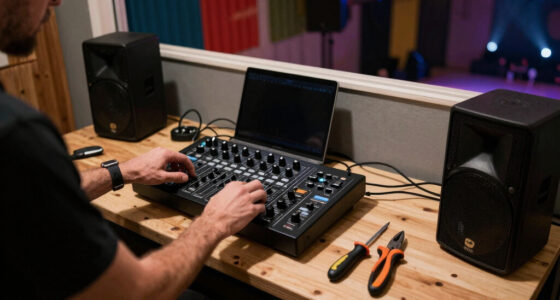
Use dedicated, padded cases to protect gear during transport—don’t skimp on quality.
Clean your gear after each event with microfiber cloths and compressed air—prevent long-term buildup.
Manage heat and moisture carefully—keep vents clear, and let cold gear warm up before powering on.
Regularly inspect and replace damaged cables, worn faders, and swollen batteries—early fixes are cheaper.
Update firmware and software cautiously—follow instructions and test before big gigs.
Make Your DJ Gear Last Gig After Gig
Portable equipment lives a hard life: vibration, dust, heat, changing humidity, unstable power and constant reconnection. A consistent protect–clean–inspect routine keeps small problems from becoming expensive failures.
Potential lifespan loss associated with neglected routine maintenance under demanding mobile-DJ conditions.
A fitted case can protect a mixer worth thousands and absorb the punishment of repeated transport.
Small habits cost less than emergency repairs, replacement gear and a disrupted performance.
The highest-impact habits happen before and after the set.
Transit damage, contamination and rough handling compound over time. Treat every controller, mixer, laptop and speaker as an instrument—not luggage.
Lock down every item
Use fitted padded cases, flight cases or Decksaver-style covers. Secure gear with foam, straps or hook-and-loop fasteners so nothing shifts in transit.
Remove protrusions
Disconnect USB drives, adapters and loose cables. Never stack heavy items over screens, jog wheels, knobs or faders.
Wipe, brush, clear
Use a clean microfiber cloth, soft brush and short bursts of electronics-safe compressed air around controls and accessible vents.
Cloth first, never spray
Apply a small amount of electronics-safe cleaner to the cloth. Keep ammonia, bleach and aggressive household solvents away from the gear.
Use a light touch
Do not slam crossfaders, yank knobs or force pads and jog wheels. Use contact cleaner only where the manufacturer specifically permits it.
Replace wear early
Choose serviceable crossfaders where heavy scratching is expected. Replace worn parts before crackling, sticking or intermittent operation becomes failure.
Heat, moisture and bad power are invisible wear multipliers.
Good airflow, patient acclimatisation and reputable power protection reduce stress on circuits, batteries and internal connections.
Do not “see if it still works.”
Contaminated liquid can leave conductive and corrosive residue even after the surface appears dry.
Know what to keep, service or retire.
Early warning signs are cheaper to resolve than failures. Use this quick decision table during packing, setup and periodic bench checks.
| Component | Healthy practice | Warning sign | Immediate action | Status |
|---|---|---|---|---|
| Audio cables | Loose over-under wrap; pull by plug housing | Cracks, hum, dropouts or damaged strain relief | Test and replace or repair properly | ~ |
| Mains cables | Inspect insulation, plug and earth connection | Exposed conductor, heat damage or loose plug | Retire immediately; never defeat protective earth | ✗ |
| Faders and knobs | Gentle operation; keep dust out | Crackling, stiffness or intermittent response | Follow approved service procedure or replace | ~ |
| Lithium battery | Cool, dry storage at partial charge | Swelling, leaking, unusual heat or physical damage | Stop charging and using; seek safe disposal guidance | ✗ |
| Vents and fans | Keep clear; remove accessible dust | Restricted airflow, excess heat or unusual fan noise | Power down, clean safely and arrange service if needed | ~ |
| Firmware and apps | Back up, read instructions and test off-stage | Major update immediately before a booking | Delay unless essential; preserve a rollback plan | ✓ |
Clean and reset
Wipe surfaces, remove debris, disconnect protruding accessories and note any faults while they are fresh.
Inspect and test
Check cables, connectors, power protection, battery condition, controls and your backup playback path.
Deep-check airflow
Inspect accessible vents, case foam, strain relief, UPS health and replaceable wear components.
Back up and stage
Back up the music library and DJ database. Test operating-system, firmware and app changes away from a live booking.
Your five-point pre-gig chain.
Reliability comes from connected habits. If one link fails, the next one should expose the problem before the audience does.
Fitted protection, no loose items and no pressure on vulnerable controls.
Let cold equipment warm naturally; keep airflow paths open.
Test labelled cables, connectors, adapters and backup routes.
Use grounded outlets and reputable surge protection or suitable conditioning.
Keep free storage, preserve backups and avoid untested updates before major gigs.
Test playback, cueing, outputs, controls and fallback equipment before doors open.
Protect during transport. Clean after use. Keep heat, moisture and liquids away. Inspect wear early. Back up and test before changing software.
Protect Your Gear During Transport to Avoid Costly Damage
Your gear faces the hardest test during transit. Using fitted padded cases, flight boxes, or Decksaver covers can absorb shocks and prevent scratches. For example, a well-padded case for a Pioneer DJM-900NXS2 mixer costs around $250 but saves thousands in repairs.
Secure everything inside so it doesn’t shift. Remove loose cables and USB drives before packing. Think of it like packing a fragile suitcase—every item must stay put to avoid impact damage.
Remember, a little extra protection now can prevent costly repairs later. Drop your gear into a dedicated DJ case with foam inserts, and always secure with straps or velcro. This simple step keeps your setup safe, no surprises at the next gig.
As an affiliate, we earn on qualifying purchases.
Keep Your Equipment Clean and Dry—Every Single Time
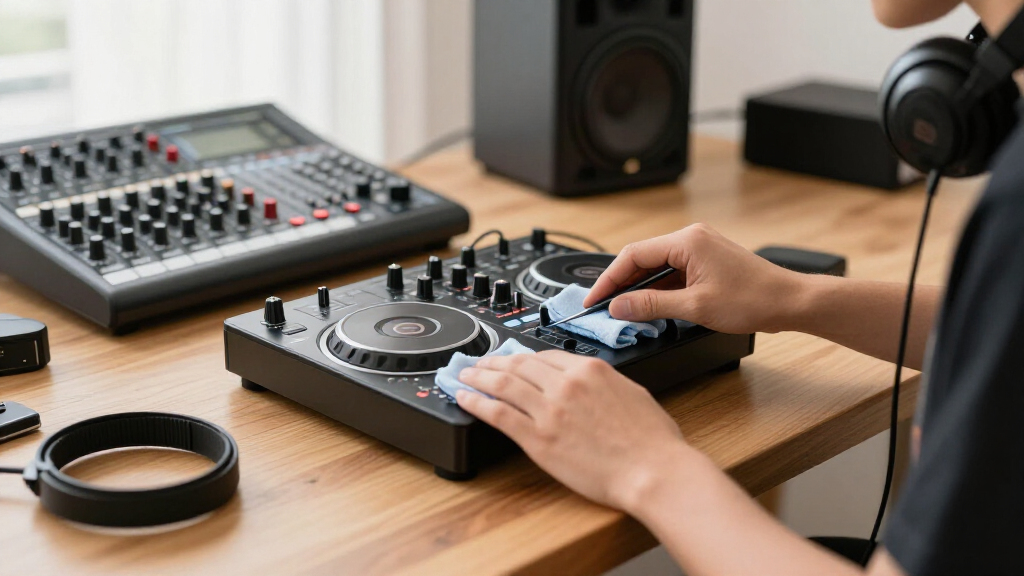
After each gig, wipe down your controllers, mixers, and speakers with a microfiber cloth. Dust and sweat can corrode contacts and cause buttons or faders to stick over time.
Use compressed air to blow out vents and knobs—short bursts to avoid damage. For example, a quick blast around a controller’s jog wheels keeps dust from settling and causing noise or skips.
Never spray cleaner directly onto your gear. Instead, dampen your cloth lightly with electronics-safe cleaner. Household cleaners with ammonia or bleach can damage plastic and circuits, so stick to gentle products designed for electronics.
Regular cleaning prevents buildup that can cause long-term damage, especially in dusty or outdoor environments.
microfiber cleaning cloth for electronics
As an affiliate, we earn on qualifying purchases.
As an affiliate, we earn on qualifying purchases.
Prevent Liquid Damage Before It Ruins Your Night
Liquid spills are the nightmare of any mobile DJ. Keep drinks on a separate table, below your setup—this simple move can save your gear from disaster.
If a spill occurs, disconnect power immediately. Do not turn on the device to check if it still works. Instead, let it dry thoroughly, ideally in a warm, dry place for at least 24 hours.
For example, spilling a soda on a mixer can cause immediate shorts or corrosion. If that happens, professional cleaning is often the only way to save it. Spotting early signs of liquid exposure—like a slight smell or foggy display—can also prevent further damage.
Quick action and cautious drying are your best defenses against liquid mishaps.
compressed air for electronics cleaning
As an affiliate, we earn on qualifying purchases.
As an affiliate, we earn on qualifying purchases.
Keep Faders, Knobs, and Jog Wheels Smooth and Functional
Mechanical wear is a common cause of gear failure. Don’t yank knobs or slam faders—gentle handling can double their lifespan. For example, a scratch DJ with a high-quality, replaceable crossfader can avoid costly repairs.
Dust and grime cause friction, leading to crackling or sticking. Use a small amount of contact cleaner on moving parts, but only if recommended. Some DJ controllers have serviceable faders—if yours does, consider replacing worn parts before complete failure.
Proper handling of faders, knobs, and jog wheels is crucial because these components are subject to constant use and physical stress. Rough treatment accelerates wear and can cause immediate damage or long-term failure, leading to costly repairs or replacements. By handling controls gently, you reduce friction and mechanical stress, which preserves their smooth operation and prolongs their lifespan. In the long run, this careful approach ensures your gear remains reliable during performances and minimizes downtime due to faulty controls.
As an affiliate, we earn on qualifying purchases.
Maintain Cables and Connectors to Prevent Signal Loss
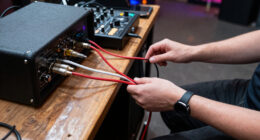
Damaged cables are silent killers of performance. Wrap cables loosely using the over-under method—this prevents internal wire breakage. For example, a frayed XLR cable can cause intermittent audio or complete failure during a set.
Inspect connectors regularly. Bent pins, exposed conductors, or cracks signal it’s time for replacement. Pull plugs by the housing, not the cable, to avoid internal damage.
Labeling cables saves troubleshooting time. Damaged mains cables should be retired immediately to prevent fire hazards. Remember, a good cable is cheap insurance against setup nightmares.
Beyond preventing immediate failures, maintaining your cables and connectors ensures signal integrity. Poor connections and damaged cables can introduce noise, hum, or dropouts that disrupt your performance. Regular inspection and proper handling are essential because they help catch issues early, saving you money and stress. Investing in quality cables and replacing worn connectors maintains a clean, reliable signal path, which is vital for professional-sounding gigs and avoiding embarrassing technical failures.
Control Heat and Ventilation—Stop Gear from Overheating
Overheating shortens your gear’s life span. Keep ventilation openings clear—never block them with foam or fabric. For example, a powered speaker left in a hot car can overheat and blow internal fuses.
Use a can of electronics-safe compressed air to clean vents periodically. Avoid operating gear inside enclosed cases or under direct sunlight.
High temperatures cause components to degrade faster. Think of your gear as living tissue—keep it cool, and it will thank you with longer service.
Avoid Moisture and Condensation Like the Plague
Moving from cold outdoors into a warm, humid venue can cause internal condensation. Let your gear warm up at room temperature before powering on. For example, bringing in a cold laptop directly from winter can cause moisture inside, risking short circuits.
If equipment feels cold, leave it powered off and in its case until it’s at room temperature. This simple step prevents corrosion and water damage that’s invisible but deadly.
In humid environments, silica gel packs inside your cases absorb excess moisture, keeping your gear dry and ready.
Use Reliable Power Protection to Avoid Surprises
Power surges and unstable outlets are common at mobile gigs. Always plug your gear into a surge protector or power conditioner. This shields your equipment from voltage spikes that can fry circuits.
For example, a surge protector with a built-in circuit breaker can save a pricey controller. When possible, connect all your gear to the same power strip to prevent ground loops.
In venues with unreliable power, a UPS can provide clean, stable power. Regularly test your power protection gear—think of it as a safety net for your setup.
Treat Batteries Like Gold—Avoid Swelling and Dead Cells
Battery health is key for wireless systems, portable speakers, and controllers. Store lithium-ion batteries partially charged—around 40-60%—in a cool, dry place. Fully depleted or overcharged batteries swell, leak, or become unsafe.
For example, a swollen battery in a wireless mic can cause short circuits or damage internal components. Never attempt to charge damaged batteries, and replace them promptly.
Regularly check battery temperature and capacity. Swollen or hot batteries must be safely disposed of and replaced. Proper storage and handling extend their usable life significantly.
Keep Your Laptop Healthy for Long-Term Use
Laptops are the heart of modern DJ setups. Keep vents clear and avoid blocking airflow—overheating kills internal components. Regularly clean dust from cooling fans using manufacturer-approved tools.
Ensure your storage drive has enough free space for smooth operation. Backup your music library and settings frequently. For example, backing up before a major software update prevents data loss if things go wrong.
Test your backup systems regularly—don’t wait for a failure to realize you don’t have a fallback. A little maintenance now prevents major headaches during your busiest gigs.
Keep Firmware and Software Up-to-Date Carefully
Firmware updates can boost performance and fix bugs, but rushing them can brick a device. Always follow the manufacturer’s instructions: use the correct files, connect stable power, and don’t disconnect mid-update.
For example, updating a controller firmware during a show without preparation can disable your setup. Read release notes before installing—sometimes new versions introduce compatibility issues.
Test updates on a secondary system first, if possible. Well-managed updates keep your gear running smoothly and avoid surprises when you need it most.
Schedule Professional Servicing Before Problems Escalate
Signs like crackling controls, loose ports, or overheating indicate your gear needs attention. Address issues early to avoid complete failure mid-performance.
For example, a worn fader can be replaced cheaply if caught early. Waiting too long risks damaging internal circuits or causing total equipment failure.
Regular professional servicing—especially for heavily used gear—extends its life and keeps it performing reliably. Think of it as a health check for your setup.
Create a Maintenance Routine That Fits Your Schedule
Consistency beats intensity. After every gig, disconnect cables, wipe down surfaces, and check for damage. Set a monthly checklist: inspect cables, clean vents, and test backups. Every few months, review firmware and batteries.
For example, a DJ who spends 15 minutes after each gig on cleanup prevents buildup of dust and dirt. Regular schedules keep maintenance manageable and your gear dependable.
Make it a habit—your gear will thank you with longer life and fewer surprises.
Store Your Gear in a Safe, Controlled Environment
Temperature stability and dryness are your gear’s best friends. Avoid leaving equipment in cars, attics, or damp basements. Extreme heat accelerates battery aging and damages plastics.
Use cases with silica gel packs to absorb moisture. Keep gear covered but well-ventilated. For instance, storing gear in a climate-controlled closet prolongs its life compared to a dusty garage.
Proper storage reduces corrosion, mold, and mechanical wear, ensuring your setup is ready when the lights go on.
Frequently Asked Questions
How often should I clean my DJ gear?
Light surface cleaning after each gig keeps dust and sweat at bay. Deep cleaning, including vents and internal parts, should happen monthly or after several events—especially if you work outdoors or in dusty environments.
Can compressed air damage my equipment?
Yes, if used improperly. Always hold the can upright, use short bursts, and keep it at a safe distance. Avoid spinning fans at high speed or spraying too close, which can cause damage or push dust further inside.
Should I replace a crackling fader myself?
Only if you’re experienced and your equipment allows easy replacement. Otherwise, consult a professional. Using contact cleaner might temporarily fix crackling, but worn faders often need replacement for a lasting solution.
Is it safe to leave my gear in a car overnight?
Generally, no. Cars can experience extreme temperatures—freezing in winter, scorching in summer—which can damage batteries, plastics, and electronics. For longevity, store gear in a climate-controlled environment whenever possible.
How long should my gear warm up before use?
Allow cold equipment to reach room temperature—usually 30 minutes to an hour. Larger gear or extreme temperature changes may require longer. This prevents condensation and internal moisture damage.
Conclusion
Gear maintenance isn’t glamorous, but it’s the secret to consistent, trouble-free performances. Think of it as giving your setup a regular tune-up—small, simple habits that pay off big in longevity and reliability.
Treat your gear like a trusted partner, not just a tool. With a little care, your equipment will keep up with your passion gig after gig—longer than you ever imagined.
Evergreen bestsellers Picks
bestsellers
As an affiliate, we earn on qualifying purchases.