
TL;DR

Get audio and creator gear delivered free with Prime
- Fast, free delivery on millions of items
- Prime Video, Amazon Music and more included
- Member-only deals all year
Transport and setup problems can halt your gig fast. This guide offers proven steps—checking connections, verifying compatibility, inspecting gear—to get you back on track swiftly and confidently.
Ever set up your gear and hit a wall? Maybe your speaker won’t turn on, or the controller won’t sync. These headaches happen more often than you think, especially when gear travels or gets handled quickly. The good news? Most problems follow a pattern, and with a few simple checks, you can fix them fast. This guide walks you through proven troubleshooting steps, real-world tips, and recent tech advances that make fixing gear easier.
Whether you’re loading in at a club or setting up outdoors, understanding common transport and setup pitfalls helps you keep the music flowing. No fluff, just straightforward advice to get your gear working smoothly—every time.
Always check power and connections first—many setup issues are simple fixable problems.
Inspect gear physically for damage after transport—small cracks or loose parts can cause big failures.
Verify compatibility and follow setup instructions precisely to avoid conflicts or miswiring.
Use diagnostic tools for quick, accurate problem identification—network testers, multimeters, or firmware logs.
Prevent problems by packing carefully, testing gear before gigs, and labeling cables for quick troubleshooting.
Start with the basics: Is everything plugged in and powered?
It sounds obvious, but a loose power cable or a switched-off outlet is often the culprit. Check that your power strips are on, and your gear is plugged into working sockets. For example, if your powered speakers like the QSC K12.2 (around $700 each) aren’t turning on, verify the power cord connection and test the outlet with another device. Sometimes, a simple reset or changing to a different outlet fixes a mysterious non-start.
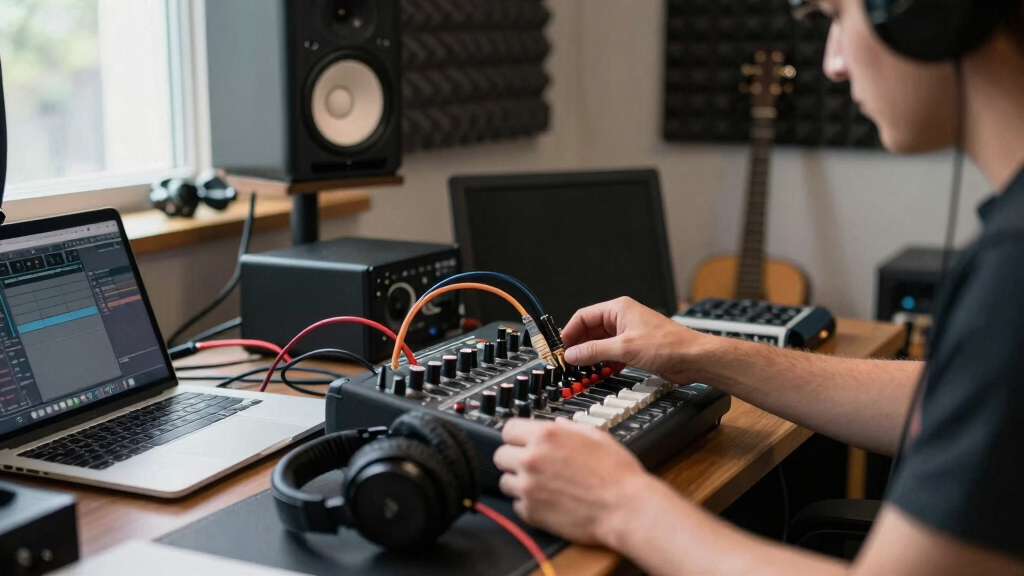
Also, confirm that all cables are tight and properly seated. For instance, a loose XLR connection from your mixer to the speaker can cause sound dropouts or no sound at all. Always carry spare cables—cheap insurance against transport mishaps.
Understanding why this matters is crucial: inconsistent power or loose connections are among the most common causes of setup failures. They are quick to fix but often overlooked, leading to unnecessary delays. Ensuring a solid power and connection foundation prevents many headaches and keeps your setup reliable, especially in environments where you might be rushing or distracted.
Popular right now

Shark HydroVac MessMaster Cordless Wet Dry Vacuum and Mop Combo, AW261

Ninja Luxe Café Mini Plus Espresso and Drip Coffee Machine with AutoFroth, Stainless Steel (ES351)

Ninja Flip Toaster Oven & Air Fryer, Large Capacity, Stainless, SP151
As an affiliate, we earn on qualifying purchases.
Check physical damage and transport safety
Transport can cause subtle damage that ruins your setup—cracks, dents, or loose parts. Imagine arriving at a gig, only to find your mixer’s knob broken or a speaker’s grille bent. Visually inspect all gear for signs of rough handling. Gently shake or wiggle components to feel for loose parts. Use a flashlight to spot hairline cracks or corrosion, especially on connectors and power supplies.
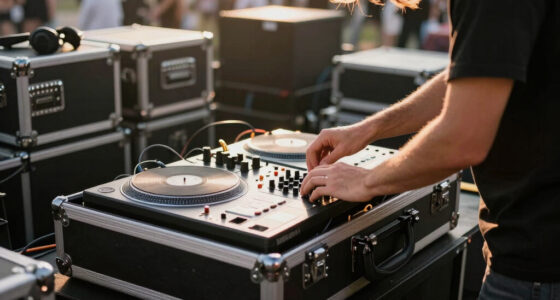
If you suspect damage, run quick tests. For example, connect your DJ controller (like the Roland DJ-202, around $300) to a different setup to see if it still functions. Proper packaging during transport—foam padding, sturdy cases—prevents these issues. Remember, small cracks can turn into big problems if ignored.
Why does this matter? Damage during transit is often invisible but can drastically impair your gear’s performance. A tiny crack in a circuit board or a loose connector can cause intermittent faults that are hard to diagnose later. By inspecting and addressing these issues early, you prevent failures during critical moments, saving time and avoiding the frustration of equipment malfunction during your gig.
Verify compatibility and correct setup procedures
Many setup issues boil down to incompatible gear or incorrect connections. For example, connecting a Pioneer DDJ-1000 (around $1,200) to speakers not rated for its power output can cause distortion or damage. Always double-check that your controller, mixer, and speakers match in input/output compatibility and power ratings.
Follow manufacturer instructions closely. For instance, if your setup includes a Behringer X32 Compact digital mixer, ensure your cables match the inputs—XLR, TRS, or AES50—and that you select the correct input channels. Miswiring or skipping steps can lead to no sound or distorted audio.
Why is this important? Incorrect setup or incompatible gear can not only cause immediate failures but also risk long-term damage to your equipment. Properly matching and following setup instructions ensures your system operates at optimal performance, prolongs gear lifespan, and reduces troubleshooting time during gigs. It’s about understanding the tradeoff: rushing through setup might save time initially but can lead to bigger problems later, so taking the time to verify compatibility pays off in reliability and peace of mind.
Troubleshoot network and control issues
When your digital gear or lighting controllers don’t respond, network glitches might be the cause. For example, if your Pioneer DJ XDJ-RX2 (around $1,000) isn’t connecting to Rekordbox or your lighting software, check your Wi-Fi or Ethernet connections. Restart your router or switch to a wired connection for stability.
Use ping tests or network diagnostic apps to confirm the device’s IP address and connection status. Sometimes, a simple reset of your Wi-Fi router clears interference or IP conflicts. Also, ensure firmware is up-to-date—outdated software can cause handshake issues.
Why does this matter? Network issues are often overlooked but can cause unpredictable controller behavior or loss of synchronization, especially in environments with multiple devices or interference. Simplifying your network setup—using dedicated networks or wired connections—reduces these risks, ensuring your digital setup remains responsive and stable, which is critical during live performances where timing and control are everything.
Use tools and software to diagnose issues
Diagnostic tools can save you hours. For hardware, use multimeters or simple testing devices to check power supplies or continuity. For network issues, tools like ping, traceroute, and Wi-Fi analyzers help identify bottlenecks or dead links. Many devices now include built-in diagnostics—use these first.
For example, if your Roland DJ-808 (around $900) isn’t syncing via MIDI or USB, run a firmware update or reset to factory settings. Often, software troubleshooting logs reveal hidden errors or conflicts. Having these tools ready makes troubleshooting faster and more precise.
Why is this important? Deep diagnostics can pinpoint issues that are otherwise hidden, preventing unnecessary hardware replacements and reducing downtime. Using these tools effectively allows you to quickly identify whether the problem is in the hardware, software, or network, enabling you to focus your efforts where they’re needed most. This proactive approach ensures your gear is always ready for the next gig, minimizing surprises and maximizing reliability.
Prevent problems before they happen with good transport habits
Prevention beats cure. Always pack gear carefully—use padded cases with foam inserts. For example, the Odyssey FZF4816W (about $220) is a rugged flight case that absorbs shocks during transit. Secure all loose parts, and avoid stacking heavy items on delicate controls.
Test everything before leaving. Power on all gear, check sound and connectivity, and walk through your setup. If something’s off, fix it on-site—don’t wait for a problem to become a gig-stopper.
Why does this matter? Proper transport habits reduce the risk of damage, which can lead to unpredictable failures. The tradeoff is investing time and money in quality cases and thorough pre-gig checks, but this pays off by ensuring your gear remains reliable. Labeling cables and keeping a checklist may seem simple, but these practices streamline troubleshooting and help you quickly identify issues during setup, especially in stressful environments where time is limited.
What to do when troubleshooting hits a wall
If you’ve exhausted all checks and your gear still won’t cooperate, don’t guess. Reach out to support. Manufacturers like Pioneer, Behringer, or QSC have dedicated tech lines. Describe your problem clearly, list what you’ve tested, and what results you got.
Sometimes, issues are hardware failures needing professional repair. For example, a damaged HDMI port or burned-out power supply requires expert intervention. Don’t risk further damage trying to fix complex hardware yourself.
And remember—document what you’ve done. It helps tech support diagnose faster and saves you time.
Why is this critical? Knowing when to escalate issues prevents wasted effort on futile repairs and protects your gear from further damage. Clear documentation and communication with support streamline the resolution process, reducing downtime and ensuring your setup is restored quickly, so you can get back to entertaining your audience with confidence.
Frequently Asked Questions
What should I do if my powered speakers won’t turn on after transport?
First, confirm the power cable is fully plugged in and the outlet works. Test the outlet with another device. Check the speaker’s power switch and fuse. If still no power, examine the power cable and internal components or try a different outlet. Sometimes, resetting the internal circuit can help.
How can I tell if my gear was damaged during transit?
Look for obvious signs like cracks, dents, or loose screws. Gently wiggle components and check for unusual noises or resistance. Also, run the device’s diagnostic tests—many controllers and mixers have built-in self-tests. If possible, test the gear at home before your gig to confirm functionality.
Why isn’t my controller connecting to my laptop or software?
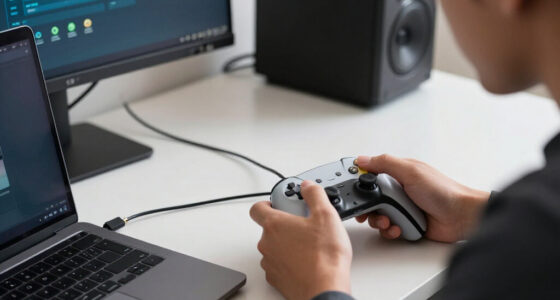
Check your USB or MIDI cable connections, and try using a different cable or port. Ensure your controller’s firmware and your DJ software are up to date. Restart both devices. If the connection still fails, verify device drivers are installed correctly and look for network conflicts if using Wi-Fi or Ethernet-based controllers.
What’s the best way to avoid setup issues in busy venues?
Pre-assemble and test your entire setup at home. Label all cables and keep a checklist. Pack gear carefully with padded cases. When arriving, do a quick power-up and check sound before the event starts. This way, you catch problems early and avoid surprises during your set.
Conclusion
Transport and setup problems are mostly predictable and fixable with a systematic approach. The moment you suspect something’s off, check connections, inspect for damage, verify compatibility, and use diagnostic tools. Staying proactive keeps your gear ready and your gigs smooth.
Next time you hit a snag, remember: most issues are just a few quick steps away from a fix. Gear problems don’t have to throw your show—stay sharp, stay prepared.