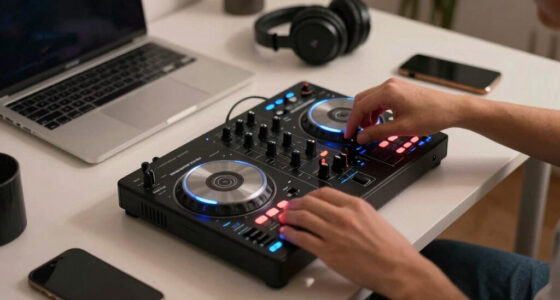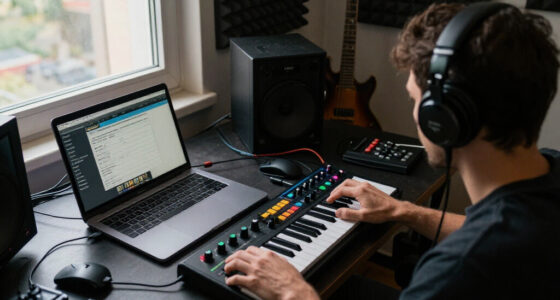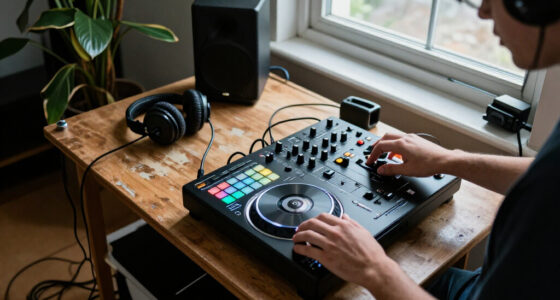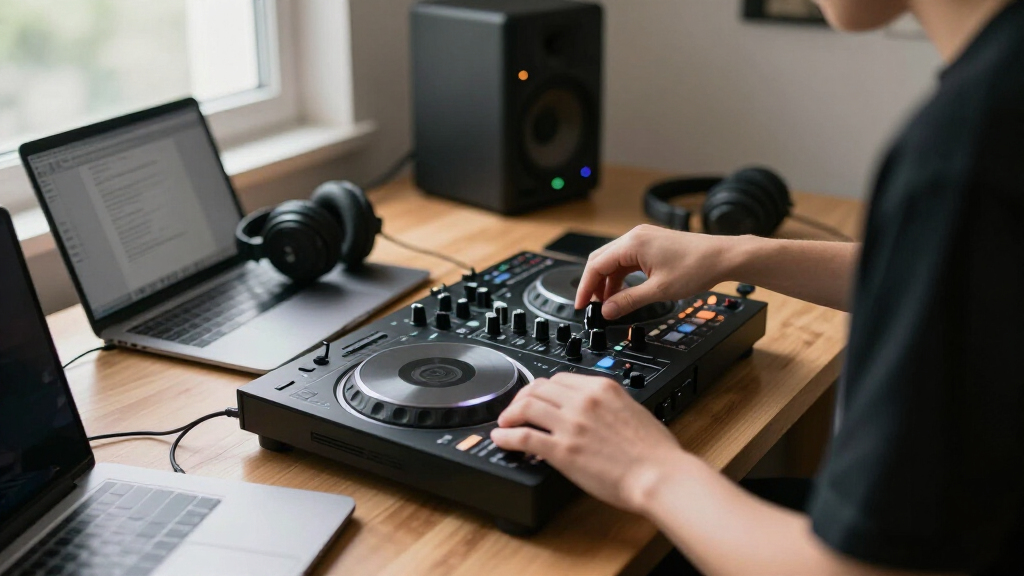
Compact DJ controllers solve two different problems: giving a new DJ enough hands-on control to learn properly, or making it possible to mix almost anywhere with minimal luggage. The Pioneer DJ DDJ-FLX4 and Numark DJ2GO2 Touch are often compared because both are approachable USB controllers, but they sit at opposite ends of that tradeoff. The DDJ-FLX4 is a compact, full-width two-channel unit with room for conventional mixing; the DJ2GO2 Touch trims the layout down for exceptional portability and a lower entry cost.

Get audio and creator gear delivered free with Prime
- Fast, free delivery on millions of items
- Prime Video, Amazon Music and more included
- Member-only deals all year
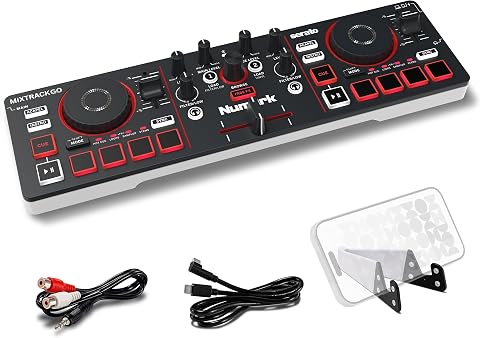
Numark MixTrack Go Compact Bluetooth DJ Controller with Stems Control
- ✔ Decks: 2
- ✔ Connectivity: Bluetooth MIDI; USB-C
- ✔ Jog wheels: 2 capacitive-touch jog wheels

Hercules DJControl Inpulse 200 MK3 2-Channel DJ Controller
- ✔ Channels: 2
- ✔ Decks: 2
- ✔ Jog wheels: 2

Hercules DJControl Starlight Compact DJ Controller
- ✔ Channels: 2
- ✔ Connectivity: USB
- ✔ Power source: Battery powered
That difference matters more than a small variation in features. Choose the DDJ-FLX4 if you expect to practise regularly, use EQ and effects, or build skills that transfer to larger club-style equipment. Choose the DJ2GO2 Touch if bag space, quick setup, and casual practice matter more than full-size controls. The comparison below focuses on the practical criteria that separate them: portability, hands-on control, learning potential, software flexibility, setup, and value.
At a Glance
| Criteria | Pioneer DJ DDJ-FLX4 | Numark DJ2GO2 Touch | Winner |
|---|---|---|---|
| Portability | Larger footprint, but still a compact and relatively light two-channel controller | Very small and lightweight; easier to fit in a small bag or travel setup | B |
| Hands-on mixing controls | Full-width layout with dedicated channel controls, jog wheels, pads, and mixer section | Miniature layout with touch-sensitive jog wheels and fewer spacious, dedicated controls | A |
| Learning and performance headroom | Better suited to developing conventional two-deck mixing habits and performance skills | Good for basic cueing and casual mixes, but the compact layout limits expressive control | A |
| Software flexibility | Supports compatible DJ software, including Rekordbox and Serato DJ Lite; exact features depend on software and system | Works with compatible DJ software such as Serato DJ Lite; confirm current OS and software support | A |
| Setup and connectivity | USB connection and integrated audio features support a straightforward laptop setup | USB-powered laptop-oriented setup with a built-in audio interface; small size keeps setup simple | Tie |
| Value for intended use | Costs more, but provides substantially more usable control for regular practice | Lower-cost entry, especially worthwhile when portability is the main requirement | Depends |
Numark MixTrack Go Compact Bluetooth DJ Controller with Stems Control
The Numark MixTrack Go takes our top spot because it combines useful creative controls with more than one way to build a portable setup. Its two capacitive jog wheels, eight performance pads per deck, mixer controls, and dedicated real-time stems controls give us room to cue, mix, and remix without stepping up to a larger controller. Compared with the Starlight, it offers a more explicitly creative, pad-focused feature set; compared with the Inpulse 200 MK3, it emphasizes mobile-device flexibility rather than guided beatmatching.Power and device compatibility are important parts of that flexibility. The controller connects over USB-C, with power-bank use supported, and Bluetooth MIDI can connect to compatible iOS or Android devices using Algoriddim djay. It also includes access to Serato DJ Lite and Algoriddim djay, so buyers can consider more than one software route. However, Bluetooth MIDI is conditional: it depends on compatible hardware and the djay app, and it should not be mistaken for a promise of universal wireless operation.Its main compromise is at the audio connections. Both the main and headphone outputs are 1/8-inch, so we should check our speaker and headphone setup and plan around the included RCA adapter where appropriate. The MixTrack Go is more versatile than the two Hercules options on the listed stems and mobile features, but buyers seeking beginner coaching or an inherently simple RCA-based hookup may prefer the Inpulse or Starlight instead.
Pros:
- USB-C power supports portable setups, including use with a power bank.
- Bluetooth MIDI works with compatible mobile devices through Algoriddim djay.
- Dedicated stems controls and eight performance pads per deck support live remixing.
- Includes access to Serato DJ Lite and Algoriddim djay.
Cons:
- Bluetooth MIDI depends on compatible devices and the Algoriddim djay app.
- Main and headphone audio connections are both 1/8-inch.
- Two-deck operation does not suit buyers who need additional channels.
Best for: Portable DJs who want stems controls, a choice of included software, and the option to use compatible phones or tablets with USB-C power.
Not ideal for: Buyers who need standard-size audio outputs, want Bluetooth MIDI to work with any device or app, or prefer built-in learning guidance.
Bottom line: We recommend the MixTrack Go for the broadest portable feature set, provided its app requirements and 1/8-inch audio outputs fit our setup.
“We recommend the MixTrack Go for the broadest portable feature set, provided its app requirements and 1/8-inch audio outputs fit our setup.”
Hercules DJControl Inpulse 200 MK3 2-Channel DJ Controller
The Hercules DJControl Inpulse 200 MK3 is the most learning-focused option here. Its Beatmatch Guide LEDs are designed to help with timing and transitions, while DJ Academy tutorials give new DJs extra structure beyond the controls themselves. Against the MixTrack Go, that makes the Inpulse a better match for someone building fundamental skills than someone prioritizing mobile-device flexibility. Compared with the Starlight, it puts more emphasis on guided learning and named performance modes.It is not only a practice controller: the two jog wheels, crossfader, gain, two-band EQ, filter, and channel volume controls provide the familiar layout needed for basic two-deck mixing. Four pads per deck support Hot Cue, Stems, FX, and Sampler modes, and the stated stem separation support gives learners a route into creative transitions. Master speaker and headphone monitoring outputs also make it possible to practice with headphones while connecting speakers, subject to the buyer’s setup and software needs.The limitation is straightforward: this is a two-channel controller, like the other picks, and its listed connection is USB rather than the MixTrack Go’s USB-C and Bluetooth MIDI combination. It also does not offer the same stated number of performance pads per deck as Numark. We would choose it for learning support, not for the widest mobile connectivity or an especially expansive performance surface.
Pros:
- Beatmatch Guide LEDs provide visual help with timing and transitions.
- DJ Academy tutorials support a more structured learning path.
- Stems, FX, Hot Cue, and Sampler pad modes offer room to practice creative mixing.
- Master speaker and headphone monitoring outputs support speaker and headphone use.
Cons:
- Limited to two-channel mixing.
- USB connectivity is less flexible for mobile setups than the MixTrack Go’s listed Bluetooth MIDI and USB-C options.
- Four performance pads per deck provide fewer listed pads than the MixTrack Go.
Best for: New DJs who want a compact two-deck controller with beatmatching guidance, tutorials, and multiple pad modes.
Not ideal for: Experienced or mobile-first DJs who need Bluetooth MIDI, more pads per deck, or more than two channels.
Bottom line: For a first compact controller, the Inpulse 200 MK3 is our most instructive pick, though it gives up the MixTrack Go’s mobile flexibility.
“For a first compact controller, the Inpulse 200 MK3 is our most instructive pick, though it gives up the MixTrack Go’s mobile flexibility.”
Hercules DJControl Starlight Compact DJ Controller
The Hercules DJControl Starlight earns its place for buyers who want a small, uncomplicated controller for mixing on the go. At a stated 1.1 pounds, it is the clearest choice when keeping kit light is a priority. Its built-in sound card supports headphone cueing and speaker output, so the controller can serve as the central audio connection in a basic practice or portable setup. In contrast, the MixTrack Go offers more listed stems and pad controls, while the Inpulse 200 MK3 provides clearer learning guidance.Starlight includes essential mixing controls and pressure-sensitive jog wheels, alongside Serato DJ Lite. RGB and strobe lighting that can sync with the music add a visible performance element, but these lights are secondary to the practical benefit of its sound card and cueing support. The supplied information lists USB connectivity and RCA output; that makes it worth considering if RCA works naturally with our speaker setup, especially when compared with the MixTrack Go’s 1/8-inch main output.Its simplicity also defines the limits. The Starlight has two channels, and the listed details do not establish software update support, so buyers should not assume a particular long-term update path. There is also less detail here about stems, tutorials, or pad modes than we get for the other two picks. We would choose it for light, straightforward mixing rather than as the most expandable or learning-oriented controller.
Pros:
- Stated weight of 1.1 pounds suits a portable setup.
- Built-in sound card supports headphone cueing and speaker output.
- Pressure-sensitive jog wheels and essential mixing controls cover basic two-deck use.
- Music-synced RGB and strobe lighting add a visual performance feature.
Cons:
- Two-channel operation limits the setup to basic two-deck mixing.
- Software update support is listed as unknown.
- Its supplied feature details describe fewer learning and creative tools than the Inpulse 200 MK3 and MixTrack Go.
Best for: Travel-minded beginners or casual DJs seeking a lightweight USB controller with Serato DJ Lite, cueing, and RCA output.
Not ideal for: DJs seeking guided beatmatching, detailed stems and pad options, or a confirmed software update-support policy.
Bottom line: The Starlight is a sensible pick when light carry and simple cueing matter more than advanced performance controls or learning aids.
“The Starlight is a sensible pick when light carry and simple cueing matter more than advanced performance controls or learning aids.”
As an Amazon Associate we earn from qualifying purchases.
Key Differences
The most consequential gap is physical control. The DDJ-FLX4 gives each deck and the mixer more space, so adjusting EQ, browsing tracks, cueing, and working the jog wheels feels closer to using a conventional two-channel controller. The DJ2GO2 Touch can handle basic mixing, but its small controls ask for more precision and offer less room for simultaneous adjustments. For occasional travel practice, that compromise is sensible; for long sessions or skill-building, it can become limiting.
The DJ2GO2 Touch wins clearly on carry size and typically costs less, but neither advantage makes it a better all-purpose controller. The DDJ-FLX4 asks for more room and money in exchange for a stronger learning platform, broader practical control, and more flexibility across supported software. Buyers should pay the premium only if they will use those capabilities. If the unit must fit in a very small bag or serve as an inexpensive travel companion, the Numark’s compromises can be the right trade.
Detailed Comparison
Portability (Numark DJ2GO2 Touch wins — major)
The Numark DJ2GO2 Touch wins by a major margin in portability. Its narrow, lightweight design is made to slip into a small bag alongside a laptop, while the DDJ-FLX4 needs a larger case and takes up more desk or table space. The Pioneer remains portable compared with full-size DJ gear, but it is not in the same class for minimal packing. For commuting, travel, or a cramped setup, the Numark is the easier controller to bring along.
Hands-on mixing controls (Pioneer DJ DDJ-FLX4 wins — major)
The DDJ-FLX4 wins by a major margin for control space and layout. It provides a more conventional two-deck arrangement, with dedicated mixer controls and larger jog wheels and performance pads. On the DJ2GO2 Touch, the controls are necessarily small, making fine adjustments and layered actions less comfortable. This does not stop basic mixing, but it makes the Pioneer a better fit for longer sessions and anyone who wants direct access to the controls they use most.
Learning and performance headroom (Pioneer DJ DDJ-FLX4 wins — major)
The DDJ-FLX4 is the stronger learning tool. Its layout gives beginners more practice with the spacing and control flow common to larger two-channel setups, and it leaves more room to work on beatmatching, EQ changes, cueing, and performance routines. The DJ2GO2 Touch can teach track selection, basic timing, and simple transitions, but its miniature interface places a lower ceiling on comfortable hands-on technique. The difference is major for a learner planning to practise often, and minor for someone who only wants casual mixes.
Software flexibility (Pioneer DJ DDJ-FLX4 wins — moderate)
The DDJ-FLX4 has the advantage because it is designed to work with more than one major beginner-friendly software environment, including Rekordbox and Serato DJ Lite, subject to current compatibility and feature support. The DJ2GO2 Touch is commonly paired with Serato DJ Lite, making it a straightforward option for users already invested in that workflow but less versatile as a platform. This is a moderate rather than decisive gap: check the software, operating system, and features you plan to use before buying either controller.
Setup and connectivity (minor difference)
This is close to a tie. Both are laptop-oriented USB controllers with integrated audio features, so a new user can build a compact setup without buying a separate mixer. The DJ2GO2 Touch is physically quicker to pack and place, while the DDJ-FLX4 offers a roomier working surface. Your exact setup still depends on the computer, software version, output connections, and monitoring gear. Neither should be treated as a stand-alone player that replaces a laptop-based DJ system.
Value for intended use (moderate difference)
There is no universal winner. The DJ2GO2 Touch is better value if low upfront cost and the smallest possible travel rig are the primary goals. The DDJ-FLX4 is better value for regular practice because its larger layout and wider practical feature set are more likely to remain useful as skills grow. Paying more for the Pioneer makes sense when those extra controls will be used; if the controller will come out only occasionally or must fit in a tiny bag, the Numark’s lower price is easier to justify.
Pioneer DJ DDJ-FLX4: Pros and Cons
Pros:
- More spacious, conventional two-channel layout for hands-on mixing
- Better suited to learning techniques that transfer to larger DJ setups
- Broader software flexibility, including compatible Rekordbox and Serato DJ Lite workflows
- More comfortable for frequent or extended practice
Cons:
- Larger and less convenient to pack than the DJ2GO2 Touch
- Costs more, so its added capability is wasted if the buyer only needs occasional basic mixing
- Still requires a compatible computer and software-based setup
Numark DJ2GO2 Touch: Pros and Cons
Pros:
- Exceptionally compact and easy to carry
- Usually the more affordable way to start basic laptop-based mixing
- Simple layout and small footprint suit travel or limited desk space
- Integrated audio features keep a basic setup compact
Cons:
- Small controls are less comfortable for precise or extended mixing
- Less room for developing hands-on performance technique
- More limited software flexibility than the DDJ-FLX4
- Its portability comes at the cost of a less spacious, less versatile interface
Who Should Choose What
Choose Pioneer DJ DDJ-FLX4 if:
- You are a beginner who plans to practise regularly and wants a controller that supports skill development.
- You want more room for EQ adjustments, cueing, jog-wheel work, and performance controls.
- You prefer the option of compatible Rekordbox or Serato DJ Lite workflows.
- You can accept a larger case and higher purchase cost in exchange for a more capable main controller.
Choose Numark DJ2GO2 Touch if:
- Your first priority is fitting a controller into a small travel bag or working in a tight space.
- You want an inexpensive way to make casual mixes rather than a long-term practice platform.
- You already use a compatible Serato workflow and do not need a broader controller layout.
- You value quick, lightweight portability more than full-size-feeling controls.
Skip both if: Skip both if you need a stand-alone system that plays tracks without a laptop, professional club-standard connections, or a larger control surface for advanced performance; compare standalone players or a more capable full-size controller instead.
Value for Money
The DDJ-FLX4 costs more, and that extra spend is justified for people who will make regular use of its roomier layout, more flexible control scheme, and broader supported software options. It is the better long-term purchase for many beginners because the interface is less likely to feel restrictive as their technique develops. That does not make it the right value for everyone: buyers who mix infrequently, travel with minimal luggage, or mainly want to learn basic transitions can save money with the DJ2GO2 Touch.
Think of the premium as payment for workspace and growth, not simply a longer feature list. If you will practise at home and occasionally take the controller elsewhere, the Pioneer is usually the more capable value. If carrying size is the deciding constraint, the Numark delivers the benefit you actually need at a lower cost. Do not pay extra for the DDJ-FLX4’s additional room if its larger footprint will keep it out of your bag or its controls will go unused.
Final Verdict
For most people choosing one compact controller as their main practice unit, the Pioneer DJ DDJ-FLX4 is the stronger recommendation. Its more spacious controls make routine mixing easier and give beginners more useful room to develop. Choose it if you expect to practise regularly and can accommodate the larger size and higher cost.
Choose the Numark DJ2GO2 Touch if portability is the deciding factor: it is the clear pick for very small bags, travel, tight workspaces, and low-cost casual mixing. The biggest decision is not which controller has more controls, but whether you need a controller to grow with your skills or one that is exceptionally easy to carry. Pay for the DDJ-FLX4’s added capability only when you will use it; otherwise, the DJ2GO2 Touch is the more sensible compact option.
Frequently Asked Questions
Which is better for a beginner, the DDJ-FLX4 or DJ2GO2 Touch?
The DDJ-FLX4 is better for most beginners who plan to practise regularly because its roomier, more conventional layout makes core mixing controls easier to use. The DJ2GO2 Touch can teach basic transitions, but its very small controls are better suited to casual use or travel than sustained learning.
Is the DDJ-FLX4 worth paying more for?
Yes, if you want a main practice controller, expect to build your technique, or value more hands-on control and software flexibility. If you mainly need the smallest and cheapest way to mix casually, the extra spend is unlikely to pay off for you.
Can the DJ2GO2 Touch replace a full-size DJ controller?
It can handle basic laptop-based mixing, but its small controls and limited working space make it a poor replacement for a fuller controller for extended practice or expressive performance. Treat it as a portable or entry-level tool, not as a compact substitute with the same feel and control range.
Do either of these controllers work without a laptop?
Both are primarily laptop-based USB controllers that rely on compatible DJ software. If you need a setup that can play tracks without a computer, look at standalone DJ equipment rather than choosing between these two.
Halloween Picks
halloween
As an affiliate, we earn on qualifying purchases.