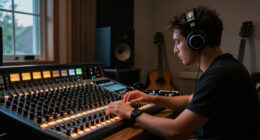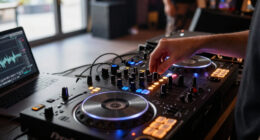

TL;DR

Get audio and creator gear delivered free with Prime
- Fast, free delivery on millions of items
- Prime Video, Amazon Music and more included
- Member-only deals all year
A compact DJ controller combines hands-on controls—such as jog wheels, faders, and pads—with DJ software running on a computer or compatible mobile device. Before you buy, check software and device compatibility, headphone cueing, audio outputs, power, and control spacing; a small footprint is only useful if the controller still fits how you mix.
A controller can fit beside your laptop and still leave you stranded at a gig if it cannot send a separate signal to your headphones. That’s the compact DJ controller tradeoff in one sentence: less gear to carry, but sometimes fewer controls and connections.
A compact DJ controller combines physical controls, such as jog wheels and faders, with software running on a computer or, on some supported setups, a phone or tablet. It gives you a more hands-on way to mix than tapping a playlist, without the bulk of a full-size deck-and-mixer rig.
This guide helps you match the controller to your actual use: bedroom practice, travel, a small party, or a working gig. You’ll see what to check for software compatibility, headphone cueing, outputs, power, and control feel—and where a compact model may ask you to compromise.
Check that your exact software, operating system, and device support the controller before buying.
Look for a separate headphone output and proper cueing if you need to preview tracks while the main mix plays.
Match the master output to your home speakers or venue connections; compact models may offer fewer output options.
Try jog-wheel size, pitch-fader length, and control spacing against the way you actually mix.
Test your complete setup, including power, cables, headphones, and software, before taking it to a gig.
What a compact DJ controller actually does
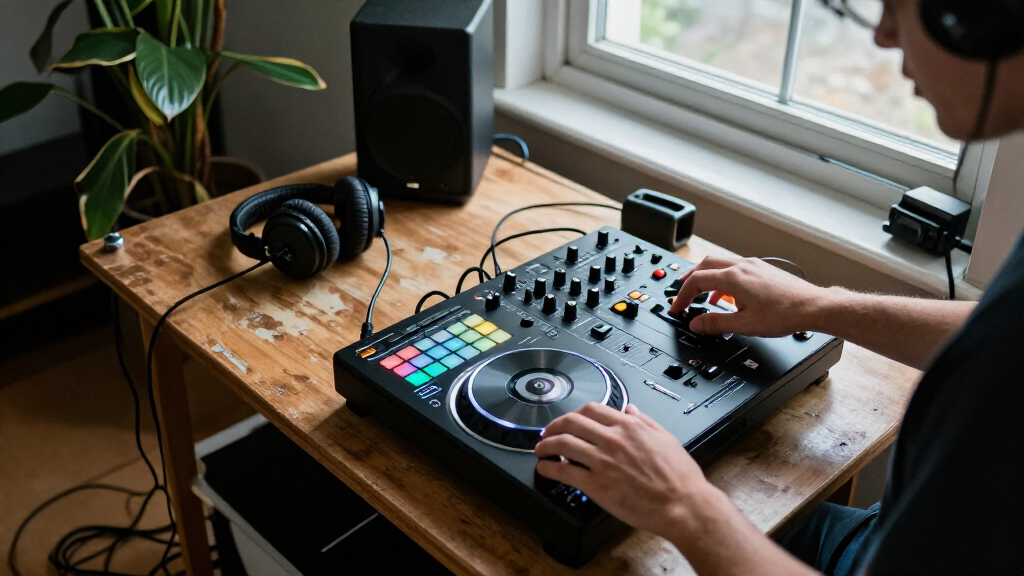
A compact DJ controller is a smaller control surface that lets you operate DJ software with physical controls instead of relying only on a screen and mouse. Its jog wheels, mixer knobs, faders, and performance pads send commands to software, which handles the tracks and mixing functions.
Think of the controller as the steering wheel and the software as the engine: the wheel gives you direct control, but it does not tell you what operating system, connections, or features sit underneath. Most compact models have mixer controls built in, but those controls commonly operate software mixing rather than turning the device into a complete standalone mixer.
For example, at home you might load two tracks on a laptop, use the jog wheels to nudge one into time, lower its bass with an EQ knob, and cue the next song in your headphones. That physical layout makes practice feel closer to a larger setup. But “compact” describes size, not a standard feature set; some models retain two jog wheels, while others use tiny jogs, touch strips, or no jogs at all.
Some controllers work with selected phones or tablets, but that does not automatically mean they can play without a connected device. Check the specific app, operating system, cable or adapter, and power requirements before treating a mobile workflow as a laptop-free one. Standalone operation is model-specific, not a synonym for portable.
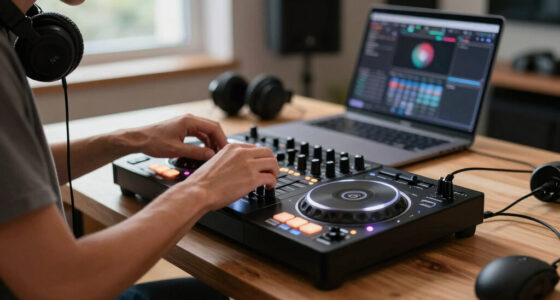
compact DJ controller with headphone cueing
As an affiliate, we earn on qualifying purchases.
As an affiliate, we earn on qualifying purchases.
Check these five things before buying
A compact DJ controller is a good fit only when it works with your device, gives you the audio connections you need, and feels usable under your hands. Check those details before comparing colors, bundled effects, or the number of performance pads.
- Confirm software and device support. Look up the controller’s current compatibility list, including your computer or mobile operating system and the required software version. If you plan to use an iPad, check whether the exact iPad and app combination is supported.
- Check headphone cueing. Look for a headphone output and a way to listen to a track before it reaches the main speakers. At a small house party, that lets you cue the next song without broadcasting your beatmatching attempt to everyone in the room.
- Match the outputs to your speakers. Identify the controller’s master output and the cable your speakers or venue mixer accepts. A smaller unit may provide fewer or simpler connections, so check the actual sockets rather than guessing from its photos.
- Try the controls you use most. Check jog-wheel size, pitch-fader length, knob spacing, channel faders, and pad layout. If you regularly beatmatch by ear, cramped pitch control may bother you more than a shortage of effects.
- Work out power and adapters. Some controllers draw power through USB; others need an adapter. Add any required cables, adapters, headphones, and protective bag to the real setup cost.
These checks work like a packing list: a missing adapter is a tiny object with a big effect. If you plan to play at a venue, ask what connections it accepts before you buy or show up with a single cable and crossed fingers.
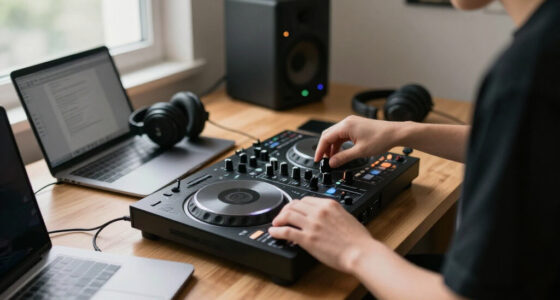
portable DJ controller for small gigs
As an affiliate, we earn on qualifying purchases.
As an affiliate, we earn on qualifying purchases.
Compare portability with the controls you give up
A compact DJ controller saves bag space, but smaller dimensions can mean tighter control spacing, smaller jog wheels, and fewer outputs. Use the table as a starting point, then check the exact model’s manual and specifications; “compact” does not guarantee a particular layout or connection.
| What to compare | Compact setup | What to check in practice |
|---|---|---|
| Transport | Smaller footprint and easier packing | Measure the controller and your bag, including cables and power supply |
| Jog wheels | May be small, touch-based, or absent | Try nudging a track and decide whether the feel suits your mixing or scratching |
| Control spacing | Controls may sit closer together | Test whether you can reach EQ and faders without bumping nearby controls |
| Connections | May offer fewer or simpler outputs | Match the outputs to your headphones, speakers, and venue setup |
| Workflow | Often depends on connected software and a device | Confirm the software, operating system, and any mobile support |
Imagine packing for a weekend away: you slide the controller beside your laptop, headphones, and a short cable pouch instead of hauling a full-size flight case. That is a real advantage for a traveler or DJ practicing in a small apartment. But if you scratch often, the small jogs may feel more like steering a scooter than a car.
There is no universal best size. A bedroom DJ who mostly uses cue buttons and EQ may happily trade wheel space for a lighter bag. A mobile DJ who needs familiar club-style controls and more connection options may prefer a larger controller, even if it takes another hand to carry.
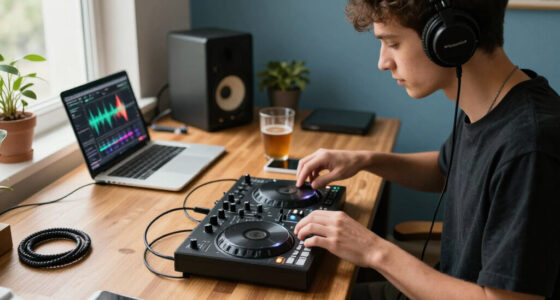
DJ controller compatible with Mac Windows iOS
As an affiliate, we earn on qualifying purchases.
As an affiliate, we earn on qualifying purchases.
Choose a setup that works with your software and device
A compact DJ controller only controls the software and device it supports, so verify the full pairing before you spend money. Compatibility can depend on the operating system, connection type, software version, and mobile app—not just the name on the box.
Start with the device you already own. If your plan is laptop-based, check the controller’s software requirements and your computer’s available USB ports. If you want to use a tablet, confirm the exact model and operating system, whether the app supports the controller, and whether you need an adapter or a powered hub.
For example, you might choose a controller because it looks perfect for a kitchen-table practice setup, then discover your tablet needs a separate adapter and power connection. The controller still may work well, but your neat one-cable plan has become a small bundle of wires. Build that setup on the table before an event, not ten minutes before guests arrive.
Some compact controllers offer integration with streaming services, but availability and terms can change by software version, subscription, or region. Treat streaming support as a feature to verify, not a guarantee that every track in a service can be used in every situation. Test your complete workflow—loading tracks, cueing, and connecting speakers—before relying on it for a set.
small DJ mixer with audio interface
As an affiliate, we earn on qualifying purchases.
As an affiliate, we earn on qualifying purchases.
Decide whether your compact controller is gig-ready
A compact DJ controller can work at a gig when its outputs, power, software, and monitoring setup match the room. Portability alone does not make a reliable rig; a dependable setup also needs connections you can use and a plan if one part fails.
Picture a small birthday party in a living room. You connect the controller’s master output to the host’s powered speaker, plug your headphones into the controller, and keep your laptop on a stable table where the cable cannot snag. You test the first track at low volume, cue the next one, then raise the level after checking for clean sound. That straightforward check catches a loose cable before the room fills with people.
Before accepting a gig, ask what the venue provides and what it expects you to bring. Check whether the room has powered speakers, which input connectors are free, whether you need a microphone, and how you’ll monitor your mix. If your controller has limited outputs, you may need an appropriate cable or a separate mixer, depending on the venue’s setup.
Gig rule: Test the exact controller, computer or mobile device, software, power supply, headphones, and speaker connection together before the event. A setup that works at home is a better bet than a collection of untested parts.
For a working mobile DJ, bring a backup plan that fits the job: offline music access, spare cables, and a way to continue playback if the computer has trouble. If a venue requires extensive connections, standalone playback, or large familiar jog wheels, a compact controller may be better as a practice or backup unit than as your main rig.
Use a compact controller to build skills that transfer
A compact DJ controller can teach transferable mixing skills when its layout gives you hands-on control of timing, levels, EQ, and cueing. The smaller surface does not have to limit your progress, but you should know which habits will carry over to larger equipment and which depend on that exact model.
Practice a simple two-track blend: load one track, listen through headphones, find the next track’s starting point, and match its tempo before bringing it into the main mix. Then lower competing bass frequencies as the second track enters. Repeating that sequence teaches listening and timing, not just button memorization.
A controller with jog wheels, pitch controls, channel faders, and EQ knobs may help you learn a workflow that feels familiar on larger layouts. Tight spacing or a very short pitch fader can still change your touch, though. If you plan to move to club-standard equipment, make time to practice on that kind of setup too; a compact controller is a useful training wheel, not a perfect replica.
It also suits experienced DJs who want a secondary practice rig or a portable backup. For instance, you might leave a compact setup on a desk for testing transitions without unpacking your full gig case. Choose the controls that support your actual routines, and do not pay for pads or effects you will rarely touch.
Frequently Asked Questions
Can you DJ without a laptop using a compact controller?
Sometimes, but it depends on the exact controller and supported setup. Some models work with selected phones or tablets, while others need a computer; standalone operation is a separate, model-specific feature. Check device, app, cable, and power support before planning a laptop-free set.
Do compact DJ controllers have a mixer built in?
Most include mixer-style controls such as channel faders and EQ knobs. Those controls usually operate the DJ software rather than making the controller a complete standalone mixer. Check the model’s outputs and workflow if you need it to work without a connected device.
Do you need a separate audio interface?
Usually not when the controller has a built-in audio interface and the connections you need. Check that it provides a headphone output and lets you cue one track privately while another plays through the master output. Basic models that rely on the connected device’s audio may limit that workflow.
Are small jog wheels difficult to use?
Small jog wheels can feel less precise or less familiar than larger wheels, especially for scratching. Many DJs find them adequate for basic track nudging and transport control. If you use jogs constantly, try the exact controller in person or check a detailed hands-on demonstration before buying.
Can you use a compact DJ controller at gigs?
Yes, if its connections, power, monitoring, and software fit the venue and the job. Confirm the venue’s available inputs, test your cables and headphones, and bring a backup plan for music and playback. A model with limited outputs may be a poor match for a venue that needs more routing options.
Conclusion
Pick the smallest controller that still supports your software, cueing, controls, and connections—not simply the smallest one you can fit in a bag. Check the compatibility list, inspect the outputs, and test the complete setup before you trust it at a party or gig.
A good compact rig should make your music easier to carry, not your setup harder to use. Pack it, plug it in, cue a track, and make sure the first beat lands where you expect.
Halloween Picks
halloween
As an affiliate, we earn on qualifying purchases.