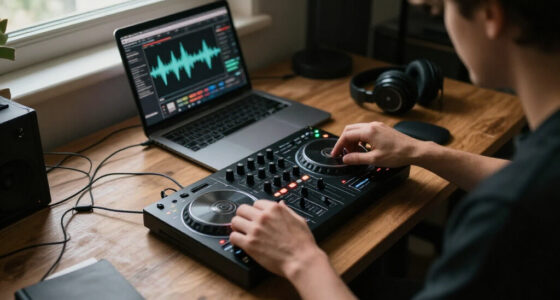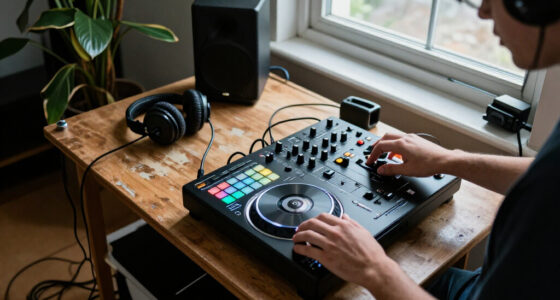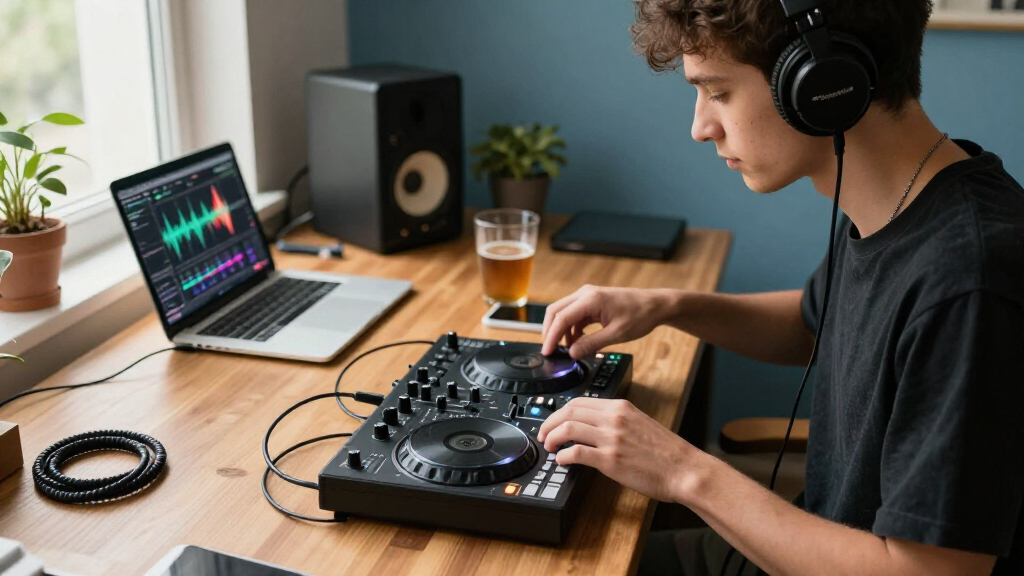
Portable DJ controllers solve different versions of the same problem: how to mix away from a full booth without carrying much gear. The Hercules DJControl Mix pairs with a smartphone and focuses on wireless, casual setup; the Numark DJ2GO2 Touch connects by USB and offers a more familiar two-deck layout with touch-sensitive jog wheels. That difference matters more than their shared small footprint. Choose the Mix if you want a compact phone-based setup for practice or informal gatherings. Choose the DJ2GO2 Touch if you prefer a laptop workflow, physical controls, and a controller that feels closer to conventional DJ equipment.

Get audio and creator gear delivered free with Prime
- Fast, free delivery on millions of items
- Prime Video, Amazon Music and more included
- Member-only deals all year
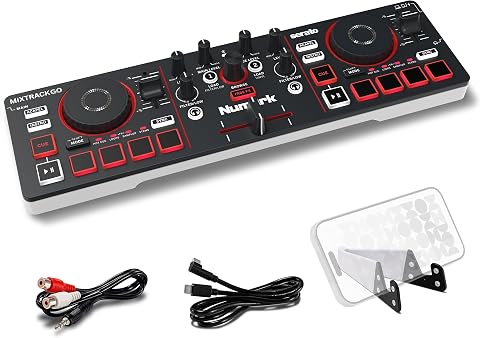
Numark MixTrack Go Compact Bluetooth DJ Controller with Stems Control
- ✔ Decks: 2
- ✔ Weight: 1.1 pounds
- ✔ Dimensions: 3.67 x 12.76 x 1.57 inches

Hercules DJControl Inpulse 200 MK3 DJ Controller
- ✔ Channels: 2
- ✔ Weight: 2.2 pounds
- ✔ Dimensions: 15.6 x 10.4 x 3.7 inches

Pioneer DJ DDJ-FLX4 2-Channel DJ Controller, Graphite
- ✔ Channels: 2
- ✔ Weight: 2.8 kg
- ✔ Dimensions: 21.3 x 13.3 x 5.1 inches
At a Glance
| Criteria | Hercules DJControl Mix | Numark DJ2GO2 Touch | Winner |
|---|---|---|---|
| Portability and setup | Compact controller built for smartphone use; wireless connection reduces cable needs. | Compact, but typically used with a laptop and USB cable. | A |
| Mixing controls | Two decks, jog wheels, performance pads, and a phone-oriented layout. | Two decks with touch-sensitive jog wheels, pads, and a more traditional controller arrangement. | B |
| Software and device fit | Designed to work with a compatible DJ app on a smartphone. | Laptop-oriented workflow with supported DJ software; confirm current software compatibility. | Depends |
| Connectivity and power | Bluetooth connection to a phone; check device and app compatibility before buying. | USB connection to a computer; wired setup is more predictable but requires a host device and cable. | Depends |
| Performance features | Useful for basic mixing and practice, with control layout aimed at accessible phone-based use. | Jog wheels and dedicated controls make cueing and hands-on practice more familiar. | B |
| Value | Best value when phone-first convenience and minimal setup are the priorities. | Better value for buyers who want physical control and a laptop workflow in a small package. | Depends |
Numark MixTrack Go Compact Bluetooth DJ Controller with Stems Control
The Numark MixTrack Go makes the strongest case for portability in this group: at 1.1 pounds and under 13 inches wide, it is easy to fit into a small bag alongside a phone or tablet. Its USB-C power and Bluetooth MIDI give compatible mobile devices a way to communicate with the controller without making a computer the only possible setup. That combination makes it more travel-oriented than the Hercules, which offers a more guided beginner experience, and substantially lighter than the DDJ-FLX4.Portability here comes with a compatibility check. Bluetooth MIDI is not a universal wireless audio connection; the phone or tablet and DJ software must support the controller’s MIDI workflow. The MixTrack Go does have a built-in audio interface with separate speaker and headphone outputs, so we can cue and send audio to external playback gear. It does not include speakers, and the listed 1/8-inch outputs mean a buyer may need adapters for other equipment. Its eight pads per deck and dedicated Stems controls make creative mixing accessible without the larger footprint of the FLX4’s 16 pads, though the Pioneer provides more pad controls overall.Choose this Numark when the priority is carrying a genuinely compact controller and building around a compatible phone or tablet. If we want built-in teaching cues, Hercules is the better starting point; if we prefer more pads and a broader platform mix, the heavier Pioneer is a stronger fit.
Pros:
- Very light 1.1-pound body suits small travel setups.
- Bluetooth MIDI and USB-C power support compatible mobile workflows.
- Dedicated Stems controls and eight performance pads per deck.
- Built-in audio interface provides separate speaker and headphone outputs.
Cons:
- Bluetooth MIDI depends on compatible hardware and software.
- External speakers or headphones are needed for listening.
Best for: Mobile DJs who want the lightest controller here and have verified Bluetooth MIDI compatibility with their device and app.
Not ideal for: Buyers seeking a plug-and-play wireless audio system, included speakers, or a larger set of pad controls.
Bottom line: For the most carryable setup in this comparison, the MixTrack Go is our best overall pick as long as its mobile MIDI compatibility matches the gear we own.
“For the most carryable setup in this comparison, the MixTrack Go is our best overall pick as long as its mobile MIDI compatibility matches the gear we own.”
Hercules DJControl Inpulse 200 MK3 DJ Controller
The Hercules DJControl Inpulse 200 MK3 is the most instruction-focused choice here. Its Beatmatch Guide lights give beginners a visual cue for aligning tracks, and the included DJUCED software and tutorials support a more structured start than the MixTrack Go’s travel-first feature set. Stem separation and eight pads with Hot Cue, Stems, FX, and Sampler modes give us ways to experiment as we learn, without requiring the bigger pad layout of the DDJ-FLX4.At 2.2 pounds, the Inpulse is still portable, though it is twice the MixTrack Go’s stated weight and has a wider listed footprint. Its USB and 3.5 mm audio connection details also make the setup less centered on wireless mobile control than Numark’s Bluetooth MIDI approach. That can be a sensible trade for learners who want a direct, guided workflow. The main constraint is the two-channel design: it keeps the controller approachable and compact, but buyers with plans for more complex multi-channel mixing will outgrow this format just as they would the other two picks.This Hercules is the recommendation for someone who wants to understand timing and mixing rather than simply take the smallest controller on the road. Compared with the DDJ-FLX4, it offers more explicit learning aids; compared with the MixTrack Go, it asks us to prioritize guidance over minimum weight and wireless control.
Pros:
- Beatmatch Guide lights help make track alignment easier to learn.
- DJUCED and Serato DJ Lite support gives beginners software options.
- Tutorials and stem separation encourage skill-building and experimentation.
- At 2.2 pounds, it remains manageable to carry.
Cons:
- Two-channel control limits more advanced multi-channel setups.
- Heavier and wider than the MixTrack Go.
Best for: New DJs who want visual beatmatching guidance, included tutorials, and a portable controller for learning two-deck mixing.
Not ideal for: Experienced DJs seeking more channels, or mobile users who specifically want Bluetooth MIDI control.
Bottom line: The Inpulse 200 MK3 is the best fit when learning support matters more than having the smallest or most expansive controller.
“The Inpulse 200 MK3 is the best fit when learning support matters more than having the smallest or most expansive controller.”
Pioneer DJ DDJ-FLX4 2-Channel DJ Controller, Graphite
The Pioneer DJ DDJ-FLX4 is the most control-rich option in this comparison, with 16 performance pads and a layout intended to make learning and mixing approachable. Smart Fader adjusts volume, bass, and BPM to help blend tracks, which may be useful while building confidence. Its stated support across Android, iOS, Windows, and Mac, along with compatibility with djay, rekordbox, and Serato DJ Pro, gives buyers a broader platform and software mix than the Hercules listing.That flexibility has a physical cost: the DDJ-FLX4 weighs 2.8 kg, much more than either the Numark or Hercules. It remains a portable two-channel controller in the sense that it can be moved between locations, but it is the least appealing choice for a bag-first setup. Its two-deck limit also matches the others, so extra pads and software options do not translate into more channels. Smart Fader offers assistance for blending, but buyers who want explicit visual beatmatching instruction may find the Inpulse 200 MK3’s guide lights more directly educational.Pick the FLX4 if we value a familiar, expansive control surface and want to work across several supported platforms. The MixTrack Go wins on weight, and Hercules gives beginners more dedicated instruction; the Pioneer earns its place by offering the broadest listed set of pad and software options in the lineup.
Pros:
- Sixteen performance pads provide more hands-on options than the other picks.
- Smart Fader can assist with track blending.
- Listed compatibility spans Android, iOS, Windows, and Mac.
- Supports djay, rekordbox, and Serato DJ Pro.
Cons:
- At 2.8 kg, it is considerably heavier than the other controllers here.
- Two-channel, two-deck control limits expansion.
Best for: DJs who want a fuller pad layout and a controller compatible with several computer and mobile platforms.
Not ideal for: Frequent travelers who prioritize minimum carrying weight or buyers who need more than two channels.
Bottom line: The DDJ-FLX4 suits buyers who will trade lighter travel weight for a broader pad layout and platform flexibility.
“The DDJ-FLX4 suits buyers who will trade lighter travel weight for a broader pad layout and platform flexibility.”
As an Amazon Associate we earn from qualifying purchases.
Key Differences
The central tradeoff is convenience versus a more conventional control feel. The DJControl Mix is built to make a phone the center of the setup, which can mean fewer cables and less gear to carry. That is appealing for casual mixing, practice in small spaces, and users who already keep music and apps on a compatible phone. Wireless operation also makes device and app compatibility especially important to check before purchase.
The DJ2GO2 Touch asks you to bring a laptop and connect by USB, but its jog wheels and familiar deck controls make hands-on practice more direct. That can matter when learning cueing and beat matching or when moving between a compact controller and a larger setup. Neither device replaces a full-sized controller for extensive controls or robust performance needs. Pay more for the workflow that fits your actual devices and mixing habits, not simply for a longer feature list.
Detailed Comparison
Portability and setup (Hercules DJControl Mix wins — moderate)
The DJControl Mix wins for a phone-first setup: it is designed to pair with a smartphone and avoids making a laptop part of every session. The advantage is moderate rather than absolute because both controllers are compact, and the Mix still depends on a compatible phone and app. The DJ2GO2 Touch is easy to carry, but its computer and USB cable add to the kit. Choose the Mix for quick informal sessions; choose the Numark if bringing a laptop is already part of your routine.
Mixing controls (Numark DJ2GO2 Touch wins — moderate)
The DJ2GO2 Touch wins for tactile, conventional control. Its touch-sensitive jog wheels and deck-focused arrangement provide a familiar way to cue and manipulate tracks, while the DJControl Mix prioritizes a simpler phone-based experience. The gap is moderate for learners who want to practice physical mixing gestures, and minor for users who mostly blend tracks casually. The Numark’s small surface still limits reach and control space compared with larger controllers.
Software and device fit (major difference)
Neither option wins for everyone because the deciding factor is which device and software you already use. The DJControl Mix is a natural match for compatible smartphone DJ apps; the DJ2GO2 Touch is aimed at a computer-based setup and supported laptop software. This is a major practical distinction if you do not want to buy or carry another host device. Check the manufacturer’s current compatibility details for your phone, computer, operating system, and intended app before choosing.
Connectivity and power (moderate difference)
The Mix wins on reducing physical connections, while the Numark wins on a straightforward wired link. Wireless pairing can make setup neater, but introduces dependence on Bluetooth behavior, app support, and the phone’s battery. USB is less flexible but familiar and predictable when a laptop is already available. This is a moderate tradeoff: pick the Mix for fewer cables, or the DJ2GO2 Touch if you prefer a direct computer connection.
Performance features (Numark DJ2GO2 Touch wins — moderate)
The DJ2GO2 Touch has the edge for hands-on performance practice because its jog wheels and dedicated deck controls encourage familiar cueing and track manipulation. The DJControl Mix can handle basic mixing in its intended phone workflow, but its appeal is accessibility and compact setup rather than extensive physical control. The difference is moderate for aspiring DJs and small for simple playlist blending. Buyers needing more controls, inputs, or room to perform should consider a larger controller.
Value (moderate difference)
Value depends on what you already own. The DJControl Mix can be the better buy if a compatible smartphone is your preferred host and wireless simplicity saves you from carrying a laptop. The DJ2GO2 Touch can justify its cost for someone who wants jog wheels and already uses a computer. There is no universal winner: paying extra for a workflow that does not fit your devices is poor value, while the right control layout can be worth the premium for regular practice.
Hercules DJControl Mix: Pros and Cons
Pros:
- Phone-first setup can reduce the amount of gear and cabling to bring.
- Compact format suits casual sessions and practice in small spaces.
- Designed around an accessible smartphone mixing workflow.
Cons:
- Requires checking smartphone, app, and operating system compatibility.
- Wireless use can depend on pairing behavior and phone battery life.
- Less conventional tactile control than a jog-wheel-focused controller.
Numark DJ2GO2 Touch: Pros and Cons
Pros:
- Touch-sensitive jog wheels support familiar cueing and track control.
- USB laptop workflow is direct and predictable.
- Compact way to practice with a more conventional deck layout.
Cons:
- A laptop and cable add equipment to the portable setup.
- Small surface limits control space compared with larger controllers.
- Software compatibility should be confirmed for the buyer’s computer and preferred app.
Who Should Choose What
Choose Hercules DJControl Mix if:
- You want a phone-based setup for casual mixing, travel, or practice without a laptop.
- You value fewer cables and already have a compatible smartphone and DJ app.
- You prioritize quick, compact setup over conventional jog-wheel practice.
Choose Numark DJ2GO2 Touch if:
- You want physical jog wheels and a familiar two-deck layout in a compact controller.
- You already bring a laptop and prefer a wired USB connection.
- You are learning cueing and want controls that resemble larger DJ equipment.
Skip both if: Skip both if you need a large control surface, multiple inputs, extensive performance controls, or a dependable gig setup with more robust connections.
Value for Money
Paying more makes sense only when the more expensive option matches your regular workflow. For phone owners who want a lightweight, cable-light setup, the DJControl Mix’s convenience can be worth paying for. For computer-based users who want jog wheels, the DJ2GO2 Touch offers stronger value if its supported software fits their needs. Compare the total setup you will actually use, including the phone or laptop and any required app, rather than judging the controller price alone.
Final Verdict
Choose the Hercules DJControl Mix for the simplest phone-first portable setup, especially for casual mixing and practice where carrying a laptop feels unnecessary. Choose the Numark DJ2GO2 Touch if tactile jog wheels and a laptop-based workflow matter more than minimizing cables. The biggest deciding factor is your preferred host device: smartphone convenience favors Hercules, while hands-on conventional control favors Numark. If you need a controller for demanding gigs or extensive performance work, skip both and look at a larger model.
Frequently Asked Questions
Which portable controller is better for beginners?
The DJ2GO2 Touch is the better fit for beginners who want to practice with jog wheels and a conventional deck layout. The DJControl Mix can suit beginners who value an accessible phone-based setup and basic mixing. Match the controller to the workflow you want to learn.
Can the Hercules DJControl Mix work without a laptop?
It is designed around a smartphone-based setup, so a laptop is not its central host device. Check current app and phone compatibility before buying, since supported devices and features can vary.
Is the Numark DJ2GO2 Touch easier to carry?
Both controllers are compact. The DJControl Mix has the practical advantage when you want to carry only a phone and controller; the DJ2GO2 Touch remains portable, but its usual laptop and cable setup takes more space.
Is paying more for jog wheels worth it?
Yes, if you will practice cueing and track manipulation regularly or want a feel closer to conventional DJ equipment. For casual blends on a phone, the extra control may not improve your experience enough to justify the added cost.