
TL;DR

Get audio and creator gear delivered free with Prime
- Fast, free delivery on millions of items
- Prime Video, Amazon Music and more included
- Member-only deals all year
The best DJ controllers for small spaces are compact, lightweight, and versatile, with recent models integrating multiple features into tiny footprints. Prioritize size, usability, and compatibility to make setup quick and efficient.
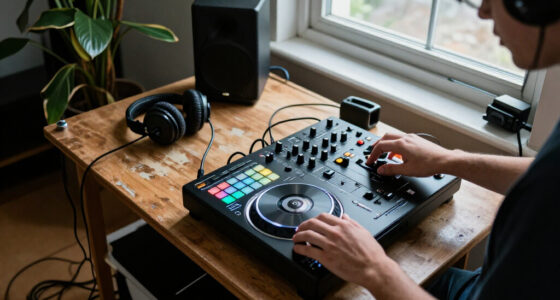
If you’ve ever struggled to fit your DJ gear into a tiny car trunk or a cramped apartment corner, you’re not alone. The right small-space DJ controller can turn a tight setup into a smooth, efficient workflow.
This guide cuts through the clutter, focusing on what truly matters: size, portability, features, and compatibility. Whether you’re a mobile DJ, a bedroom spinner, or just working in tight quarters, understanding these points can save you time, space, and frustration.
Measure your space before picking a controller—compact size is key.
Prioritize built-in features like sound cards and performance pads to maximize small setups.
Recent innovations include foldable designs and wireless connectivity, boosting flexibility.
Choose controllers with intuitive controls and reliable outputs—small doesn’t mean less quality.
Plan your setup in advance to avoid clutter and ensure quick, smooth performances.
Choosing the Right DJ Controller for Small Spaces
A tight desk, apartment corner, or car trunk does not have to restrict your mix. The best compact controller balances footprint, tactile control, software compatibility, and dependable audio—so setup stays fast and the performance still feels fluid.
Start with the room, not the feature list.
Measure the usable surface, cable clearance, and hand movement zone. A controller only “fits” when you can reach every essential control comfortably.
Measure twice
Allow space behind the unit for USB, audio, and power cables—not just the controller’s published dimensions.
Keep the essentials tactile
Prioritize responsive jog wheels, pitch control, EQ, cue buttons, and performance pads over crowded extras.
Reduce external boxes
A built-in sound interface can remove an extra device, power lead, and cable bundle from the setup.
Match your workflow
Confirm support for your preferred platform, whether that is Serato DJ, rekordbox, Traktor, or a mobile app.
Count every output
Check headphone cueing, master output, microphone input, and any RCA or XLR connections your gigs require.
Portable must stay reliable
Frequent packing makes solid knobs, protected sockets, clear audio, and dependable construction especially important.
Two channels cover straightforward transitions, cueing, effects, and most beginner or mobile workflows. Move to four only when layered mixing is genuinely central to your sets.
Three footprints, three different compromises.
Use this comparison as a decision framework: smallest for mobility, larger for integrated capability, and always verify current specifications before purchase.
| Model | Dimensions | Weight | Channels | Built-in sound card | Price range |
|---|---|---|---|---|---|
| Numark DJ2GO2 | 8″ × 4.5″ × 1.4″ | 0.75 lb | 2 | ✗ No | $100–$150 |
| Pioneer DDJ-200 | 11.4″ × 7.4″ × 1.8″ | 2.2 lb | 2 | ✗ No | $150–$200 |
| Roland DJ-202 | 16.1″ × 9.1″ × 2.2″ | 8.6 lb | 2 | ✓ Yes | $400–$450 |
DJ2GO2 suits backpacks and extremely narrow surfaces, but the compact layout demands deliberate control choices.
DDJ-200 emphasizes approachable controls and app connectivity for flexible bedroom or casual mobile use.
DJ-202 occupies more room but adds onboard audio capability, potentially reducing the surrounding gear count.
Small should mean focused—not compromised.
Space-saving technology is useful, but dependable monitoring, output, and control responsiveness remain the foundation of a confident performance.
The non-negotiables
A compact controller earns its place when it removes clutter without introducing friction. These four capabilities should survive almost every downsizing decision.
More capability is moving inside the controller.
The strongest recent developments reduce surrounding equipment, simplify placement, and let one compact device adapt to multiple environments.
All-in-one units
Audio interfaces, effects, pads, and touch-sensitive controls can reduce the number of separate devices.
Phone and tablet control
Mobile integration can replace a bulky laptop in lightweight practice, content, and casual performance setups.
Wireless connectivity
Bluetooth and Wi-Fi options can reduce cable clutter, though wired USB remains preferable where latency matters.
Slim and modular design
Low-profile and modular concepts make storage easier and allow a small system to expand when needed.
Map surface, height, cable, and hand clearance.
Choose the controls used in every performance.
Confirm software, cue, output, and mic support.
Secure the surface and route cables cleanly.
Simulate a set and adjust every awkward reach.
Choose the smallest controller that preserves your real workflow.
Do not pay for channels you will not use, but do not sacrifice reliable output, monitoring, responsive controls, or software compatibility. Test the complete setup—not merely the device footprint—before the first live performance.
How to Pick a DJ Controller That Fits Your Small Space
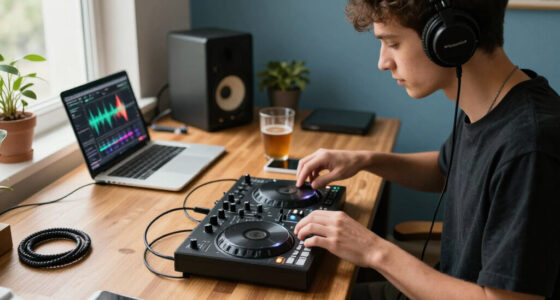
Finding a DJ controller that fits comfortably depends on knowing your space’s limits and your needs. Measure your setup area first—think of it as planning a mini stage.
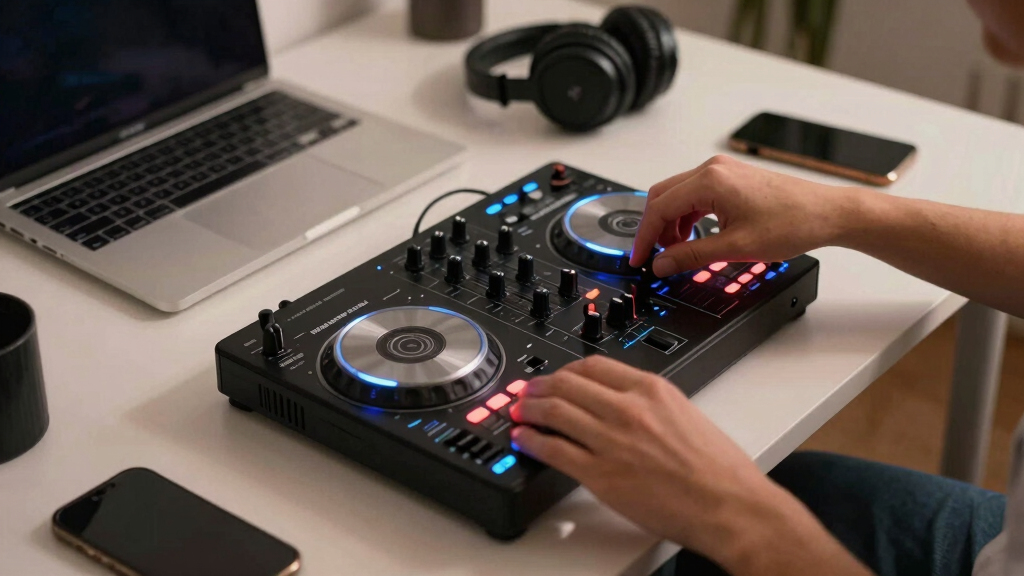
Look for models that are no wider than 12 inches and under 3 pounds. For example, the Numark DJ2GO2 is just 8 inches wide and weighs around 0.75 pounds, perfect for a small table or even a backpack.
Choose controllers with essential controls—like jog wheels, pitch sliders, and performance pads—that don’t crowd your workspace. Think of it like packing a travel bag: prioritize the essentials, leave the rest.
Understanding your space constraints helps prevent overbuying or choosing a controller that’s too cumbersome, which can hinder your performance and setup speed. Smaller controllers often require tradeoffs, such as fewer inputs or limited features, so weigh what’s most crucial for your style and environment.
Popular right now

Apple AirPods Pro 3 Wireless Earbuds with Active Noise Cancellation

Bose QuietComfort Wireless Noise-Cancelling Headphones, Petal Pink

De'Longhi Magnifica XS ECAM22110B Automatic Espresso Machine
As an affiliate, we earn on qualifying purchases.
Why Size Isn’t Everything: Features That Matter in Small Controllers
In tiny controllers, every feature must punch above its weight. Look for models that include a built-in sound card, like the Roland DJ-202, which offers a 24-bit audio interface—eliminating extra gear clutter. This integration is vital because it reduces the number of devices you need to carry and connect, making your setup faster and less prone to connection issues.
Performance features such as touch-sensitive jog wheels, customizable pads, and effects add versatility without increasing size. For instance, the Pioneer DDJ-200 offers intuitive controls and seamless app connectivity, which is especially beneficial for mobile DJs who need quick access to effects and mixing tools on the go.
Remember, a small controller with a dedicated mic input or headphone cue allows quick adjustments, making your mix sound professional even in tight spaces. These features enhance your ability to adapt on the fly, which is crucial when space and time are limited. However, sacrificing certain features like multiple channels or extensive I/O can sometimes limit your flexibility, so consider your typical gigs and workflows when choosing.
Compare Top Small DJ Controllers Side-by-Side
| Model | Dimensions | Weight | Channels | Built-in Sound Card | Price Range |
|---|---|---|---|---|---|
| Numark DJ2GO2 | 8″ x 4.5″ x 1.4″ | 0.75 lbs | 2 | No | $100-$150 |
| Pioneer DDJ-200 | 11.4″ x 7.4″ x 1.8″ | 2.2 lbs | 2 | No | $150-$200 |
| Roland DJ-202 | 16.1″ x 9.1″ x 2.2″ | 8.6 lbs | 2 | Yes | $400-$450 |
Choosing among these depends on your space, budget, and whether built-in audio is a must. The DJ2GO2 is ultra-compact but lacks a sound card, which means you’ll need an external interface. The Roland DJ-202 offers more integrated features like a built-in sound card, but it takes up more room and costs more. Consider your typical setup and mobility needs—if portability is your priority, the smaller model may suffice, but if you need all-in-one functionality, investing in a slightly larger controller could save time and reduce clutter during gigs.
Recent Innovations Making Small Controllers Smarter and Smaller
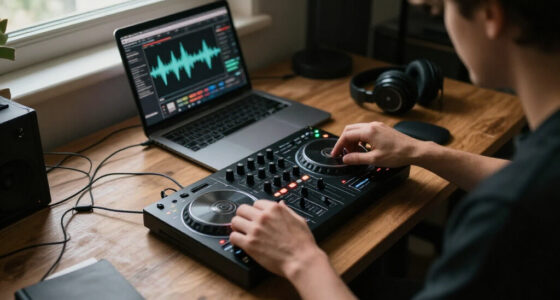
New models now pack more punch in less space. Touch-sensitive jog wheels, for example, replace traditional knobs, offering not only space savings but also enhanced precision and responsiveness—crucial for detailed cueing and scratching in tight environments. The Pioneer DDJ-200 uses a smartphone app for control, which reduces the need for bulky laptops and allows for more flexible placement of your gear.
Wireless features like Bluetooth and Wi-Fi are becoming standard, enabling you to connect to speakers, headphones, and even control apps without cumbersome cables. This reduces clutter and setup time, especially in small venues or quick setups. Foldable or modular controllers, such as the Roland DJ-202, can be packed flat or expanded, giving you flexibility as your needs grow. These innovations mean you can have powerful, feature-rich equipment that remains manageable in confined spaces, making your workflow more efficient without sacrificing quality or performance.
What Features Should You Never Sacrifice in a Small Controller?
Even in tiny controllers, some features are non-negotiable for maintaining professional quality. A reliable, clear audio output is essential—look for controllers with high-quality sound cards like the Roland DJ-202’s 24-bit interface. Without this, your sound may suffer from noise or low fidelity, especially at higher volumes or in noisy environments.
Intuitive controls—like responsive jog wheels and performance pads—are critical because they directly impact your ability to perform smoothly and quickly. Poorly responsive controls can cause delays or mistakes during live mixing, which is especially noticeable in small, intimate venues. Also, prioritize inputs for microphones and headphones—these are your lifelines for communication and monitoring during gigs. The ability to quickly cue and adjust levels ensures your performance remains professional under tight conditions. Lastly, compatibility with your preferred DJ software—Serato, rekordbox, or Traktor—is fundamental to ensure seamless operation, updates, and access to features you rely on. Sacrificing these can lead to frustration and limit your creative options in small, demanding setups.
How to Set Up Your Small DJ Controller in a Tight Spot
- Measure your space carefully to determine the smallest footprint that will still allow comfortable operation. This prevents buying a controller that’s too large or awkward for your environment.
- Select a stable, flat surface—like a small table, shelf, or portable stand—that can support your controller without wobbling. Stability is key to precise control and avoiding accidental slips or misalignments.
- Connect your controller to your laptop or mobile device, preferably via USB for a clean, reliable connection. Using wireless options like Bluetooth can introduce latency or disconnections, which may disrupt your performance.
- Arrange your speakers or headphones nearby, ensuring cables are neatly managed to prevent tangling or tripping hazards. Use cable organizers or clips if necessary to keep everything tidy.
- Test your entire setup—walk around it, simulate a quick performance, and check for any space limitations that might restrict your movements or access to controls. Adjust placement as needed to optimize your workflow.
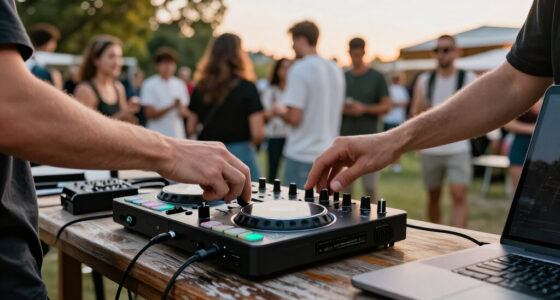
For example, a mobile DJ in a coffee shop might set up a Numark DJ2GO2 on a small side table, with a Bluetooth speaker nearby, ready to spin in just minutes. Proper planning ensures your setup is efficient, comfortable, and ready for action.
Frequently Asked Questions
What is the best DJ controller for small spaces and beginner DJs?
The Numark DJ2GO2 is often the top pick for beginners with limited space. It’s small, affordable ($100-$150), and simple to use. It offers two channels and basic controls, making it perfect for learning and mobile gigs.
Can I use a small DJ controller for professional gigs?
Yes, but it depends on the gig. Compact controllers like the Roland DJ-202 have enough features for semi-pro or mobile events. For larger venues, you might need a larger setup, but small controllers excel for quick setups and intimate shows.
How do I connect a small DJ controller to my laptop or mobile device?
Most small controllers connect via USB. Simply plug the controller into your laptop or tablet, install any necessary drivers or software, and you’re ready to go. For mobile devices, some controllers connect through an OTG adapter or Bluetooth if supported.
Are compact controllers less powerful than full-sized ones?
Not necessarily. Many small controllers pack high-quality sound interfaces, responsive controls, and effects. They’re designed to maximize features in a limited space, though they may lack the extensive I/O options of larger units.
What features should I prioritize in a small DJ controller?
Focus on a built-in sound card, intuitive controls, and compatibility with your preferred DJ software. Also, look for headphone and mic inputs, and if possible, wireless connectivity for maximum flexibility.
Conclusion
In tight spots, your gear should work for you, not against you. Focus on compact size, smart features, and solid compatibility—then practice your setup until it’s second nature.
With the right controller, even the smallest corner can become your DJ stage. Think of your setup like a tiny but powerful engine—compact, efficient, ready to spin at a moment’s notice.