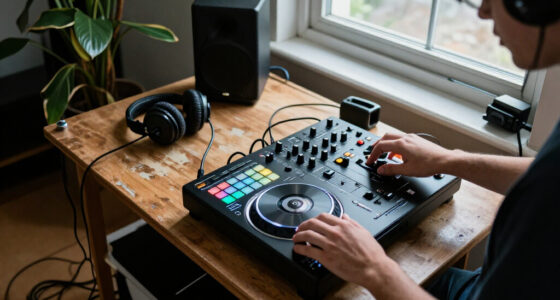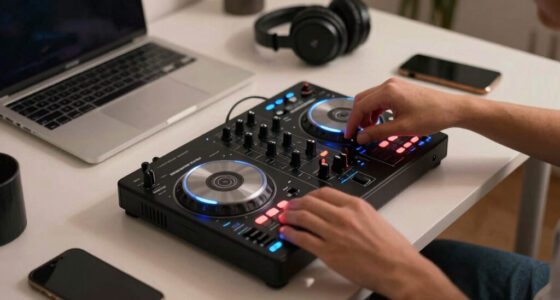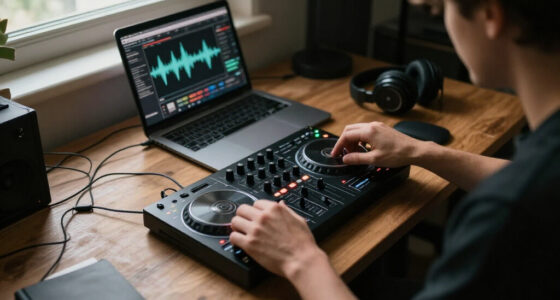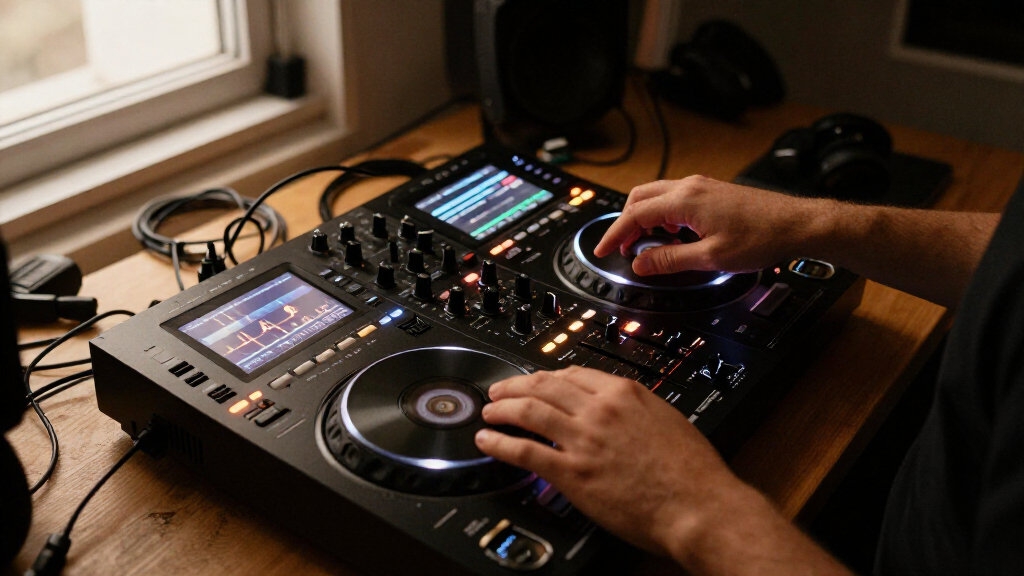

Choosing a DJ controller to use with a digital mixer means deciding how much of the mixing work should happen in DJ software and how much the hardware should handle directly. The Pioneer DJ DDJ-FLX4 and DDJ-FLX10 are compared because both control rekordbox and Serato DJ, but they serve very different setups. The FLX4 is a practical, low-cost way to control two software decks and send a stereo output to a mixer. The FLX10 costs substantially more, yet offers four-channel control, more performance controls, and inputs and outputs suited to a booth or hybrid setup. Choose the FLX4 for learning, home use, and simple two-deck routing; consider the FLX10 when you need a more capable control surface and connections that can simplify a complex rig.

Get audio and creator gear delivered free with Prime
- Fast, free delivery on millions of items
- Prime Video, Amazon Music and more included
- Member-only deals all year

Pioneer DJ DDJ-FLX4 2-Channel DJ Controller, 16 Pads, Graphite
- ✔ Channels: 2
- ✔ Performance pads: 16
- ✔ Connectivity: USB, Bluetooth listed

Gemini GMX USB DJ Controller and Media Player with VirtualDJ LE
- ✔ Channels: 2
- ✔ Playback: Standalone USB drive playback; DJ software control
- ✔ Included software: VirtualDJ LE

Pioneer DJ DDJ-FLX10 4-Channel DJ Controller
- ✔ Channels: 4
- ✔ Supported software: rekordbox, Serato DJ Pro
- ✔ Connectivity: USB
At a Glance
| Criteria | Pioneer DJ DDJ-FLX4 | Pioneer DJ DDJ-FLX10 | Winner |
|---|---|---|---|
| Deck and channel control | Two-deck controller with a compact two-channel layout | Four-deck control with a larger, four-channel layout | B |
| Connection to a digital mixer | Primarily sends a stereo master output to an external mixer or sound system | More flexible inputs and outputs for routing and hybrid setups; check the exact mixer and software signal path | B |
| Performance controls | Core jog wheels, pads, loops, and mixer controls | Expanded performance controls, including track separation features in supported software | B |
| Portability | Small and light; easy to carry and store | Larger and heavier; better suited to a dedicated booth or vehicle transport | A |
| Software support | Works with rekordbox and Serato DJ Lite; compatible software options depend on setup | Designed for rekordbox and Serato DJ Pro; feature availability depends on software and configuration | Depends |
| Value | Lower-cost entry into software-controlled DJing | Worth the premium when four-deck control and connections will be used | Depends |
Pioneer DJ DDJ-FLX4 2-Channel DJ Controller, 16 Pads, Graphite
The DDJ-FLX4 is the most balanced starting point for DJs who want a portable controller to operate alongside a computer or mobile device. Its two-channel layout keeps the workflow accessible, and Smart Fader is designed to help adjust volume, bass, and BPM during transitions. That makes it a practical choice for building sets without requiring the more involved four-channel approach of the FLX10.Its value for a digital mixer setup comes from device flexibility and a built-in sound card, with compatibility listed for PC, Mac, iOS, and Android. Sixteen pads provide access to Hot Cues, Pad FX, Beat Jump, and sampler functions, giving us ways to add performance touches without expanding the footprint. Compared with the GMX, however, the FLX4 does not list standalone USB playback or the same XLR master and booth outputs. It is better suited to a software-led signal path than to a laptop-free booth.The main tradeoff is capacity: this controller offers two channels and two decks, so layered four-deck sets call for another approach. Bluetooth is listed, but the product details do not say which functions it supports; we should not assume it replaces a wired audio connection. Choose it for a straightforward, portable software controller, and look to the FLX10 for expanded deck control or the GMX for USB playback.
Pros:
- Smart Fader is designed to assist with volume, bass, and BPM adjustments during blends.
- Sixteen pads support Hot Cues, Pad FX, Beat Jump, and sampler functions.
- Compatibility spans computers and mobile devices across several operating systems.
- Built-in sound card supports speaker connections and streaming setups.
Cons:
- Two-channel, two-deck control constrains layered performance options.
- Bluetooth functions are not specified in the product details.
Best for: DJs who want a portable, two-channel controller for PC, Mac, iOS, or Android and a straightforward software-based workflow.
Not ideal for: DJs who need standalone USB playback, clearly specified Bluetooth audio functions, or four-channel control.
Bottom line: For a compact digital mixer workflow built around DJ software, the DDJ-FLX4 offers the most approachable balance of control and device compatibility, provided two channels are enough.
“For a compact digital mixer workflow built around DJ software, the DDJ-FLX4 offers the most approachable balance of control and device compatibility, provided two channels are enough.”
Gemini GMX USB DJ Controller and Media Player with VirtualDJ LE
The Gemini GMX takes a different route from both Pioneer controllers: it can play music directly from USB drives as well as control DJ software. That standalone option makes it the most self-contained source in this comparison for a digital mixer rig. When we want to perform without a laptop running the set, the GMX has a clear advantage over the FLX4 and the software-dependent FLX10.Its dual screens and touch-sensitive jog wheels support track browsing and hands-on control, while the described displays show waveforms and track information. For mixer connections, the listed master XLR and RCA outputs and booth RCA outputs provide a range of connection choices. A 24-bit audio interface and headphone outputs add useful monitoring and routing options. Compared with the FLX4, it offers more explicitly documented physical outputs and USB playback; compared with the FLX10, it is still a two-channel design and does not offer the same four-channel performance layout or Track Separation feature.We should account for the GMX’s corded power requirement before treating it as a fully mobile solution. Its software update support date is also listed as unknown, which matters if our setup depends on long-term compatibility with current software. This is the best fit for DJs who value a USB-based fallback and direct connections, while the FLX4 is more compelling for flexible computer and mobile use.
Pros:
- Standalone playback from USB drives can reduce dependence on a computer.
- Dual screens show waveforms and track information.
- Master XLR and RCA plus booth RCA outputs support different mixer connections.
- Touch-sensitive jog wheels and mappable MIDI controls support hands-on and software workflows.
Cons:
- Requires corded electric power.
- Software update support date is listed as unknown.
- Two-channel layout offers less room for layered sets than the FLX10.
Best for: DJs who want standalone USB playback, visible track information, and XLR or RCA output options for a digital mixer setup.
Not ideal for: DJs who need battery-powered portability, four-channel control, or clearly documented future software update support.
Bottom line: The GMX is our strongest pick when USB playback and documented XLR outputs matter more than four-channel control or a lighter, computer-first setup.
“The GMX is our strongest pick when USB playback and documented XLR outputs matter more than four-channel control or a lighter, computer-first setup.”
Pioneer DJ DDJ-FLX10 4-Channel DJ Controller
For DJs whose digital mixer workflow calls for more than two decks, the DDJ-FLX10 is the most capable performance platform in this lineup. Its four-channel layout supports a club-style approach to layered mixing, and Track Separation lets us isolate vocals, drums, and instruments for live mashups. That gives it a different creative role from the FLX4, whose two-channel design favors simpler transitions, and the GMX, whose main distinction is standalone USB playback.Multicolor jog wheel displays show waveforms, artwork, and playing parts, helping keep track information in view while we work. Built-in DMX output also allows the controller to control lighting, a useful addition when one setup needs to manage both music and a compatible light rig. These features make the FLX10 the strongest choice for complex performances, but they are most useful when we already want its supported software workflow with rekordbox or Serato DJ Pro.The tradeoffs are practical as well as technical. The FLX10 requires supported DJ software, so it cannot fill the GMX’s standalone USB role. At 14.8 pounds, it is also heavier to transport than the compact two-channel options. Its USB connectivity is listed, but the provided specs do not detail specific output connections for an external digital mixer. We should confirm the connection path for our mixer and sound system before buying. Pick it for channel capacity and live control; skip it if portability or laptop-free playback leads our priorities.
Pros:
- Four-channel layout supports layered, club-style mixing.
- Track Separation can isolate vocals, drums, and instruments for mashups.
- Multicolor jog wheel displays show waveforms, artwork, and playing parts.
- Built-in DMX output can control lighting.
Cons:
- Supported software operation requires rekordbox or Serato DJ Pro.
- At 14.8 pounds, it is heavier to transport than the two-channel alternatives.
- The provided specifications do not detail external mixer output connections.
Best for: Performance-focused DJs who use rekordbox or Serato DJ Pro and want four-channel control, live mashup tools, and DMX lighting output.
Not ideal for: DJs seeking standalone USB playback, a lighter travel controller, or a simple two-channel learning setup.
Bottom line: Choose the DDJ-FLX10 when four-channel performance and Track Separation justify a software-dependent, heavier controller, and confirm its connections suit the mixer in your rig.
“Choose the DDJ-FLX10 when four-channel performance and Track Separation justify a software-dependent, heavier controller, and confirm its connections suit the mixer in your rig.”
As an Amazon Associate we earn from qualifying purchases.
Key Differences
The main split is between a controller that sends a straightforward stereo feed to a digital mixer and one designed to manage more of the performance at the controller. The FLX4 gives you two decks and the essentials in a small package. It works well when the external mixer is primarily handling inputs, microphones, or the final house mix. The FLX10’s four-channel layout and broader connectivity suit DJs who want more sources in play, control several software decks, or combine software playback with external equipment. Connectivity alone does not guarantee the signal flow you want: confirm whether your particular digital mixer accepts the controller’s output and whether you need separate channels, USB audio, or a stereo feed.
The other meaningful tradeoff is cost against headroom. The FLX4 is enough for learning, rehearsing, and many two-deck sets; its limits become apparent when a set depends on four simultaneously controlled decks or extensive live routing. The FLX10 costs more and takes up more space, but its additional controls can reduce workarounds in those scenarios. Paying extra makes sense when you can name the specific channels, connections, or performance functions you will use. If your digital mixer already handles the sources and routing you need, the FLX4 is often the better value.
Detailed Comparison
Deck and channel control (Pioneer DJ DDJ-FLX10 wins — major)
The FLX4 handles two decks, which is sufficient for conventional two-track transitions and most practice sessions. The FLX10 provides four-deck control and a four-channel layout, giving you more direct access when layering tracks, samples, or external sources. The advantage is major for four-deck performers and minor for DJs who mix two tracks at a time. Choose the FLX10 if extra decks are part of your regular set; otherwise, the FLX4 keeps the controls simpler and the cost lower.
Connection to a digital mixer (Pioneer DJ DDJ-FLX10 wins — moderate)
The FLX4 is best treated as a controller with a stereo master output: connect that feed to a mixer input when you need the venue mixer to combine it with microphones or other sources. The FLX10 offers more routing flexibility and inputs and outputs for hybrid use, though the precise capabilities depend on software, cabling, and the mixer. This is a moderate-to-major advantage if you need separate sources or external equipment; for a single stereo feed, it may make little difference. Check the mixer’s available inputs and the intended signal path before buying either model.
Performance controls (Pioneer DJ DDJ-FLX10 wins — moderate)
The FLX4 covers the standard jobs with jog wheels, performance pads, effects, loops, and channel controls. The FLX10 adds a more extensive surface and supported track-separation features that can make live edits and transitions more direct. That is a moderate benefit if you actively use stems and hands-on performance controls. If you mainly cue and blend complete tracks, the FLX4 already covers the essential work, so the upgrade is unlikely to transform the set.
Portability (Pioneer DJ DDJ-FLX4 wins — major)
The FLX4 is markedly smaller and lighter, making it easier to carry to lessons, rehearsals, or small gigs and to store when not in use. The FLX10’s larger footprint provides room for more controls, but it is less convenient for frequent travel and cramped setups. The gap is major for mobile users and minor for a permanent home booth. If you need a controller that can travel in a typical backpack, the FLX4 is the clear choice.
Software support and setup (moderate difference)
Both models are built around rekordbox and Serato DJ workflows, but software editions, included licenses, and feature access can change. The FLX4 is commonly paired with entry-level software use, while the FLX10 is aimed at fuller professional software control. Neither should be selected on a broad claim of compatibility alone: confirm the current license terms, operating system support, and that your preferred software exposes the functions you expect. The practical difference is moderate for a new buyer and smaller for someone already committed to a supported setup.
Value for money (major difference)
The FLX4 provides better value for a two-deck workflow because the extra cost of the FLX10 buys features that may sit unused. The FLX10 can be the better long-term purchase for a working DJ who needs four decks, a larger control surface, or its connection options; it may avoid awkward workarounds or an early replacement. The difference is major in either direction depending on the setup. Pay more only when the added capability solves a real requirement, not as insurance against an upgrade you may never need.
Pioneer DJ DDJ-FLX4: Pros and Cons
Pros:
- Affordable way to control software decks
- Compact and easy to transport
- Enough controls for standard two-deck sets
- Straightforward stereo connection to a digital mixer
Cons:
- Limited to two-deck control
- Less suited to complex hybrid routing
- Fewer hands-on performance controls than the FLX10
Pioneer DJ DDJ-FLX10: Pros and Cons
Pros:
- Four-deck control for layered sets
- More extensive performance controls
- More flexible connections for hybrid configurations
- Better headroom for demanding booth workflows
Cons:
- Costs considerably more
- Larger and heavier to transport
- Extra capability can go unused in simple two-deck setups
- Routing and software features require careful setup
Who Should Choose What
Choose Pioneer DJ DDJ-FLX4 if:
- You are learning or mainly play two-deck sets
- You need a portable controller for practice, home use, or small gigs
- Your digital mixer only needs to receive a stereo controller output
- You want to keep spending low until your workflow demands more
Choose Pioneer DJ DDJ-FLX10 if:
- You regularly control four software decks
- You perform layered sets or use supported stem controls live
- You need more flexible connections for a hybrid setup
- You will use the expanded controls often enough to justify the higher cost
Skip both if: Your digital mixer alone provides the playback and control you need, or you need a specific multichannel USB workflow that neither controller supports in your intended configuration. Check the mixer and software signal path before purchasing.
Value for Money
The FLX4 is the better value for most beginners and two-deck DJs: it costs less, travels easily, and does the central job of controlling DJ software while feeding a digital mixer. The FLX10’s higher price is justified for DJs who will use four-deck control, expanded performance features, or its more flexible connections in regular sets. If those needs are only hypothetical, keep the money. If they are already causing workarounds in your setup, the premium can pay off in smoother operation and room to grow.
Final Verdict
For most people looking for a controller to pair with a digital mixer, choose the Pioneer DJ DDJ-FLX4. It is the sensible fit for two-deck mixing, practice, and setups where the mixer receives one stereo feed. Choose the DDJ-FLX10 if your sets genuinely require four controlled decks, expanded hands-on performance, or more involved hybrid connections. The deciding factor is whether the controller must manage several active sources: when it does, the FLX10 earns its price; when it does not, the FLX4 is the better buy.
Frequently Asked Questions
Can I connect either controller to a digital mixer?
Usually, yes, if the mixer has an input that matches the controller’s output and you use the appropriate cable. The FLX4 commonly feeds a stereo input. The FLX10 offers more options, but confirm the exact model’s outputs and the mixer’s routing needs before relying on a particular connection.
Does a digital mixer make the FLX4 a four-deck controller?
No. The mixer can combine additional audio sources, but it does not add direct FLX4 controls for four software decks. If you need to manipulate four software decks from the controller, the FLX10 is the better fit.
Is the DDJ-FLX10 worth the extra cost?
It is worth paying more when you regularly need four-deck control, expanded performance features, or flexible hybrid connections. For a two-deck set with a stereo output to the mixer, the FLX4 is usually better value.
Which controller is better for a mobile DJ?
The FLX4 is easier to carry and store. The FLX10 is more capable for complex performances, but its larger size makes sense mainly when those added controls are needed at the gig.