
TL;DR

Get audio and creator gear delivered free with Prime
- Fast, free delivery on millions of items
- Prime Video, Amazon Music and more included
- Member-only deals all year
A compact wedding DJ setup combines lightweight gear, wireless tech, and smart placement. Recent advances like all-in-one controllers and portable speakers make setup faster and easier, without sacrificing sound quality.
Imagine walking into a wedding venue with a bag that feels almost weightless, yet everything you need is right there—powerful sound, smooth controls, and quick setup. That’s not a dream; it’s what modern gear allows for. You don’t need a truckload of equipment or endless cables to pull off a top-tier wedding DJ gig. Instead, focus on smart choices that save your back and your time, while still impressing the crowd.
This guide shows you how to build a setup that’s portable, reliable, and quick to assemble. Whether you’re a seasoned pro or just starting, these tips keep your gear compact but capable, so you can focus on the DJing — not fighting with your equipment.
Prioritize lightweight, powered speakers like Bose S1 Pro for easy transport and reliable sound.
Use all-in-one controllers such as Roland DJ-202 for quick setup and minimal cable clutter.
Leverage wireless and Bluetooth tech to cut setup time and reduce cable mess.
Strategically place multiple smaller speakers for even sound coverage, not just one big box.
Always carry backup cables, batteries, and a second controller to prevent last-minute failures.
How to Choose the Right Lightweight Speakers for Wedding Venues
The backbone of your setup is the speakers. For wedding gigs, you want something that packs punch but doesn’t weigh you down. Compact powered speakers like the Bose S1 Pro, JBL EON ONE Compact, or QSC K8.2 are favorites among mobile DJs. They weigh between 15-25 pounds and deliver clear, loud sound suitable for small to medium venues.
Choosing the right speakers isn’t just about weight; it’s about understanding how their features impact your performance. For example, battery-powered options like the Bose S1 Pro eliminate the need for cumbersome extension cords, allowing quick placement and reducing setup time. However, battery life tradeoffs mean you need to consider how long your gigs last and whether the speaker’s runtime matches your event schedule. Additionally, portability often comes with a compromise in maximum volume or bass response—so, selecting a speaker with adequate power and clarity for your typical venues is essential. Proper placement of these speakers can also influence sound coverage; strategic positioning ensures even sound distribution, minimizing the need for multiple units and simplifying setup. Understanding these tradeoffs helps you choose gear that balances weight, sound quality, and ease of use for your specific needs. For instance, opting for a slightly heavier model with better bass response might be worthwhile if your typical venues are larger or require more bass, whereas a lighter model might suffice for intimate settings. The implications extend beyond transport—your choice affects setup time, sound coverage, and overall performance quality, making it critical to evaluate your typical gigs and venue sizes before selecting your gear.
Popular right now

Bose QuietComfort Wireless Noise-Cancelling Headphones, Petal Pink

Apple AirPods Pro 3 Wireless Earbuds with Active Noise Cancellation

Jura E6 Automatic Espresso Machine, Piano Black (15622)
As an affiliate, we earn on qualifying purchases.
What’s the Best All-in-One DJ Controller for Quick Setup?
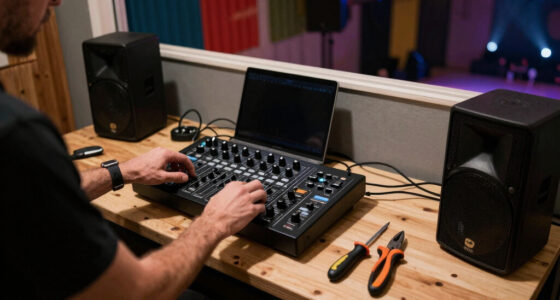
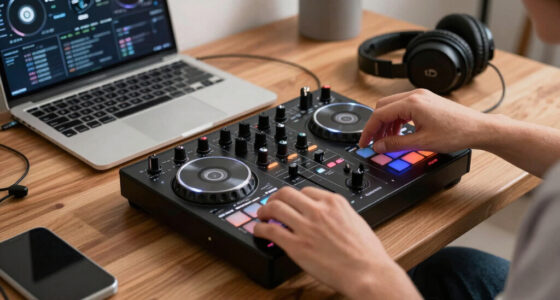
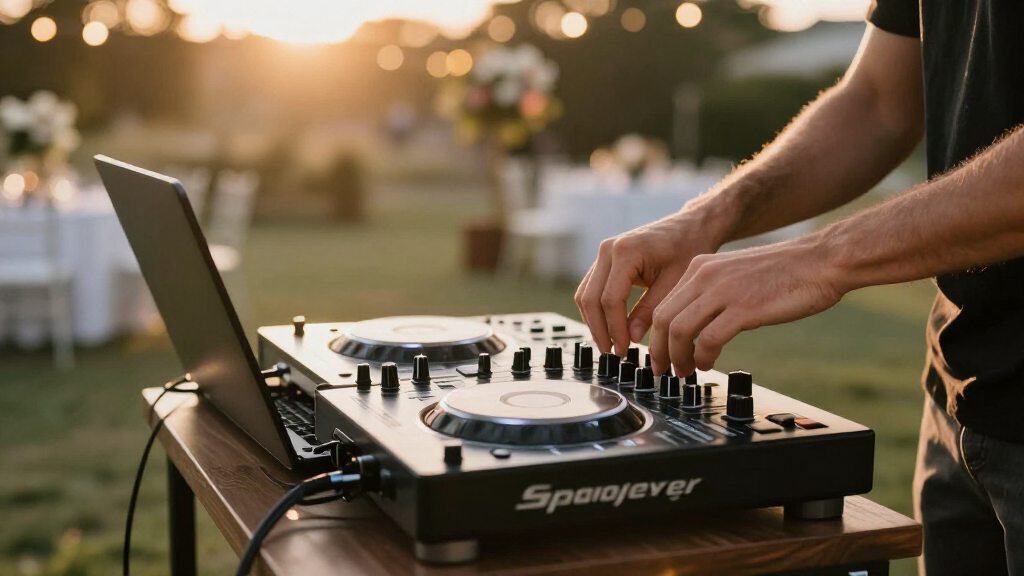
All-in-one DJ controllers combine mixer, jog wheels, and audio interface into one compact unit. The Pioneer DDJ-400 or Roland DJ-202 are prime choices for wedding DJs. They’re roughly the size of a thick laptop—easy to carry, set up, and connect.
Choosing the right controller involves considering how it fits into your workflow. An all-in-one unit reduces the number of cables and connections needed, which directly cuts down on setup time. They also support most DJ software, making them versatile. However, there are tradeoffs: some models might lack advanced features found in larger setups, or their integrated sound cards might not be as high-quality, potentially impacting audio fidelity. The durability of the controller is also crucial, especially for frequent gigs—cheaper models may wear out faster. Additionally, consider the tactile feel and layout, as this affects your comfort during long performances. Investing in a controller that balances portability with reliable performance ensures you won’t sacrifice sound quality or ease of use when time is limited. For example, a slightly larger controller with a robust build and good sound card might cost a bit more but offers greater reliability and sound clarity, which can be crucial during a wedding. This strategic choice streamlines your setup, reduces troubleshooting, and helps you start the music faster, which is vital during busy wedding schedules. Remember, the right controller not only saves setup time but also minimizes potential technical issues during the event, ensuring a smooth performance from the first song to the last dance.
How to Minimize Setup Time with Smart Gear Choices
Quick setup is about streamlining every step. Use gear that’s plug-and-play: wireless microphones, portable controllers, and Bluetooth speakers. Pre-load playlists, and set up your software before arriving. Use quick-connect cables, like XLR or Speakon, for fast connections.
But beyond just plugging in, understanding how these choices impact your efficiency is key. For instance, wireless microphones eliminate cable clutter, but they require RF channels to be carefully selected to prevent interference—an issue that can cause dropouts mid-performance. Preloading playlists and configuring your DJ software beforehand reduces the need for on-site adjustments, saving valuable time. Additionally, choosing gear with quick-connect features and standardized cables minimizes fumbling during setup. Practicing your setup process regularly allows you to identify bottlenecks—such as cable routing or software configuration—and refine your routine. The goal is to reach a point where, once you arrive, it’s a matter of a few quick connections, a check of levels, and you’re ready to go. This level of preparation and gear smartness ensures you spend less time setting up and more time engaging with the crowd, which can make or break the vibe at a wedding. The implications are significant: a well-planned setup not only saves time but also reduces stress, leading to a more confident performance and a better experience for the couple and guests alike.
Wireless Tech: How to Use Wireless Microphones and Bluetooth Safely
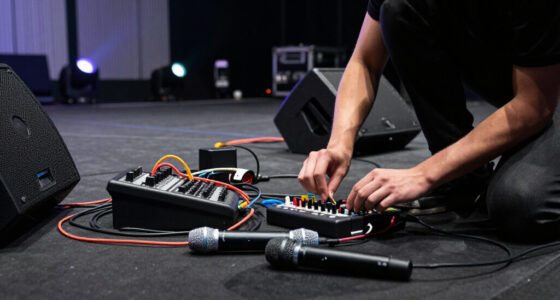
Wireless microphones and Bluetooth gear cut down cable clutter and speed up setup. Invest in reputable brands like Sennheiser or Shure for microphones, and JBL EON ONE Compact for Bluetooth streaming. They’re reliable when used properly and save precious time during setup.
But reliability depends heavily on proper use. Wireless systems operate on radio frequencies that can be crowded, especially in venues with many wireless devices. Interference or dropouts can ruin moments like vows or speeches. To prevent this, always perform a thorough RF scan in the venue beforehand—this identifies clear channels and minimizes the risk of interference. Keep spare batteries or chargers handy, as dead batteries can cause unexpected failures. When using Bluetooth, ensure the device is within the effective range and that no obstacles block the signal. Also, remember that wireless gear often requires a learning curve: understanding how to set frequencies, pair devices, and troubleshoot common issues is vital. When used correctly, wireless tech can dramatically reduce setup time and improve mobility, but neglecting these precautions can lead to embarrassing failures. Safety and reliability come from preparation and understanding, making wireless gear a valuable tool when wielded properly. For example, a quick RF scan might reveal a less crowded frequency, ensuring your microphone stays live throughout the ceremony. Using spare batteries prevents interruptions, and testing Bluetooth connections beforehand guarantees seamless streaming. The implications for your performance are clear: proper use maximizes the benefits of wireless tech, making your setup faster and more flexible while avoiding avoidable issues that could spoil the moment.
How to Best Arrange Your Gear for Fast Setup and Reliable Sound
Placement is everything. Set up your speakers in positions that cover the dance floor evenly—one on each side if possible. Keep cables tidy with Velcro straps and label everything for quick assembly. Use a dedicated power strip to avoid hunting for outlets.
But understanding why placement matters helps you optimize your sound quality and setup speed. Proper placement ensures even coverage, reducing dead spots and the need for additional speakers or adjustments later. For example, placing your main speaker about 3-4 feet high and aimed toward the center of the room leverages natural sound projection, minimizing the need for excessive volume or additional speakers. Secondary speakers should be positioned to fill in gaps, ideally at ear level or slightly above, to create a balanced sound field. Cable management isn’t just about tidiness; it prevents accidental disconnections and trip hazards, saving time during troubleshooting. Labeling cables and using quick-release connectors speeds up setup and teardown. Practice your arrangement beforehand, so during the actual event, your gear setup feels intuitive and fast. The implications are profound: strategic placement not only ensures reliable sound coverage but also reduces the time spent troubleshooting sound issues during the event, allowing you to focus on delivering an engaging experience. Good organization and planning mean less stress, quicker setup, and a more confident performance, which positively impacts the overall atmosphere and professionalism of your service.
What Are the Must-Have Backup Tools to Avoid Last-Minute Failures?
Technical failures happen. Always carry spare cables, extra batteries, and a backup controller if possible. Compact multi-connector cables save space, and a small power bank can keep your wireless gear alive if power drops.
But why is this level of preparedness crucial? Wedding gigs are high-stakes events where even minor technical issues can disrupt the flow of the evening. Carrying spare cables ensures that a single frayed XLR or broken connector doesn’t halt the music. Extra batteries or portable power banks can prevent sudden loss of wireless microphone signals or DJ controller power, which could cause delays or awkward silences. Having a backup controller, even if it’s a simplified version, allows you to switch quickly if your primary gear malfunctions—saving face and maintaining professionalism. These tools act as safety nets, giving you peace of mind and enabling rapid recovery from unforeseen technical hiccups. The implications are significant: being over-prepared means you’re less likely to experience a complete failure at a critical moment. It enables you to adapt swiftly, ensuring the event continues smoothly without noticeable disruption. Investing in a small kit of backup equipment isn’t just about prevention; it’s about creating a safety buffer that preserves your reputation and ensures a seamless performance, even when unexpected issues arise.
Frequently Asked Questions
What is the best portable speaker for wedding DJ gigs?
The Bose S1 Pro, JBL EON ONE Compact, and QSC K8.2 stand out. They’re lightweight, deliver clear sound, and have battery options, making them perfect for mobile setups in diverse venues.
How can I minimize setup time at a wedding?
Use all-in-one controllers, wireless microphones, and Bluetooth speakers. Preload playlists and practice your setup. Quick-connect cables and organized gear reduce setup to under 10 minutes, even in tight spaces.
What equipment is essential for a small, portable wedding DJ setup?
A compact DJ controller, portable powered speakers, a microphone, organized cables, and a power source or batteries. These keep your setup light, fast, and reliable.
How do I ensure good sound coverage in a large venue?
Place multiple smaller speakers strategically around the room—one on each side or in corners—rather than relying on a single big speaker. This creates even, clear sound across the dance floor.
Are wireless microphones reliable for wedding gigs?
Yes, when you choose reputable brands like Sennheiser or Shure. Test them beforehand, keep a wired backup, and select clear radio frequencies to avoid dropouts during the ceremony or speeches.
Conclusion
Building a compact wedding DJ setup isn’t just about saving space — it’s about working smarter. Focus on lightweight gear, wireless tech, and smart placement. Your setup should be quick, reliable, and easy to transport, so you can focus on creating a memorable night, not wrestling with equipment.
Think of your gear as your silent partner: dependable, efficient, and ready when you are. The right setup transforms a stressful load-in into a smooth, confident performance. Now go out there, pack light, and own every wedding gig.