
TL;DR

Get audio and creator gear delivered free with Prime
- Fast, free delivery on millions of items
- Prime Video, Amazon Music and more included
- Member-only deals all year
Portable DJ controllers are compact control surfaces that let you mix with DJ software on a laptop or mobile device; some standalone models play from USB media without a computer. Before buying, check exact software and device support, headphone cueing, master outputs, power needs, and whether the controls feel comfortable enough for your real gigs.
A controller can fit in your backpack and still leave you hauling a laptop, headphones, cables, and a case big enough to swallow the whole rig. Portable DJ controllers save space, but the size printed on the product page tells only part of the story.
These compact devices let DJs control mixing software with jog wheels, faders, knobs, and pads. Some rely on a laptop or phone; some standalone systems can play music from USB media. You’ll learn how to compare those setups, check speaker and software compatibility, and pack for a real event—whether you’re practicing at a café table or carrying a rig up three flights of stairs.
Treat the controller as one part of a system: include the computer or mobile device, software, power, cables, headphones, and speakers in your portability calc…
Verify compatibility for the exact controller, DJ app, device, operating system, and software features before buying.
For live mixing, confirm headphone cueing and master output connectors; pack cables that match your speaker or PA.
Choose two channels for a straightforward learning or mobile setup unless your actual workflow calls for more sources.
Test the complete powered setup and protect faders, knobs, ports, and jog wheels with a fitted travel case.
Know what the controller does before you buy
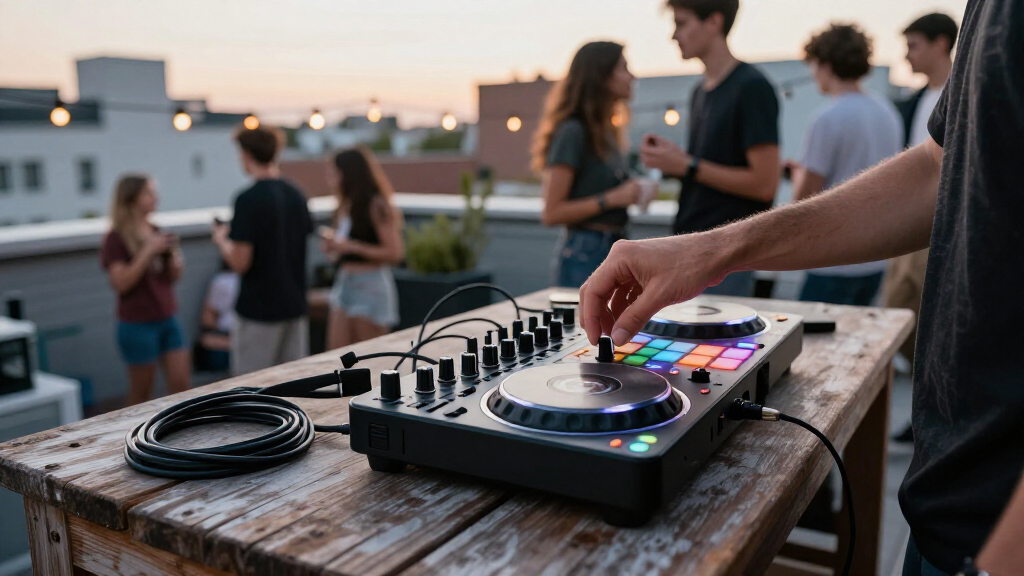
A portable DJ controller is a compact control surface that lets you manipulate tracks in DJ software or, in some cases, a standalone player. The controller provides hands-on controls; the connected computer, phone, or built-in system handles playback and mixing. That distinction matters when you’re deciding what else must fit in your bag.
Many controllers include jog wheels for track nudging and scratching, pitch faders for tempo changes, EQ knobs, channel faders, performance pads, and a crossfader. The exact layout varies. A two-channel model is enough for many beginner sets and mobile gigs, while extra channels can help when you mix more sources—but they add controls, cost, and bulk.
Think of the controller as the steering wheel, not the entire car. At a friend’s birthday, a laptop-based unit can work well if you have a stable table and a safe place for the computer. For a quick practice session in a hotel room, a smaller unit paired with a phone may be easier to carry, provided the app supports the controller’s features.
A DJ mixer and a controller are related, but they aren’t interchangeable by default. A traditional mixer blends audio signals from connected sources; a controller generally sends commands to software or a built-in player. Check the model’s inputs and outputs before assuming it can mix a microphone, turntables, or another music source.
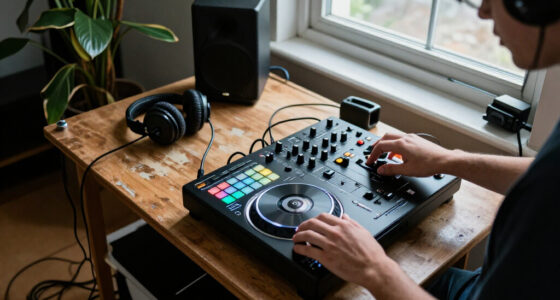
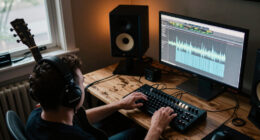
portable DJ controller with USB playback
As an affiliate, we earn on qualifying purchases.
As an affiliate, we earn on qualifying purchases.
Choose laptop, phone, or standalone play for your gigs
Portable DJ controllers run in three broad ways: with a computer, with a supported phone or tablet, or as part of a standalone system. The best fit depends on what you already own, how much setup you can tolerate, and whether you need to perform when a computer is unavailable.
A laptop-based controller is often a practical first setup because its software gives you a library view, waveforms, and mixing controls on one screen. The trade-off is another device to charge, protect, and connect. For example, if you’re playing a 45-minute warm-up set at a small bar, a laptop may be easy to place beside the controller; on a cramped patio table, that extra footprint can become a nuisance.
Phone and tablet support can make a light setup even lighter, but “works with mobile” does not always mean every pad, effect, or browsing feature works in every app. Confirm the exact controller, operating system, cable, and app combination. A recent USB-C tablet may connect directly, while another device could need an adapter or powered hub.
Standalone gear can play music from USB media without a computer, but often costs more and takes up more space. It can make sense for a DJ who wants to leave the laptop at home. Check whether the unit reads your library format and supports the file analysis and playback features you rely on.
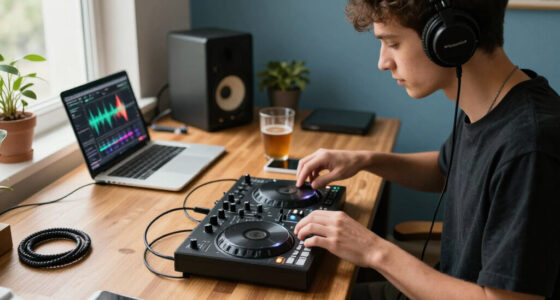
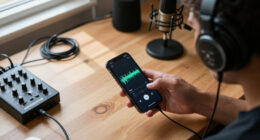
2 channel DJ controller for mobile setup
As an affiliate, we earn on qualifying purchases.
As an affiliate, we earn on qualifying purchases.
Check software and device support before paying
Software compatibility determines whether a controller can control the DJ app and features you plan to use. Check the maker’s current compatibility information for the exact model, software version, operating system, and connection type. A product name alone can hide important differences between versions or bundled licenses.
Some controllers include an entry-level software license, while other features may require a paid plan or subscription. Streaming music availability also depends on the app, service, region, and account terms; don’t assume a track you can stream at home will be available for every performance. If you keep downloaded files, confirm that the software can analyze and play your file types.
Picture a mobile DJ who buys a controller because a video shows a particular app and effect. If that effect requires a subscription or only works with a different operating system, the setup may not match the demo. Before checkout, write down your laptop or phone model, OS version, preferred app, and the features you actually need.
USB-C, Bluetooth, and app connectivity can simplify connections, but wireless playback may add latency or connection risk. A Bluetooth speaker can be handy for casual listening; for beatmatching and live cueing, a wired signal is typically more predictable. Compatibility is a bridge: check both shores before you carry your gear across.
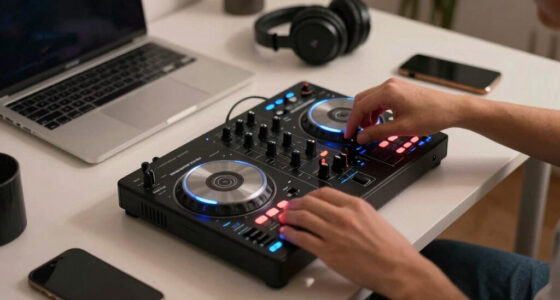
DJ controller compatible with iPhone
As an affiliate, we earn on qualifying purchases.
As an affiliate, we earn on qualifying purchases.
Match headphones, outputs, and speakers to the room
To perform comfortably, you need a way to preview the next track in headphones and send the master mix to speakers or a PA. Many controllers have a built-in audio interface, which can reduce the number of separate devices, but you still need to match the output connectors to the sound system.
Headphone cueing lets you listen to a track before the audience hears it. This matters even at a small family party: you can check the next song’s opening and set its level while the current track keeps playing. Confirm that the controller has a headphone output and that the software supports cueing the way you expect.
Then inspect the master outputs. Depending on the model, these may use RCA, 1/4-inch, or XLR connections. A powered speaker might accept one connector directly while a venue PA expects another, so pack the correct cables or adapters. For a backyard gig with a powered speaker, an RCA-to-1/4-inch cable may be enough for a given setup; check the actual manuals and sockets first.
Small controllers may lack balanced outputs or microphone inputs. If you need to make announcements or connect to a long PA cable run, those omissions can matter more than an extra row of performance pads. Built-in speakers are uncommon on many controllers, so plan for separate speakers or headphones rather than expecting sound from the unit itself.
As an affiliate, we earn on qualifying purchases.
Pack for power, transport, and quick setup
A portable DJ setup is truly portable when it arrives protected, powers on reliably, and connects without a ten-minute cable hunt. USB-powered controllers draw power from their host device, which can reduce the laptop or phone’s battery life. Battery-powered models offer more freedom, but runtime depends on the controller, connected devices, and how you use them.
Don’t assume a power bank will run a controller just because both use USB. Check the model’s power requirements and whether its manufacturer supports a power bank or mobile connection. For a two-hour outdoor set, test the complete setup at home with the same laptop, phone, cables, and brightness settings you’ll use on site. A spare charger is small insurance against a dim battery icon.
Transport wears on knobs, faders, ports, and jog wheels. A snug case protects controls from pressure and grit, while a loose bag can let cables scrape against them. For example, if you walk from a train station to a café gig in light rain, a padded case with room for headphones and cables may help more than shaving a few hundred grams off the controller.
Use this short packing sequence before leaving:
- Confirm the exact setup: controller, supported device, DJ app, and music files.
- Pack signal cables: include the connectors your speakers or PA actually accept.
- Pack power: charger, approved supply, and a tested backup plan.
- Protect the controls: use a fitted case and keep loose cables away from knobs.
- Do a sound check: test headphone cueing and master output before the audience arrives.
That five-minute rehearsal can save a set when the venue table is smaller than expected.
Pick the right size for travel, practice, or mobile work
The right portable DJ controller balances carry weight with controls and connections you can use comfortably. A tiny layout is convenient on a train, but narrow pitch faders and closely spaced knobs can feel cramped during a long set. Portability is a trade: fewer inches in your bag can mean fewer options at the booth.
If you’re learning, prioritize clear channel controls, headphone cueing, and software you can afford to keep using. A compact two-channel controller can teach beatmatching and transitions without crowding a bedroom desk. If you’re a traveling DJ, give more weight to overall packed size, case protection, and whether your phone or laptop can power the rig.
Mobile DJs often need a different checklist. For a wedding cocktail set, a microphone input and suitable master outputs may matter more than a long list of effects. A model that works beautifully for bedroom practice may be a poor match if your regular gigs involve announcements, long cable runs, or a PA with specific connectors.
Make a realistic test: place your controller, laptop or tablet, headphones, and cables on the surface you expect to use. Try cueing one track while adjusting EQ on the other. If you keep bumping the wrong knob, a slightly larger model may save frustration; if your whole rig fits in one protected bag, the smaller choice may be worth its compromises.
Frequently Asked Questions
Can I DJ without a laptop?
Yes, if you choose a standalone system that plays from supported USB media or a controller that works with a compatible phone or tablet. Check the exact model and app requirements, since many controllers still depend on a computer.
Do portable DJ controllers have built-in speakers?
Many do not. Plan to use headphones for private practice and powered speakers or a PA for an audience, then check the controller’s master output connectors.
Can I use Bluetooth headphones for cueing?
Bluetooth latency can make timing and beatmatching harder, even when the audio sounds fine. Wired headphones are usually the safer choice for cueing during a live set.
How many channels do I need?
Two channels handle many beginner and mobile DJ setups, including mixing one track into another. More channels help when your workflow uses extra players or sources, but they can increase cost, size, and setup complexity.
Can I connect a portable controller to a PA system?
Usually, if the controller has a master output that can connect to the PA. Check whether the venue takes RCA, 1/4-inch, or XLR, and bring a suitable cable or adapter for the exact connections.
Conclusion
Choose a portable DJ controller by laying out the whole rig you’ll carry and checking every connection you’ll make. Match its software to your device, its outputs to your speakers, and its controls to the way you actually mix.
Then pack it, power it, and cue a track before gig day. A good portable setup should feel like a small, dependable booth—not a bag of adapters waiting to surprise you.
Halloween Picks
halloween
As an affiliate, we earn on qualifying purchases.